Details
-
Type:
Improvement
-
Status: Closed (View Workflow)
-
Priority:
 Major
Major
-
Resolution: Done
-
Affects Version/s: None
-
Fix Version/s: None
-
Labels:None
-
Story Points:0.5
-
Epic Link:
-
Sprint:Summer 2019 Sprint 7
Description
Current Scenario:
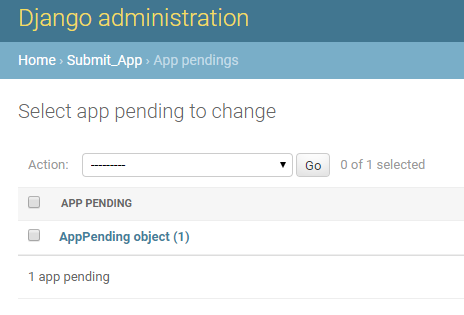
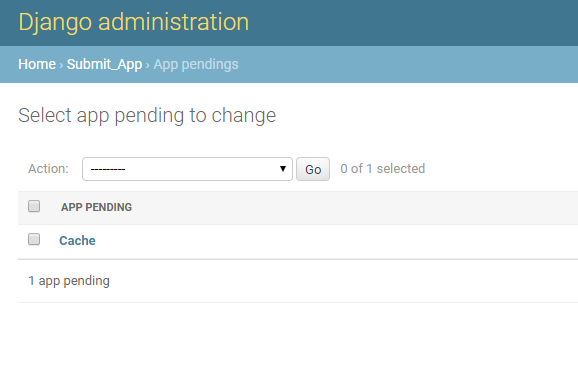
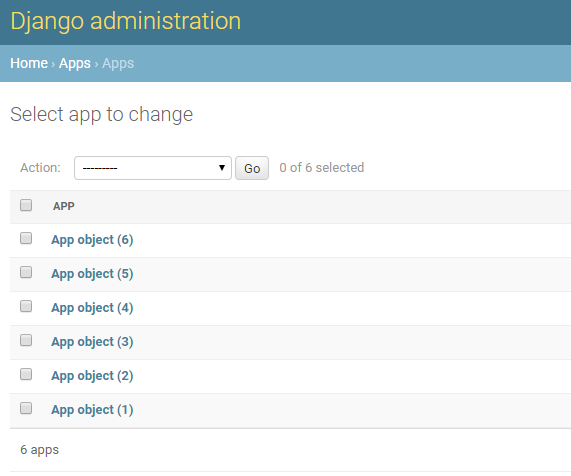
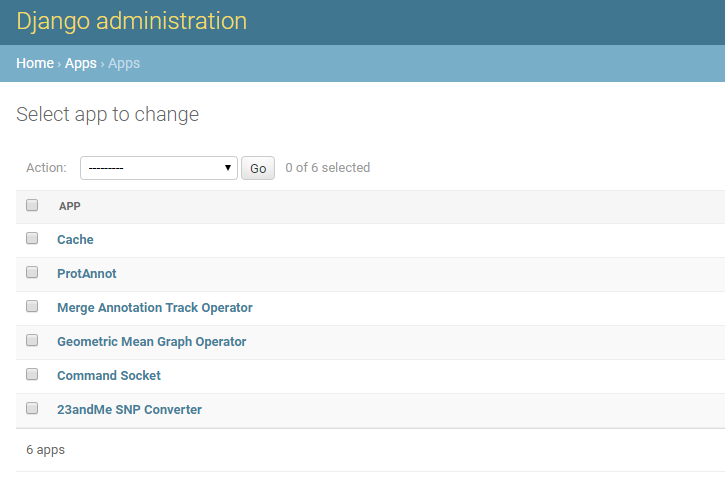
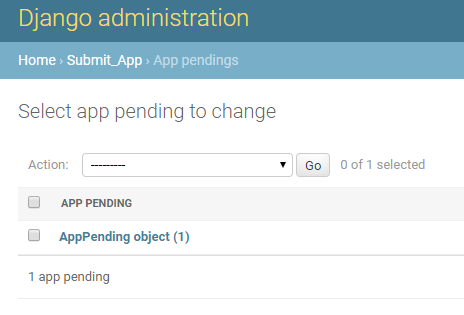
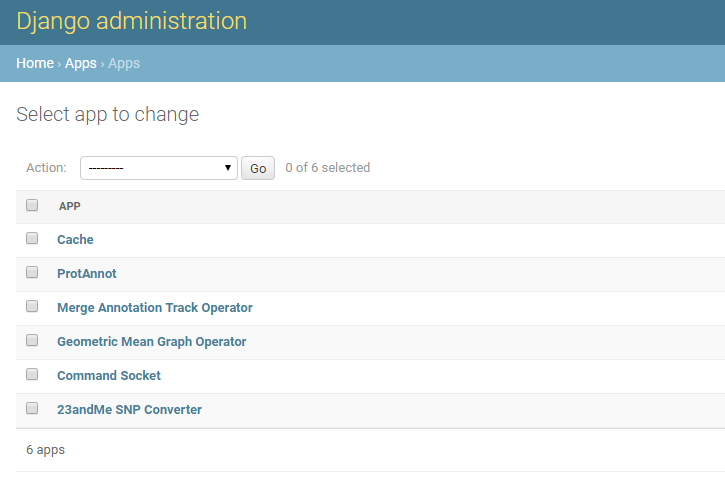
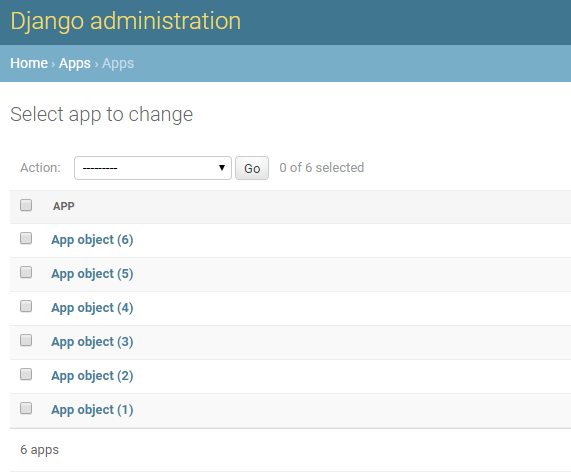
In the Admin Panel > Pending Apps and Admin Panel > Apps there is an object shown instead of the application name as shown in the Screenshots which is not self-explanatory.
Task:
I have updated the Pages to show the Application name instead of the Objects [Currently]
To Test:
1. Login to Django Admin Panel
2. Go to Apps under Apps Section
3. Check if the UI Display the App name instead of App Object(<number>)
4. Go back to the Admin Home Page
5. Go To Submit app > Pending App UI
6. Check if the app name is shown instead of the App Object
Attachments
Activity
| Field | Original Value | New Value |
|---|---|---|
| Epic Link | IGBF-1388 [ 17463 ] |
| Status | Open [ 1 ] | In Progress [ 3 ] |
| Attachment | Pending App Admin UI - updated.PNG [ 14319 ] | |
| Attachment | Pending App Admin UI.PNG [ 14320 ] | |
| Attachment | Publish App Admin UI - updated.PNG [ 14321 ] | |
| Attachment | Publish App Admin UI.PNG [ 14322 ] |

| Status | In Progress [ 3 ] | Needs 1st Level Review [ 10005 ] |
| Status | Needs 1st Level Review [ 10005 ] | Needs Testing [ 10002 ] |
| Assignee | Sameer Shanbhag [ sameer ] |
| Assignee | Prutha Kulkarni [ prutha ] |
| Assignee | Prutha Kulkarni [ prutha ] | Sameer Shanbhag [ sameer ] |
| Resolution | Done [ 10000 ] | |
| Status | Needs Testing [ 10002 ] | Closed [ 6 ] |
| Summary | Application Name Visible on Admin Panel | Show Application Name on Admin Panel |
| Workflow | Loraine Lab Workflow [ 18477 ] | Fall 2019 Workflow Update [ 20184 ] |
| Workflow | Fall 2019 Workflow Update [ 20184 ] | Revised Fall 2019 Workflow Update [ 22321 ] |