Details
-
Type:
Task
-
Status: To-Do (View Workflow)
-
Priority:
 Major
Major
-
Resolution: Unresolved
-
Affects Version/s: None
-
Fix Version/s: None
-
Labels:None
-
Story Points:1.5
-
Epic Link:
Description
Situation: Selection Info refers to information about selected items in the main view of IGB, including tracks and features within tracks.
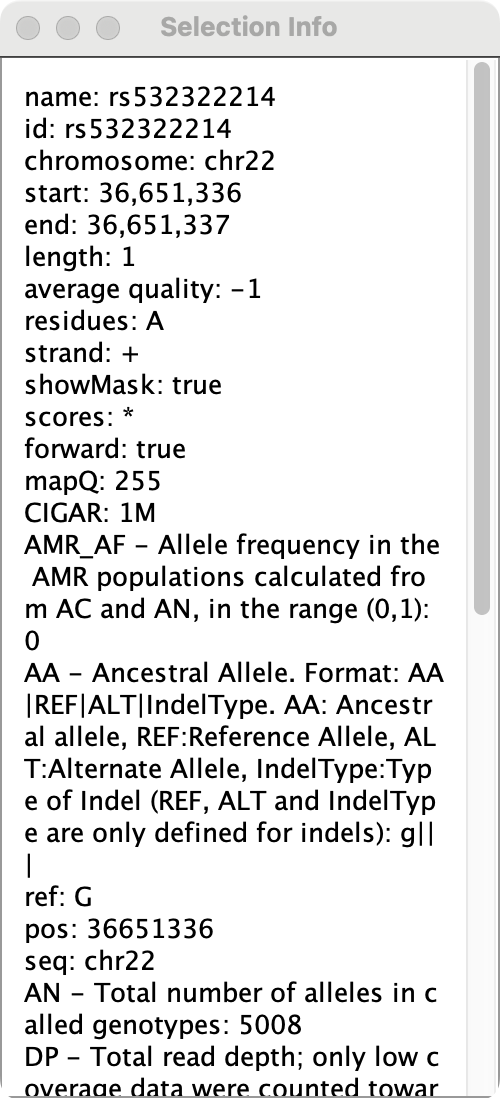
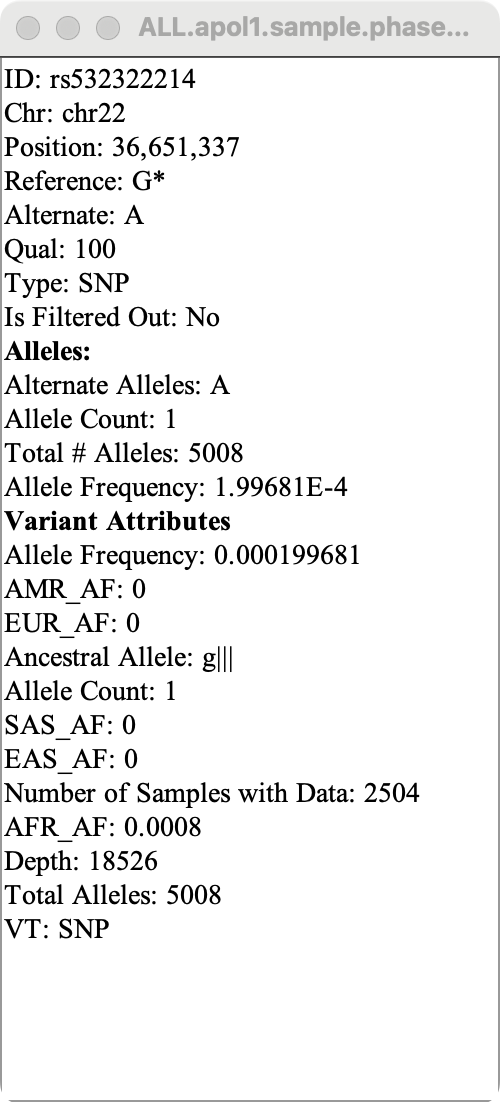
The Selection Info displayed for VCF file tracks and track features is confusingly organized (i.e., it doesn't seem to match the order given in the VCF file's meta-information nor is it alphabetically organized) and the names of some properties are rather long. IGV's Selection Info, on the other hand, is succinct and clearly organized.
See attached for examples of how Selection Info differs between IGB and IGV at the same locus.
Task: Investigate how IGB parses meta-information from VCF files and report your findings on this ticket.
Relevant links:
Selection Info documentation: https://wiki.bioviz.org/confluence/display/igbman/Selection+Info
Example VCF files to use: https://drive.google.com/drive/folders/1PTa3rcCp59BRUcd2mB8BfemK2d3Kn3n5?usp=drive_link
Steps to recreate the attached image (IGB-SelectionInfo.png):
- Download igvData.zip to your computer
- Extract the contents of igvData.zip
- Open IGB
- Open H_sapiens_Feb_2009
- Open igvData > vcf > ALL.apol1.sample.phase3_shapeit2_mvncall_integrated_v5a.20130502.genotypes.vcf
- Search for chr22:36,651,315-36,651,358
- Click Load Data
- Select the green "A" nucleotide in the VCF track
- Click the
 icon in the top right corner of IGB