Uploaded image for project: 'IGB'
  1. IGB
  2. IGBF-1215

investigate startup times of IGB when it is behind a firewall which blocks everything.

    Details

    • Story Points:
      1
    • Sprint:
      Summer 2018 Part 2

      Description

        Attachments

          Activity

          ann.loraine Ann Loraine created issue -
          ann.loraine Ann Loraine made changes -
          Field Original Value New Value
          Labels Advanced
          ann.loraine Ann Loraine made changes -
          Assignee Kiran Korey [ kkorey ]
          ann.loraine Ann Loraine made changes -
          Rank Ranked higher
          ann.loraine Ann Loraine made changes -
          Rank Ranked higher
          ann.loraine Ann Loraine made changes -
          Assignee Kiran Korey [ kkorey ]
          ann.loraine Ann Loraine made changes -
          Sprint B - Summer 2018 [ 48 ]
          ann.loraine Ann Loraine made changes -
          Sprint B - Summer 2018 [ 48 ]
          ann.loraine Ann Loraine made changes -
          Rank Ranked lower
          ann.loraine Ann Loraine made changes -
          Sprint B - Summer 2018 [ 48 ]
          ann.loraine Ann Loraine made changes -
          Rank Ranked higher
          ann.loraine Ann Loraine made changes -
          Rank Ranked higher
          ann.loraine Ann Loraine made changes -
          Rank Ranked higher
          ann.loraine Ann Loraine made changes -
          Fix Version/s 9.0.2 [ 10600 ]
          Story Points 4 1
          ann.loraine Ann Loraine made changes -
          Sprint Summer 2018 Part 2 [ 49 ]
          ann.loraine Ann Loraine made changes -
          Rank Ranked higher
          Hide
          ann.loraine Ann Loraine added a comment -

          suggestion:

          • set up some type of proxy on localhost to let you observe all http/s requests from IGB. Many of these can probably be removed.
          Show
          ann.loraine Ann Loraine added a comment - suggestion: set up some type of proxy on localhost to let you observe all http/s requests from IGB. Many of these can probably be removed.
          ann.loraine Ann Loraine made changes -
          Assignee Kiran Korey [ kkorey ]
          kkorey Kiran Korey (Inactive) made changes -
          Attachment application_popup.PNG [ 14126 ]
          Attachment java_proxy_popup.PNG [ 14127 ]
          Hide
          kkorey Kiran Korey (Inactive) added a comment -

          After monitoring IGB startup times, the analysis is as follows:
          With an active internet connection, IGB takes approx 20 seconds to display the home screen.
          With all the outgoing rules blocked in the firewall, It takes on an average of 35 seconds to display the home screen.
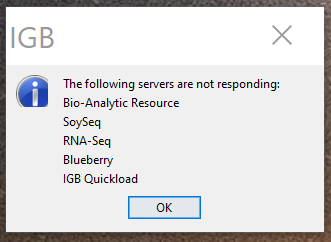
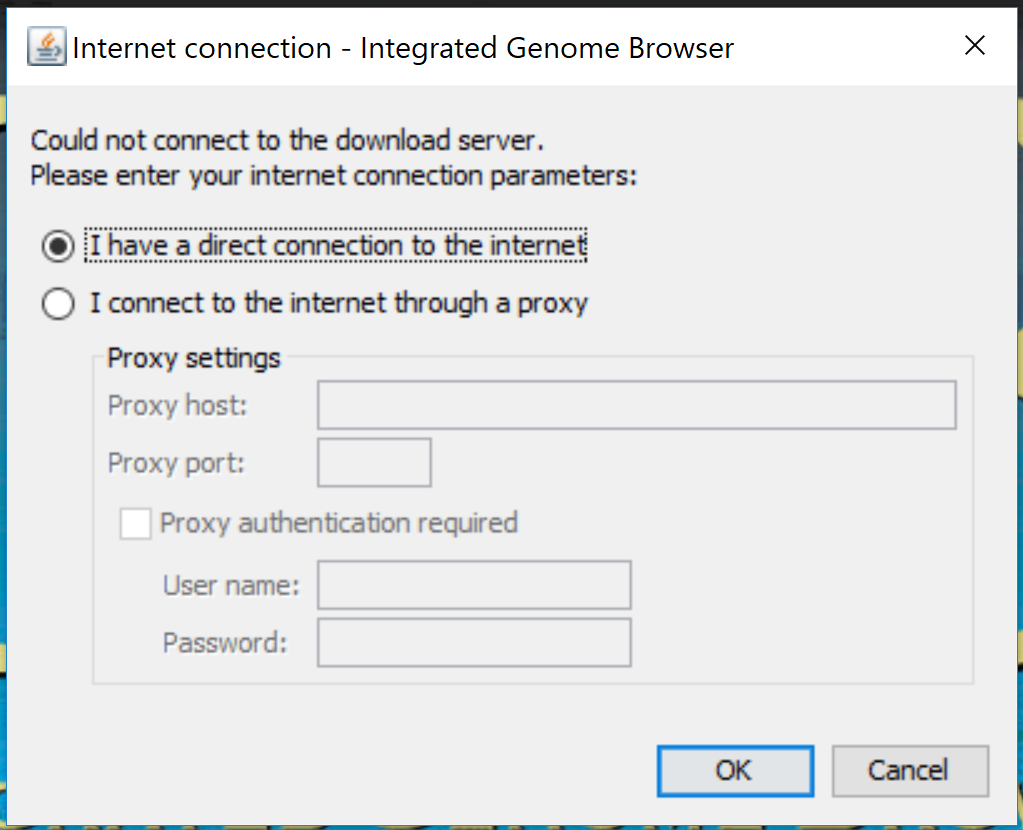
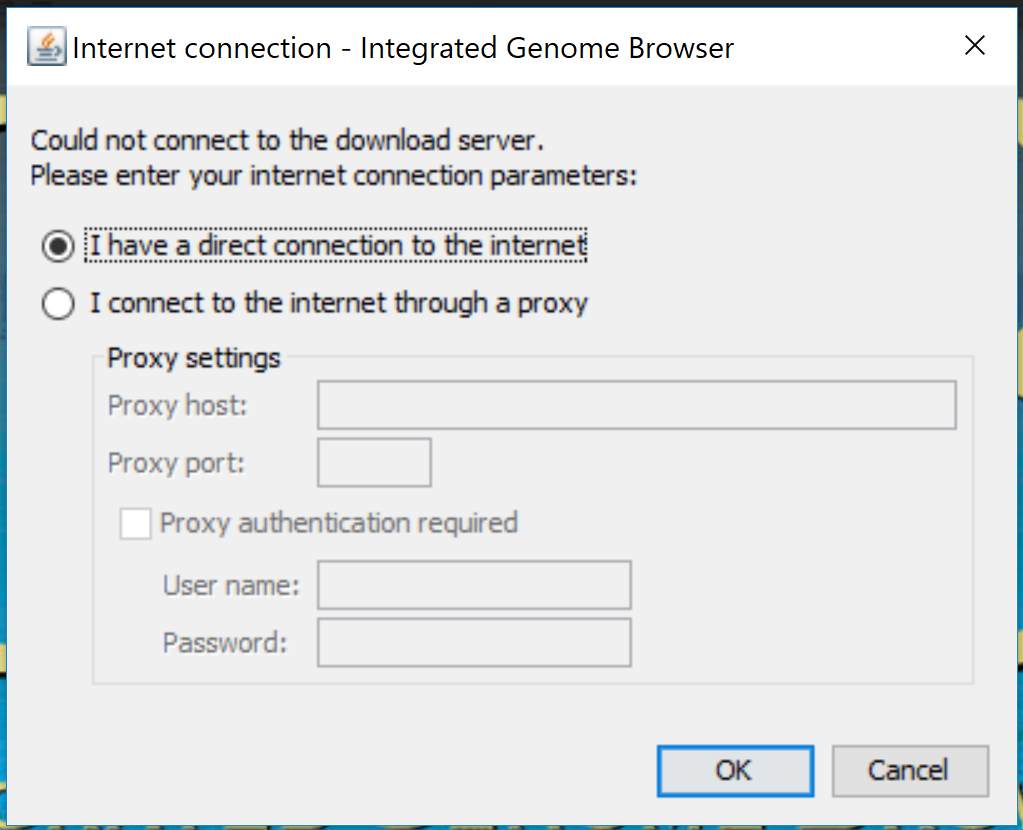
          Additionally, when it is not able to reach the servers, it shows two popups,
          1. Default Java popup asking for a proxy - java_proxy_popup.PNG
          2. Application popup indicating that it was not able to reach the servers - application_popup.PNG
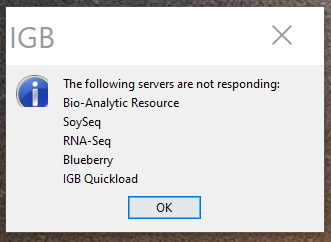
          Show
          kkorey Kiran Korey (Inactive) added a comment - After monitoring IGB startup times, the analysis is as follows: With an active internet connection, IGB takes approx 20 seconds to display the home screen. With all the outgoing rules blocked in the firewall, It takes on an average of 35 seconds to display the home screen. Additionally, when it is not able to reach the servers, it shows two popups, 1. Default Java popup asking for a proxy - java_proxy_popup.PNG 2. Application popup indicating that it was not able to reach the servers - application_popup.PNG
          Hide
          ann.loraine Ann Loraine added a comment -

          Next step:

          • Add comment describe tools and settings used (if any) to create condition "with all the outgoing rules blocked in the firewall". Describe in enough detail to allow a beginning developer to repeat.
          Show
          ann.loraine Ann Loraine added a comment - Next step: Add comment describe tools and settings used (if any) to create condition "with all the outgoing rules blocked in the firewall". Describe in enough detail to allow a beginning developer to repeat.
          Hide
          kkorey Kiran Korey (Inactive) added a comment -

          I used windows defender firewall to block outgoing requests, here are steps to do the same.

          1. Press "Windows" key and search for Windows Defender Firewall and select it to open.
          2. Click on Advanced Settings in the left pane.
          3. "Windows Firewall defender with Advanced security" opens, now select "Outbound rules" on the left menu.
          4. Click on "New Rule..." in the actions menu on the right pane, which opens the "New Outbound Rule Wizard".
          5. Select "Program" radio button and click Next.
          6. Select "All Programs" and click Next.
          7. Select "Block the connection" and click Next.
          8. Select all the three profiles and click Next.
          9. Give a Name to the rule and click Finish.

          Immediately all outgoing requests will be blocked, which means the system will not be able to reach the internet.
          Use the Enable Rule and Disable Rule buttons to control this feature.

          Show
          kkorey Kiran Korey (Inactive) added a comment - I used windows defender firewall to block outgoing requests, here are steps to do the same. 1. Press "Windows" key and search for Windows Defender Firewall and select it to open. 2. Click on Advanced Settings in the left pane. 3. "Windows Firewall defender with Advanced security" opens, now select "Outbound rules" on the left menu. 4. Click on "New Rule..." in the actions menu on the right pane, which opens the "New Outbound Rule Wizard". 5. Select "Program" radio button and click Next. 6. Select "All Programs" and click Next. 7. Select "Block the connection" and click Next. 8. Select all the three profiles and click Next. 9. Give a Name to the rule and click Finish. Immediately all outgoing requests will be blocked, which means the system will not be able to reach the internet. Use the Enable Rule and Disable Rule buttons to control this feature.
          kkorey Kiran Korey (Inactive) made changes -
          Status Open [ 1 ] Needs 1st Level Review [ 10005 ]
          kkorey Kiran Korey (Inactive) made changes -
          Assignee Kiran Korey [ kkorey ]
          Hide
          ann.loraine Ann Loraine added a comment -

          Will follow up in subsequent sprint to decrease startup time.

          Show
          ann.loraine Ann Loraine added a comment - Will follow up in subsequent sprint to decrease startup time.
          ann.loraine Ann Loraine made changes -
          Link This issue relates to IGBF-1368 [ IGBF-1368 ]
          ann.loraine Ann Loraine made changes -
          Summary improve startup times of IGB when it is behind a firewall which blocks everything. investigate startup times of IGB when it is behind a firewall which blocks everything.
          ann.loraine Ann Loraine made changes -
          Resolution Done [ 10000 ]
          Status Needs 1st Level Review [ 10005 ] Closed [ 6 ]
          Hide
          ann.loraine Ann Loraine added a comment -

          Re-assigning to original developer for tracking purposes.

          Show
          ann.loraine Ann Loraine added a comment - Re-assigning to original developer for tracking purposes.
          ann.loraine Ann Loraine made changes -
          Assignee Kiran Korey [ kkorey ]
          ann.loraine Ann Loraine made changes -
          Workflow Loraine Lab Workflow [ 17896 ] Fall 2019 Workflow Update [ 19838 ]
          ann.loraine Ann Loraine made changes -
          Workflow Fall 2019 Workflow Update [ 19838 ] Revised Fall 2019 Workflow Update [ 21957 ]

            People

            • Assignee:
              kkorey Kiran Korey (Inactive)
              Reporter:
              ann.loraine Ann Loraine
            • Votes:
              0 Vote for this issue
              Watchers:
              2 Start watching this issue

              Dates

              • Created:
                Updated:
                Resolved: