Details
-
Type:
Improvement
-
Status: Closed (View Workflow)
-
Priority:
 Major
Major
-
Resolution: Done
-
Affects Version/s: None
-
Fix Version/s: None
-
Labels:
-
Story Points:1
-
Epic Link:
-
Sprint:Fall 2019 Sprint 2, Fall 2019 Sprint 3, Fall 4 : 30 Sep to 11 Oct
Description
Refactor the app store code base to rename the tags variable to categories to make it more meaningful.
Attachments

Activity
Please use user name & password which I will send you shortly! Riddhi Jagdish Patil
Professor Ann Loraine, can you accept the two apps which I submitted on devAppStore2? Cannot proceed with testing without apps released.
Merged to master, deployed to https://dev-appstore-2.bioviz.org
I have rebased the code with master and have tested the above scenarios.
PR Raised https://bitbucket.org/lorainelab/appstore/pull-requests/131/igbf-2003-1/diff
I reviewed the code but did not do functional testing.
Please rebase onto master branch, perform testing above, make whatever changes are required, and submit PR.
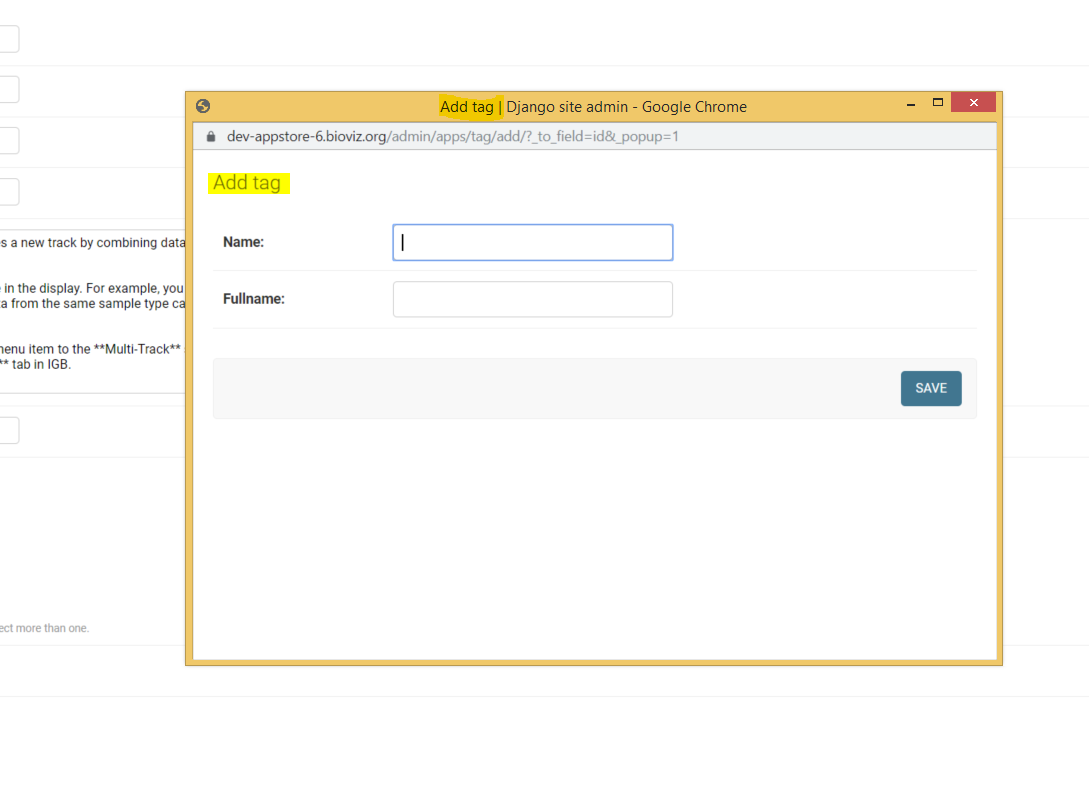
Issue 1: Go to admin page -> click Apps -> Select any app -> Click on "+" besides categories -> new pop-up window to add categories appears. Change the title and the label of pop-up window to "Add Category" from "Add Tag"
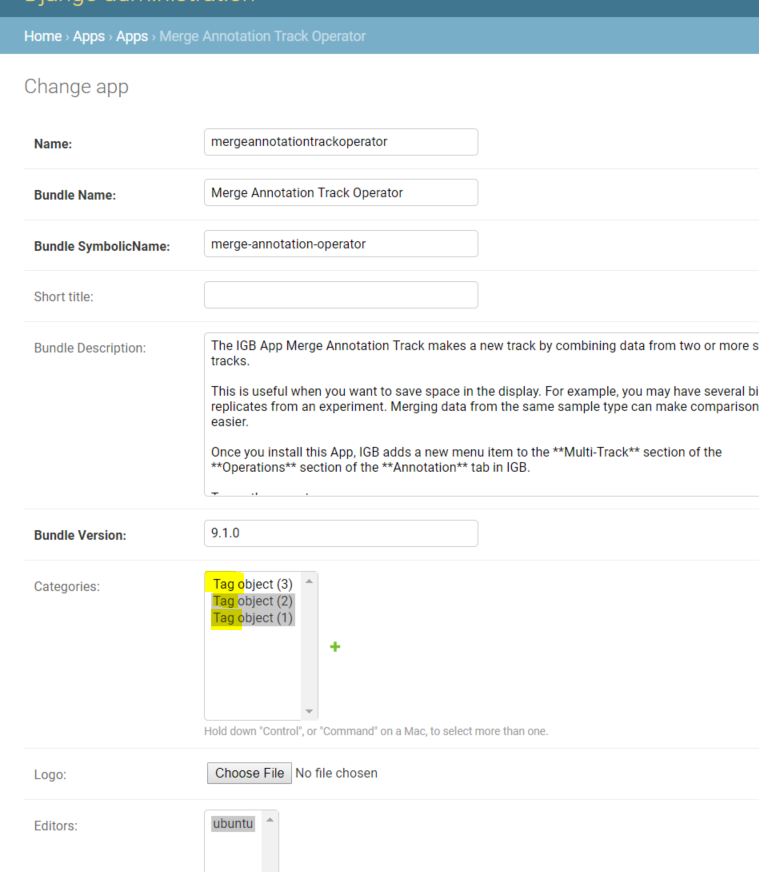
Issue 2: When new category is added from admin panel it is displayed in Categories section as "Tag Object " instead of "Category Object"
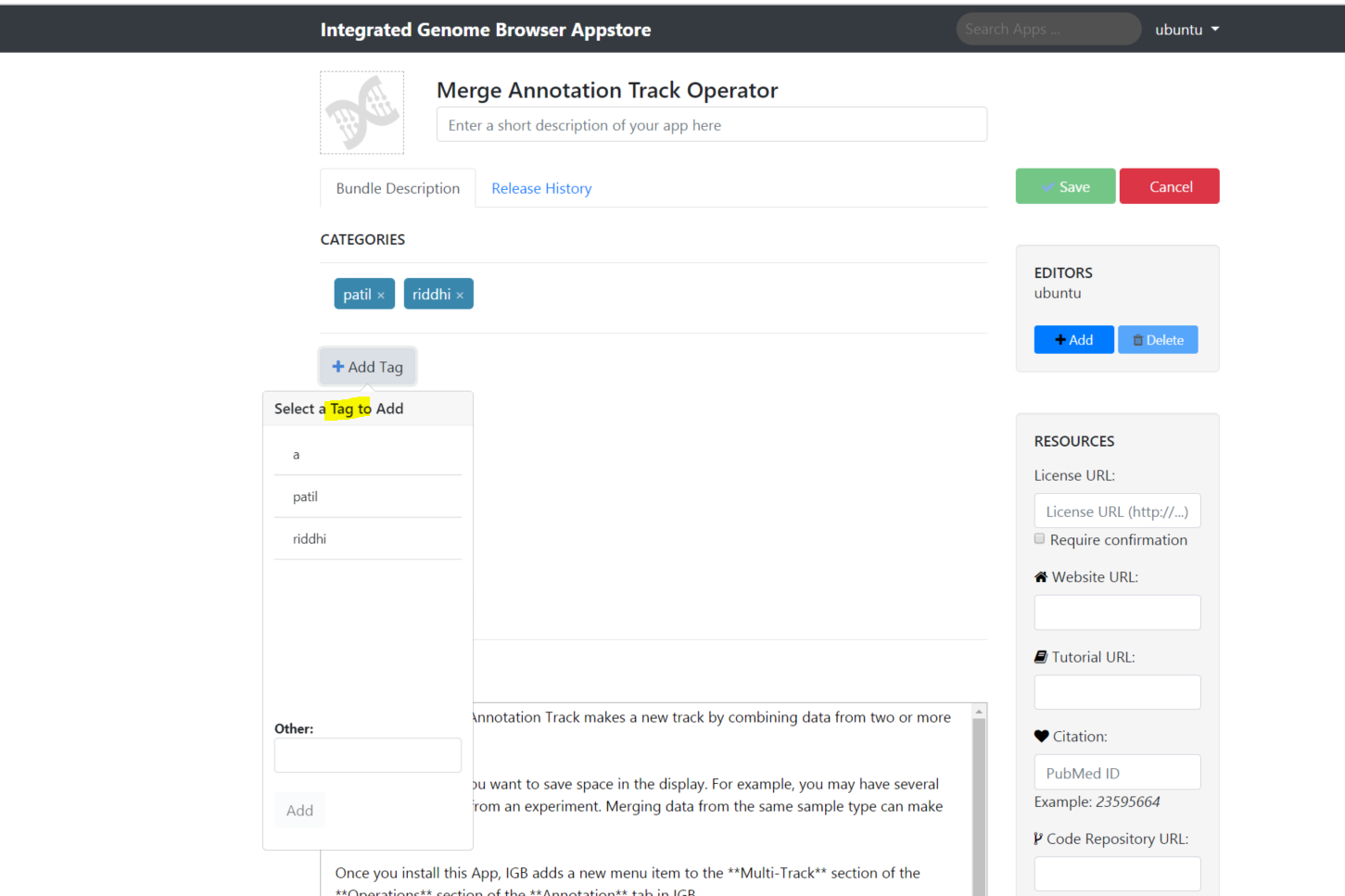
Issue 3: Click on any app which has category added to it from the admin page -> Click Editor Actions -> Edit this page. The edit app page shows "Add Tag" instead of "Add Category"
Issue 4: Click on any app which has category added to it from the admin page -> Click Editor Actions -> Edit this page -> Click Add Tag . The add tag pop-up has title as "Select a Tag to Add" instead of "Select a Category to Add"
Issue 5: Click on any app which has category added to it from the admin page -> Click Editor Actions -> Edit this page -> Click Add Tag -> Add a Tag -> Save. The message while saving tags should be "Category saved" instead of "Tag saved"
Critical Issue - Issue 6: Click on any app which has category added to it from the admin page -> Click Editor Actions -> Edit this page -> Click Add Tag -> Add a Tag -> Save. Add 2 tags and save. After adding third tag and clicking on Save throws "Internal Server error"
Please refer attached screenshots for test results.
cc. Ann Loraine, Noor Zahara
Merged to master in team repository. Please commence testing.
Tested below scenarios successfully:
1) Go to admin page -> click Apps -> Select any app -> Click on "+" besides categories -> new pop-up window to add categories appears. The title and the label of pop-up window is "Add Category"
2) When new category is added from admin panel it is displayed in Categories section as "Category Object"
3) Click on any app which has category added to it from the admin page -> Click Editor Actions -> Edit this page. The edit app page shows "Add Category"
4) Click on any app which has category added to it from the admin page -> Click Editor Actions -> Edit this page -> Click Add Tag . The add tag pop-up has title as "Select a Category to Add"
5) Click on any app which has category added to it from the admin page -> Click Editor Actions -> Edit this page -> Click Add Tag -> Add a Tag -> Save. The message while saving tags is "Category saved"
6) Click on any app which has category added to it from the admin page -> Click Editor Actions -> Edit this page -> Click Add Tag -> Add a Tag -> Save. Add 2 tags and save.
cc. Ann Loraine, Noor Zahara