Details
-
Type:
Task
-
Status: Closed (View Workflow)
-
Priority:
 Major
Major
-
Resolution: Done
-
Affects Version/s: None
-
Fix Version/s: None
-
Labels:
-
Story Points:2
-
Epic Link:
-
Sprint:Fall 7 : 11 Nov to 22 Nov, Fall 8 : 25 Nov to 6 Dec, Fall 9 : 9 Dec to 20 Dec, Spring 2 : 20 Jan to 31 Jan, Spring 3 : 3 Feb to 14 Feb, Summer 6: 17 Aug - 28 Aug, Summer 7: 31 Aug - 11 Sep, Fall 1: 14 Sep - 25 Sep, Winter 5 Feb 22 - Mar 5, Winter 6 Mar 8 - Mar 19, Spring 1 2021 Mar 22 - Apr 2, Summer 2 2023 May 29, Summer 3 2023 June 12, Fall 4 2023 Oct 16, Fall 5, Fall 6, Spring 5, Fall 5, Fall 6, Fall 7, Winter 1, Spring 1
Description
IGB runs with an OSGi framework, so it's important to understand OSGi and how it works.
To get familiar with OSGi, read "OSGi in Action" Chapters 1 to 3. Updated companion code for the text is here: https://bitbucket.org/lorainelab/osgi-in-action/src/master/
To solidify your understanding, do one of the hands-on tasks below. Or, if you like, come up with your own idea for a deliverable that helps you – and others! – understand how OSGi bundles can form a modular application in Java.
One you have done that, you should continuing reading the remaining chapters on your own time. Aim to finish by the end of your first semester on the team, or by the end of the first semester break after you join the team. Your ultimate goal: Become an expert on OSGi so that you can develop new aspects of the IGB API and help others do the same.
Task suggestions:
- Create a new shape implementation for the drawing program described above. Use the shell program from Chapter 3 to dynamically load and unload it. Submit a pull request to the bitbucket repository (see below).
- Investigate the karaf OSGi container. Run the program from Chapter 3 in the karaf shell instead of the shell from Chapter 3. Create instructions for how to do that. Here's a short tutorial to get you started: https://www.javaindeed.com/playing-with-apache-karaf-console/
- Look into how IGB application uses the felix OSGi framework. Create a flow diagram showing how launching IGB starts and manages the OSGi container.
- Review the "core" modules in IGB and make a list of each package exported from same.
See IGBF-3358 for additional tutorials on OSGI.
Attachments

Issue Links
Activity
| Field | Original Value | New Value |
|---|---|---|
| Epic Link | IGBF-1762 [ 17852 ] |
| Description |
IGB runs with an OSGi framework, so it's important you understand what this means and how it works.
To get familiar with OSGi, read "OSGi in Action" Chapters 1 to 3. Read the remaining chapters on your own time by the end of the your first semester or semester break. If you are supporting the platform, you will need to become an expert on OSGi. To practice your knowledge, do one or more of the following tasks: * Create a new shape implementation for the drawing program described above. Create two versions of the program - with and without your new shape class. Create docs for the Canvas course: * Make an original content slide deck summarizing the key points. Important: do not copy word-for-word from the book as that would violate copyright law and we won't be able to publish your work anywhere. * Create a flowchart with class and methods names showing how launching IGB starts an OSGi container. * Review the "core" modules in IGB and make a list of each package imported into same. |
IGB runs with an OSGi framework, so it's to understand what this means and how it works.
To get familiar with OSGi, read "OSGi in Action" Chapters 1 to 3. Read the remaining chapters on your own time by the end of the your first semester or semester break. To practice your knowledge, do one or more of the following tasks: * Create a new shape implementation for the drawing program described above. Create two versions of the program - with and without your new shape class. Create docs for the Canvas course: * Make an original content slide deck summarizing the key points. Important: do not copy word-for-word from the book as that would violate copyright law and we won't be able to publish your work anywhere. * Create a flowchart with class and methods names showing how launching IGB starts an OSGi container. * Review the "core" modules in IGB and make a list of each package imported into same. |
| Description |
IGB runs with an OSGi framework, so it's to understand what this means and how it works.
To get familiar with OSGi, read "OSGi in Action" Chapters 1 to 3. Read the remaining chapters on your own time by the end of the your first semester or semester break. To practice your knowledge, do one or more of the following tasks: * Create a new shape implementation for the drawing program described above. Create two versions of the program - with and without your new shape class. Create docs for the Canvas course: * Make an original content slide deck summarizing the key points. Important: do not copy word-for-word from the book as that would violate copyright law and we won't be able to publish your work anywhere. * Create a flowchart with class and methods names showing how launching IGB starts an OSGi container. * Review the "core" modules in IGB and make a list of each package imported into same. |
IGB runs with an OSGi framework, so it's to understand what this means and how it works.
To get familiar with OSGi, read "OSGi in Action" Chapters 1 to 3. Read the remaining chapters on your own time by the end of the your first semester or semester break. Your ultimate goal: Become an expert on OSGi so that when colleagues or community members have questions about it, you can help them. To practice your knowledge, do one or more of the following tasks: * Create a new shape implementation for the drawing program described above. Create two versions of the program - with and without your new shape class. Create docs for the Canvas course: * Make an original content slide deck summarizing the key points. Important: do not copy word-for-word from the book as that would violate copyright law and we won't be able to publish your work anywhere. * Create a flowchart with class and methods names showing how launching IGB starts an OSGi container. * Review the "core" modules in IGB and make a list of each package imported into same. |
| Description |
IGB runs with an OSGi framework, so it's to understand what this means and how it works.
To get familiar with OSGi, read "OSGi in Action" Chapters 1 to 3. Read the remaining chapters on your own time by the end of the your first semester or semester break. Your ultimate goal: Become an expert on OSGi so that when colleagues or community members have questions about it, you can help them. To practice your knowledge, do one or more of the following tasks: * Create a new shape implementation for the drawing program described above. Create two versions of the program - with and without your new shape class. Create docs for the Canvas course: * Make an original content slide deck summarizing the key points. Important: do not copy word-for-word from the book as that would violate copyright law and we won't be able to publish your work anywhere. * Create a flowchart with class and methods names showing how launching IGB starts an OSGi container. * Review the "core" modules in IGB and make a list of each package imported into same. |
IGB runs with an OSGi framework, so it's to understand what this means and how it works.
To get familiar with OSGi, read "OSGi in Action" Chapters 1 to 3. Read the remaining chapters on your own time by the end of the your first semester or semester break. Your ultimate goal: Become an expert on OSGi so that you can develop new aspects of the IGB API. To practice your knowledge, do one or more of the following tasks: * Create a new shape implementation for the drawing program described above. Create two versions of the program - with and without your new shape class. Create docs for the Canvas course: * Make an original content slide deck summarizing the key points. Important: do not copy word-for-word from the book as that would violate copyright law and we won't be able to publish your work anywhere. * Create a flowchart with class and methods names showing how launching IGB starts an OSGi container. * Review the "core" modules in IGB and make a list of each package imported into same. |
| Description |
IGB runs with an OSGi framework, so it's to understand what this means and how it works.
To get familiar with OSGi, read "OSGi in Action" Chapters 1 to 3. Read the remaining chapters on your own time by the end of the your first semester or semester break. Your ultimate goal: Become an expert on OSGi so that you can develop new aspects of the IGB API. To practice your knowledge, do one or more of the following tasks: * Create a new shape implementation for the drawing program described above. Create two versions of the program - with and without your new shape class. Create docs for the Canvas course: * Make an original content slide deck summarizing the key points. Important: do not copy word-for-word from the book as that would violate copyright law and we won't be able to publish your work anywhere. * Create a flowchart with class and methods names showing how launching IGB starts an OSGi container. * Review the "core" modules in IGB and make a list of each package imported into same. |
IGB runs with an OSGi framework, so it's to understand what this means and how it works.
To get familiar with OSGi, read "OSGi in Action" Chapters 1 to 3. Read the remaining chapters on your own time by the end of the your first semester or semester break. Your ultimate goal: Become an expert on OSGi so that you can develop new aspects of the IGB API. To practice your knowledge, do one or more of the following tasks: * Create a new shape implementation for the drawing program described above. Create two versions of the program - with and without your new shape class. Create docs for the Canvas course: * Create a flow diagram with class and methods names showing how launching IGB starts an OSGi container. * Review the "core" modules in IGB and make a list of each package exported from same. |
| Assignee | Ann Loraine [ aloraine ] | Pooja Nikhare [ pooja.nikhare ] |
| Assignee | Pooja Nikhare [ pooja.nikhare ] | Ann Loraine [ aloraine ] |
| Description |
IGB runs with an OSGi framework, so it's to understand what this means and how it works.
To get familiar with OSGi, read "OSGi in Action" Chapters 1 to 3. Read the remaining chapters on your own time by the end of the your first semester or semester break. Your ultimate goal: Become an expert on OSGi so that you can develop new aspects of the IGB API. To practice your knowledge, do one or more of the following tasks: * Create a new shape implementation for the drawing program described above. Create two versions of the program - with and without your new shape class. Create docs for the Canvas course: * Create a flow diagram with class and methods names showing how launching IGB starts an OSGi container. * Review the "core" modules in IGB and make a list of each package exported from same. |
IGB runs with an OSGi framework, so it's to understand OSGi and how it works.
To get familiar with OSGi, read "OSGi in Action" Chapters 1 to 3. To gain sufficient expertise, continuing reading the remaining chapters on your own time. Aim to finish by the end of your first semester, or by the end of the first semester break after you join the team. Your ultimate goal: Become an expert on OSGi so that you can develop new aspects of the IGB API and help others with same. To practice knowledge gained from Chapters 1 - 3, do one or more of the following tasks, or think of a new one and add it to the list. Programming OSGi: * Create a new shape implementation for the drawing program described above. Create two versions of the program - with and without your new shape class. Create docs for the Canvas course: * Create a flow diagram with class and methods names showing how launching IGB starts an OSGi container. * Review the "core" modules in IGB and make a list of each package exported from same. |
| Assignee | Ann Loraine [ aloraine ] |
| Assignee | Pooja Nikhare [ pooja.nikhare ] |
| Status | To-Do [ 10305 ] | In Progress [ 3 ] |
| Description |
IGB runs with an OSGi framework, so it's to understand OSGi and how it works.
To get familiar with OSGi, read "OSGi in Action" Chapters 1 to 3. To gain sufficient expertise, continuing reading the remaining chapters on your own time. Aim to finish by the end of your first semester, or by the end of the first semester break after you join the team. Your ultimate goal: Become an expert on OSGi so that you can develop new aspects of the IGB API and help others with same. To practice knowledge gained from Chapters 1 - 3, do one or more of the following tasks, or think of a new one and add it to the list. Programming OSGi: * Create a new shape implementation for the drawing program described above. Create two versions of the program - with and without your new shape class. Create docs for the Canvas course: * Create a flow diagram with class and methods names showing how launching IGB starts an OSGi container. * Review the "core" modules in IGB and make a list of each package exported from same. |
IGB runs with an OSGi framework, so it's to understand OSGi and how it works.
To get familiar with OSGi, read "OSGi in Action" Chapters 1 to 3. To gain sufficient expertise, continuing reading the remaining chapters on your own time. Aim to finish by the end of your first semester, or by the end of the first semester break after you join the team. Your ultimate goal: Become an expert on OSGi so that you can develop new aspects of the IGB API and help others with same. To practice knowledge gained from Chapters 1 - 3, do one or more of the following tasks, or think of a new one and add it to the list. Task suggestions: * Create a new shape implementation for the drawing program described above. Use the shell program from Chapter 3 to dynamically load and unload it. Submit a pull request to the bitbucket repository (see below). * Create a flow diagram with class and methods names showing how launching IGB starts an OSGi container. * Review the "core" modules in IGB and make a list of each package exported from same. |
| Summary | On-boarding: Learn basics of OSGi | Step 5: On-boarding: Learn OSGi basics from OSGi in Action text |
| Comment |
[ Examples in the text were created when Java 1.6 was the default release. The author updated later when new releases of java came out. That code is in the OSGi dropbox downloaded from https://code.google.com/archive/p/osgi-in-action/downloads.
After building the code in Chapter 2, you can run it using your Java 8 JRE from the top-level project directory like this: * java -Djava.specification.version=1.6 -jar launcher/dist/launcher.jar chapter02/paint-modular/bundles/ To understand why this is important, try running without the java.specification.version option or specifying JDK 1.7: * java -Djava.specification.version=1.7 -jar launcher/dist/launcher.jar chapter02/paint-modular/bundles/ You will get this error: Error starting framework: org.osgi.framework.BundleException: Unresolved constraint in bundle org.foo.shape.circle [1]: Unable to resolve 1.0: missing requirement [1.0] package; (package=javax.swing) org.osgi.framework.BundleException: Unresolved constraint in bundle org.foo.shape.circle [1]: Unable to resolve 1.0: missing requirement [1.0] package; (package=javax.swing) at org.apache.felix.framework.Felix.resolveBundle(Felix.java:3409) at org.apache.felix.framework.Felix.startBundle(Felix.java:1719) at org.apache.felix.framework.BundleImpl.start(BundleImpl.java:922) at org.apache.felix.framework.BundleImpl.start(BundleImpl.java:909) at launcher.Main.main(Main.java:92) According to this blog post - http://blog.admadic.com/2013/03/jdk8-unable-to-resolve-javaxswing.html - the above error occurs because the version of the OSGi framework being used lacks knowlege of the javax packages, which are packaged with JDK 1.8 but not earlier versions of the JDK. See section 2.5.4 of OSGi in Action and also the above blog post for details. ] |
| Comment |
[ Notes:
* I could only get part of the project to build when running ant at the top level. * The drawing program was a bit weird. After starting it, I had to make the frame very large before I could get shapes to be added to the canvas. Clicking sometimes failed to add a new shape to the canvas. ] |
| Description |
IGB runs with an OSGi framework, so it's to understand OSGi and how it works.
To get familiar with OSGi, read "OSGi in Action" Chapters 1 to 3. To gain sufficient expertise, continuing reading the remaining chapters on your own time. Aim to finish by the end of your first semester, or by the end of the first semester break after you join the team. Your ultimate goal: Become an expert on OSGi so that you can develop new aspects of the IGB API and help others with same. To practice knowledge gained from Chapters 1 - 3, do one or more of the following tasks, or think of a new one and add it to the list. Task suggestions: * Create a new shape implementation for the drawing program described above. Use the shell program from Chapter 3 to dynamically load and unload it. Submit a pull request to the bitbucket repository (see below). * Create a flow diagram with class and methods names showing how launching IGB starts an OSGi container. * Review the "core" modules in IGB and make a list of each package exported from same. |
IGB runs with an OSGi framework, so it's to understand OSGi and how it works.
To get familiar with OSGi, read "OSGi in Action" Chapters 1 to 3. Update code is here: install file:../paint-example/bundles/square-3.0.jar To gain sufficient expertise, continuing reading the remaining chapters on your own time. Aim to finish by the end of your first semester, or by the end of the first semester break after you join the team. Your ultimate goal: Become an expert on OSGi so that you can develop new aspects of the IGB API and help others with same. To practice knowledge gained from Chapters 1 - 3, do one or more of the following tasks, or think of a new one and add it to the list. Task suggestions: * Create a new shape implementation for the drawing program described above. Use the shell program from Chapter 3 to dynamically load and unload it. Submit a pull request to the bitbucket repository (see below). * Create a flow diagram with class and methods names showing how launching IGB starts an OSGi container. * Review the "core" modules in IGB and make a list of each package exported from same. |
| Description |
IGB runs with an OSGi framework, so it's to understand OSGi and how it works.
To get familiar with OSGi, read "OSGi in Action" Chapters 1 to 3. Update code is here: install file:../paint-example/bundles/square-3.0.jar To gain sufficient expertise, continuing reading the remaining chapters on your own time. Aim to finish by the end of your first semester, or by the end of the first semester break after you join the team. Your ultimate goal: Become an expert on OSGi so that you can develop new aspects of the IGB API and help others with same. To practice knowledge gained from Chapters 1 - 3, do one or more of the following tasks, or think of a new one and add it to the list. Task suggestions: * Create a new shape implementation for the drawing program described above. Use the shell program from Chapter 3 to dynamically load and unload it. Submit a pull request to the bitbucket repository (see below). * Create a flow diagram with class and methods names showing how launching IGB starts an OSGi container. * Review the "core" modules in IGB and make a list of each package exported from same. |
IGB runs with an OSGi framework, so it's to understand OSGi and how it works.
To get familiar with OSGi, read "OSGi in Action" Chapters 1 to 3. Updated companion code for the text is here: https://bitbucket.org/lorainelab/osgi-in-action/src/master/ Do one of the tasks below, or come up with your own idea for a deliverable that helps you -- and others! -- understand how OSGi bundles can form a modular application in Java. One you have done that, you should continuing reading the remaining chapters on your own time. Aim to finish by the end of your first semester on the team, or by the end of the first semester break after you join the team. Your ultimate goal: Become an expert on OSGi so that you can develop new aspects of the IGB API and help others do the same. Task suggestions: * Create a new shape implementation for the drawing program described above. Use the shell program from Chapter 3 to dynamically load and unload it. Submit a pull request to the bitbucket repository (see below). * Create a flow diagram with class and methods names showing how launching IGB starts an OSGi container. * Review the "core" modules in IGB and make a list of each package exported from same. |
| Comment |
[ Update:
Someone has imported the above code to github. I then imported it to bitbucket: * https://bitbucket.org/lorainelab/osgi-in-action/src/master/ Use above bitbucket repository instead of the "zip" file I placed in the OSGi Dropbox. If you clone it and build (using JDK 1.8), you can then run the code without specifying an earlier version. ] |
| Description |
IGB runs with an OSGi framework, so it's to understand OSGi and how it works.
To get familiar with OSGi, read "OSGi in Action" Chapters 1 to 3. Updated companion code for the text is here: https://bitbucket.org/lorainelab/osgi-in-action/src/master/ Do one of the tasks below, or come up with your own idea for a deliverable that helps you -- and others! -- understand how OSGi bundles can form a modular application in Java. One you have done that, you should continuing reading the remaining chapters on your own time. Aim to finish by the end of your first semester on the team, or by the end of the first semester break after you join the team. Your ultimate goal: Become an expert on OSGi so that you can develop new aspects of the IGB API and help others do the same. Task suggestions: * Create a new shape implementation for the drawing program described above. Use the shell program from Chapter 3 to dynamically load and unload it. Submit a pull request to the bitbucket repository (see below). * Create a flow diagram with class and methods names showing how launching IGB starts an OSGi container. * Review the "core" modules in IGB and make a list of each package exported from same. |
IGB runs with an OSGi framework, so it's important to understand OSGi and how it works.
To get familiar with OSGi, read "OSGi in Action" Chapters 1 to 3. Updated companion code for the text is here: https://bitbucket.org/lorainelab/osgi-in-action/src/master/ Do one of the tasks below, or come up with your own idea for a deliverable that helps you -- and others! -- understand how OSGi bundles can form a modular application in Java. One you have done that, you should continuing reading the remaining chapters on your own time. Aim to finish by the end of your first semester on the team, or by the end of the first semester break after you join the team. Your ultimate goal: Become an expert on OSGi so that you can develop new aspects of the IGB API and help others do the same. Task suggestions: * Create a new shape implementation for the drawing program described above. Use the shell program from Chapter 3 to dynamically load and unload it. Submit a pull request to the bitbucket repository (see below). * Create a flow diagram with class and methods names showing how launching IGB starts an OSGi container. * Review the "core" modules in IGB and make a list of each package exported from same. |
| Description |
IGB runs with an OSGi framework, so it's important to understand OSGi and how it works.
To get familiar with OSGi, read "OSGi in Action" Chapters 1 to 3. Updated companion code for the text is here: https://bitbucket.org/lorainelab/osgi-in-action/src/master/ Do one of the tasks below, or come up with your own idea for a deliverable that helps you -- and others! -- understand how OSGi bundles can form a modular application in Java. One you have done that, you should continuing reading the remaining chapters on your own time. Aim to finish by the end of your first semester on the team, or by the end of the first semester break after you join the team. Your ultimate goal: Become an expert on OSGi so that you can develop new aspects of the IGB API and help others do the same. Task suggestions: * Create a new shape implementation for the drawing program described above. Use the shell program from Chapter 3 to dynamically load and unload it. Submit a pull request to the bitbucket repository (see below). * Create a flow diagram with class and methods names showing how launching IGB starts an OSGi container. * Review the "core" modules in IGB and make a list of each package exported from same. |
IGB runs with an OSGi framework, so it's important to understand OSGi and how it works.
To get familiar with OSGi, read "OSGi in Action" Chapters 1 to 3. Updated companion code for the text is here: https://bitbucket.org/lorainelab/osgi-in-action/src/master/ To solidify your understanding, do one of the tasks below, or come up with your own idea for a deliverable that helps you -- and others! -- understand how OSGi bundles can form a modular application in Java. One you have done that, you should continuing reading the remaining chapters on your own time. Aim to finish by the end of your first semester on the team, or by the end of the first semester break after you join the team. Your ultimate goal: Become an expert on OSGi so that you can develop new aspects of the IGB API and help others do the same. Task suggestions: * Create a new shape implementation for the drawing program described above. Use the shell program from Chapter 3 to dynamically load and unload it. Submit a pull request to the bitbucket repository (see below). * Create a flow diagram with class and methods names showing how launching IGB starts an OSGi container. * Review the "core" modules in IGB and make a list of each package exported from same. |
| Description |
IGB runs with an OSGi framework, so it's important to understand OSGi and how it works.
To get familiar with OSGi, read "OSGi in Action" Chapters 1 to 3. Updated companion code for the text is here: https://bitbucket.org/lorainelab/osgi-in-action/src/master/ To solidify your understanding, do one of the tasks below, or come up with your own idea for a deliverable that helps you -- and others! -- understand how OSGi bundles can form a modular application in Java. One you have done that, you should continuing reading the remaining chapters on your own time. Aim to finish by the end of your first semester on the team, or by the end of the first semester break after you join the team. Your ultimate goal: Become an expert on OSGi so that you can develop new aspects of the IGB API and help others do the same. Task suggestions: * Create a new shape implementation for the drawing program described above. Use the shell program from Chapter 3 to dynamically load and unload it. Submit a pull request to the bitbucket repository (see below). * Create a flow diagram with class and methods names showing how launching IGB starts an OSGi container. * Review the "core" modules in IGB and make a list of each package exported from same. |
IGB runs with an OSGi framework, so it's important to understand OSGi and how it works.
To get familiar with OSGi, read "OSGi in Action" Chapters 1 to 3. Updated companion code for the text is here: https://bitbucket.org/lorainelab/osgi-in-action/src/master/ To solidify your understanding, do one of the tasks below, or come up with your own idea for a deliverable that helps you -- and others! -- understand how OSGi bundles can form a modular application in Java. One you have done that, you should continuing reading the remaining chapters on your own time. Aim to finish by the end of your first semester on the team, or by the end of the first semester break after you join the team. Your ultimate goal: Become an expert on OSGi so that you can develop new aspects of the IGB API and help others do the same. Task suggestions: * Create a new shape implementation for the drawing program described above. Use the shell program from Chapter 3 to dynamically load and unload it. Submit a pull request to the bitbucket repository (see below). * Investigate the karaf OSGi container. Attempt to run the program from Chapter 3 in the karaf shell instead of the shell from Chapter 3. Create instructions for how to do that. * Create a flow diagram with class and methods names showing how launching IGB starts an OSGi container. * Review the "core" modules in IGB and make a list of each package exported from same. |
| Description |
IGB runs with an OSGi framework, so it's important to understand OSGi and how it works.
To get familiar with OSGi, read "OSGi in Action" Chapters 1 to 3. Updated companion code for the text is here: https://bitbucket.org/lorainelab/osgi-in-action/src/master/ To solidify your understanding, do one of the tasks below, or come up with your own idea for a deliverable that helps you -- and others! -- understand how OSGi bundles can form a modular application in Java. One you have done that, you should continuing reading the remaining chapters on your own time. Aim to finish by the end of your first semester on the team, or by the end of the first semester break after you join the team. Your ultimate goal: Become an expert on OSGi so that you can develop new aspects of the IGB API and help others do the same. Task suggestions: * Create a new shape implementation for the drawing program described above. Use the shell program from Chapter 3 to dynamically load and unload it. Submit a pull request to the bitbucket repository (see below). * Investigate the karaf OSGi container. Attempt to run the program from Chapter 3 in the karaf shell instead of the shell from Chapter 3. Create instructions for how to do that. * Create a flow diagram with class and methods names showing how launching IGB starts an OSGi container. * Review the "core" modules in IGB and make a list of each package exported from same. |
IGB runs with an OSGi framework, so it's important to understand OSGi and how it works.
To get familiar with OSGi, read "OSGi in Action" Chapters 1 to 3. Updated companion code for the text is here: https://bitbucket.org/lorainelab/osgi-in-action/src/master/ To solidify your understanding, do one of the tasks below, or come up with your own idea for a deliverable that helps you -- and others! -- understand how OSGi bundles can form a modular application in Java. One you have done that, you should continuing reading the remaining chapters on your own time. Aim to finish by the end of your first semester on the team, or by the end of the first semester break after you join the team. Your ultimate goal: Become an expert on OSGi so that you can develop new aspects of the IGB API and help others do the same. Task suggestions: * Create a new shape implementation for the drawing program described above. Use the shell program from Chapter 3 to dynamically load and unload it. Submit a pull request to the bitbucket repository (see below). * Investigate the karaf OSGi container. Attempt to run the program from Chapter 3 in the karaf shell instead of the shell from Chapter 3. Create instructions for how to do that. * Look into how IGB application uses the felix OSGi framework. Create a flow diagram with class and methods names showing how launching IGB starts and manages the OSGi container. * Review the "core" modules in IGB and make a list of each package exported from same. |
| Description |
IGB runs with an OSGi framework, so it's important to understand OSGi and how it works.
To get familiar with OSGi, read "OSGi in Action" Chapters 1 to 3. Updated companion code for the text is here: https://bitbucket.org/lorainelab/osgi-in-action/src/master/ To solidify your understanding, do one of the tasks below, or come up with your own idea for a deliverable that helps you -- and others! -- understand how OSGi bundles can form a modular application in Java. One you have done that, you should continuing reading the remaining chapters on your own time. Aim to finish by the end of your first semester on the team, or by the end of the first semester break after you join the team. Your ultimate goal: Become an expert on OSGi so that you can develop new aspects of the IGB API and help others do the same. Task suggestions: * Create a new shape implementation for the drawing program described above. Use the shell program from Chapter 3 to dynamically load and unload it. Submit a pull request to the bitbucket repository (see below). * Investigate the karaf OSGi container. Attempt to run the program from Chapter 3 in the karaf shell instead of the shell from Chapter 3. Create instructions for how to do that. * Look into how IGB application uses the felix OSGi framework. Create a flow diagram with class and methods names showing how launching IGB starts and manages the OSGi container. * Review the "core" modules in IGB and make a list of each package exported from same. |
IGB runs with an OSGi framework, so it's important to understand OSGi and how it works.
To get familiar with OSGi, read "OSGi in Action" Chapters 1 to 3. Updated companion code for the text is here: https://bitbucket.org/lorainelab/osgi-in-action/src/master/ To solidify your understanding, do one of the tasks below, or come up with your own idea for a deliverable that helps you -- and others! -- understand how OSGi bundles can form a modular application in Java. One you have done that, you should continuing reading the remaining chapters on your own time. Aim to finish by the end of your first semester on the team, or by the end of the first semester break after you join the team. Your ultimate goal: Become an expert on OSGi so that you can develop new aspects of the IGB API and help others do the same. Task suggestions: * Create a new shape implementation for the drawing program described above. Use the shell program from Chapter 3 to dynamically load and unload it. Submit a pull request to the bitbucket repository (see below). * Investigate the karaf OSGi container. Attempt to run the program from Chapter 3 in the karaf shell instead of the shell from Chapter 3. Create instructions for how to do that. * Look into how IGB application uses the felix OSGi framework. Create a flow diagram showing how launching IGB starts and manages the OSGi container. * Review the "core" modules in IGB and make a list of each package exported from same. |
| Summary | Step 5: On-boarding: Learn OSGi basics from OSGi in Action text | On-boarding: Step 5 - Learn OSGi basics from OSGi in Action text |
| Description |
IGB runs with an OSGi framework, so it's important to understand OSGi and how it works.
To get familiar with OSGi, read "OSGi in Action" Chapters 1 to 3. Updated companion code for the text is here: https://bitbucket.org/lorainelab/osgi-in-action/src/master/ To solidify your understanding, do one of the tasks below, or come up with your own idea for a deliverable that helps you -- and others! -- understand how OSGi bundles can form a modular application in Java. One you have done that, you should continuing reading the remaining chapters on your own time. Aim to finish by the end of your first semester on the team, or by the end of the first semester break after you join the team. Your ultimate goal: Become an expert on OSGi so that you can develop new aspects of the IGB API and help others do the same. Task suggestions: * Create a new shape implementation for the drawing program described above. Use the shell program from Chapter 3 to dynamically load and unload it. Submit a pull request to the bitbucket repository (see below). * Investigate the karaf OSGi container. Attempt to run the program from Chapter 3 in the karaf shell instead of the shell from Chapter 3. Create instructions for how to do that. * Look into how IGB application uses the felix OSGi framework. Create a flow diagram showing how launching IGB starts and manages the OSGi container. * Review the "core" modules in IGB and make a list of each package exported from same. |
IGB runs with an OSGi framework, so it's important to understand OSGi and how it works.
To get familiar with OSGi, read "OSGi in Action" Chapters 1 to 3. Updated companion code for the text is here: https://bitbucket.org/lorainelab/osgi-in-action/src/master/ To solidify your understanding, do one of the hands-on tasks below. Or, if you like, come up with your own idea for a deliverable that helps you -- and others! -- understand how OSGi bundles can form a modular application in Java. One you have done that, you should continuing reading the remaining chapters on your own time. Aim to finish by the end of your first semester on the team, or by the end of the first semester break after you join the team. Your ultimate goal: Become an expert on OSGi so that you can develop new aspects of the IGB API and help others do the same. Task suggestions: * Create a new shape implementation for the drawing program described above. Use the shell program from Chapter 3 to dynamically load and unload it. Submit a pull request to the bitbucket repository (see below). * Investigate the karaf OSGi container. Attempt to run the program from Chapter 3 in the karaf shell instead of the shell from Chapter 3. Create instructions for how to do that. Here's a short tutorial to get you started: https://www.javaindeed.com/playing-with-apache-karaf-console/ * Look into how IGB application uses the felix OSGi framework. Create a flow diagram showing how launching IGB starts and manages the OSGi container. * Review the "core" modules in IGB and make a list of each package exported from same. |
| Description |
IGB runs with an OSGi framework, so it's important to understand OSGi and how it works.
To get familiar with OSGi, read "OSGi in Action" Chapters 1 to 3. Updated companion code for the text is here: https://bitbucket.org/lorainelab/osgi-in-action/src/master/ To solidify your understanding, do one of the hands-on tasks below. Or, if you like, come up with your own idea for a deliverable that helps you -- and others! -- understand how OSGi bundles can form a modular application in Java. One you have done that, you should continuing reading the remaining chapters on your own time. Aim to finish by the end of your first semester on the team, or by the end of the first semester break after you join the team. Your ultimate goal: Become an expert on OSGi so that you can develop new aspects of the IGB API and help others do the same. Task suggestions: * Create a new shape implementation for the drawing program described above. Use the shell program from Chapter 3 to dynamically load and unload it. Submit a pull request to the bitbucket repository (see below). * Investigate the karaf OSGi container. Attempt to run the program from Chapter 3 in the karaf shell instead of the shell from Chapter 3. Create instructions for how to do that. Here's a short tutorial to get you started: https://www.javaindeed.com/playing-with-apache-karaf-console/ * Look into how IGB application uses the felix OSGi framework. Create a flow diagram showing how launching IGB starts and manages the OSGi container. * Review the "core" modules in IGB and make a list of each package exported from same. |
IGB runs with an OSGi framework, so it's important to understand OSGi and how it works.
To get familiar with OSGi, read "OSGi in Action" Chapters 1 to 3. Updated companion code for the text is here: https://bitbucket.org/lorainelab/osgi-in-action/src/master/ To solidify your understanding, do one of the hands-on tasks below. Or, if you like, come up with your own idea for a deliverable that helps you -- and others! -- understand how OSGi bundles can form a modular application in Java. One you have done that, you should continuing reading the remaining chapters on your own time. Aim to finish by the end of your first semester on the team, or by the end of the first semester break after you join the team. Your ultimate goal: Become an expert on OSGi so that you can develop new aspects of the IGB API and help others do the same. Task suggestions: * Create a new shape implementation for the drawing program described above. Use the shell program from Chapter 3 to dynamically load and unload it. Submit a pull request to the bitbucket repository (see below). * Investigate the karaf OSGi container. Run the program from Chapter 3 in the karaf shell instead of the shell from Chapter 3. Create instructions for how to do that. Here's a short tutorial to get you started: https://www.javaindeed.com/playing-with-apache-karaf-console/ * Look into how IGB application uses the felix OSGi framework. Create a flow diagram showing how launching IGB starts and manages the OSGi container. * Review the "core" modules in IGB and make a list of each package exported from same. |
| Sprint | Fall 7 : 11 Nov to 22 Nov [ 78 ] | Fall 7 : 11 Nov to 22 Nov, Fall 8 : 25 Nov to 6 Dec [ 78, 79 ] |
| Rank | Ranked higher |
| Attachment | paint2.png [ 14551 ] |
| Status | In Progress [ 3 ] | Needs 1st Level Review [ 10005 ] |
| Status | Needs 1st Level Review [ 10005 ] | First Level Review in Progress [ 10301 ] |
| Status | First Level Review in Progress [ 10301 ] | Ready for Pull Request [ 10304 ] |
| Status | Ready for Pull Request [ 10304 ] | Pull Request Submitted [ 10101 ] |
| Status | Pull Request Submitted [ 10101 ] | Reviewing Pull Request [ 10303 ] |
| Status | Reviewing Pull Request [ 10303 ] | Merged Needs Testing [ 10002 ] |
| Assignee | Pooja Nikhare [ pooja.nikhare ] |
| Status | Merged Needs Testing [ 10002 ] | Post-merge Testing In Progress [ 10003 ] |
| Resolution | Done [ 10000 ] | |
| Status | Post-merge Testing In Progress [ 10003 ] | Closed [ 6 ] |
| Assignee | Philip Badzuh [ pbadzuh ] |
| Sprint | Fall 7 : 11 Nov to 22 Nov, Fall 8 : 25 Nov to 6 Dec [ 78, 79 ] | Fall 7 : 11 Nov to 22 Nov, Fall 8 : 25 Nov to 6 Dec, Fall 9 : 9 Dec to 20 Dec [ 78, 79, 80 ] |
| Resolution | Done [ 10000 ] | |
| Status | Closed [ 6 ] | To-Do [ 10305 ] |
| Assignee | Philip Badzuh [ pbadzuh ] | Shamika Gajanan Kulkarni [ shamika ] |
| Status | To-Do [ 10305 ] | In Progress [ 3 ] |
| Sprint | Fall 7 : 11 Nov to 22 Nov, Fall 8 : 25 Nov to 6 Dec, Fall 9 : 9 Dec to 20 Dec [ 78, 79, 80 ] | Fall 7 : 11 Nov to 22 Nov, Fall 8 : 25 Nov to 6 Dec, Fall 9 : 9 Dec to 20 Dec, Spring 1 : 6 Jan to 17 Jan [ 78, 79, 80, 84 ] |
| Rank | Ranked higher |
| Sprint | Fall 7 : 11 Nov to 22 Nov, Fall 8 : 25 Nov to 6 Dec, Fall 9 : 9 Dec to 20 Dec, Spring 1 : 25 Dec to 17 Jan [ 78, 79, 80, 84 ] | Fall 7 : 11 Nov to 22 Nov, Fall 8 : 25 Nov to 6 Dec, Fall 9 : 9 Dec to 20 Dec, Spring 2 : 20 Jan to 31 Jan [ 78, 79, 80, 85 ] |
| Attachment | steps to test (1).docx [ 14582 ] |
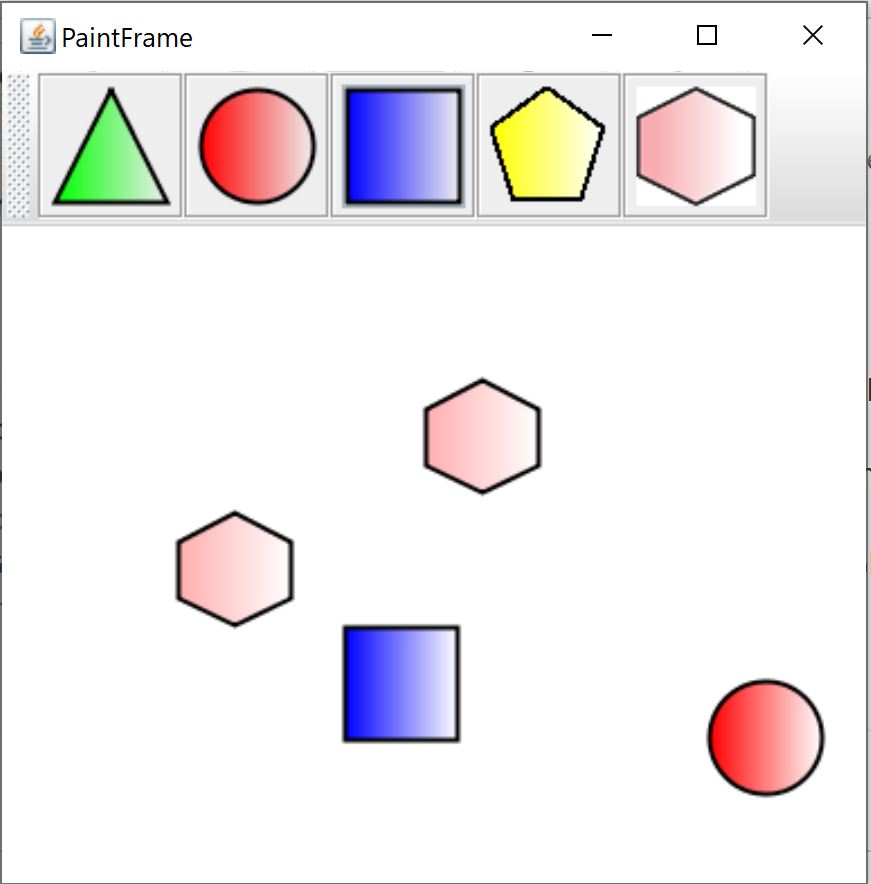
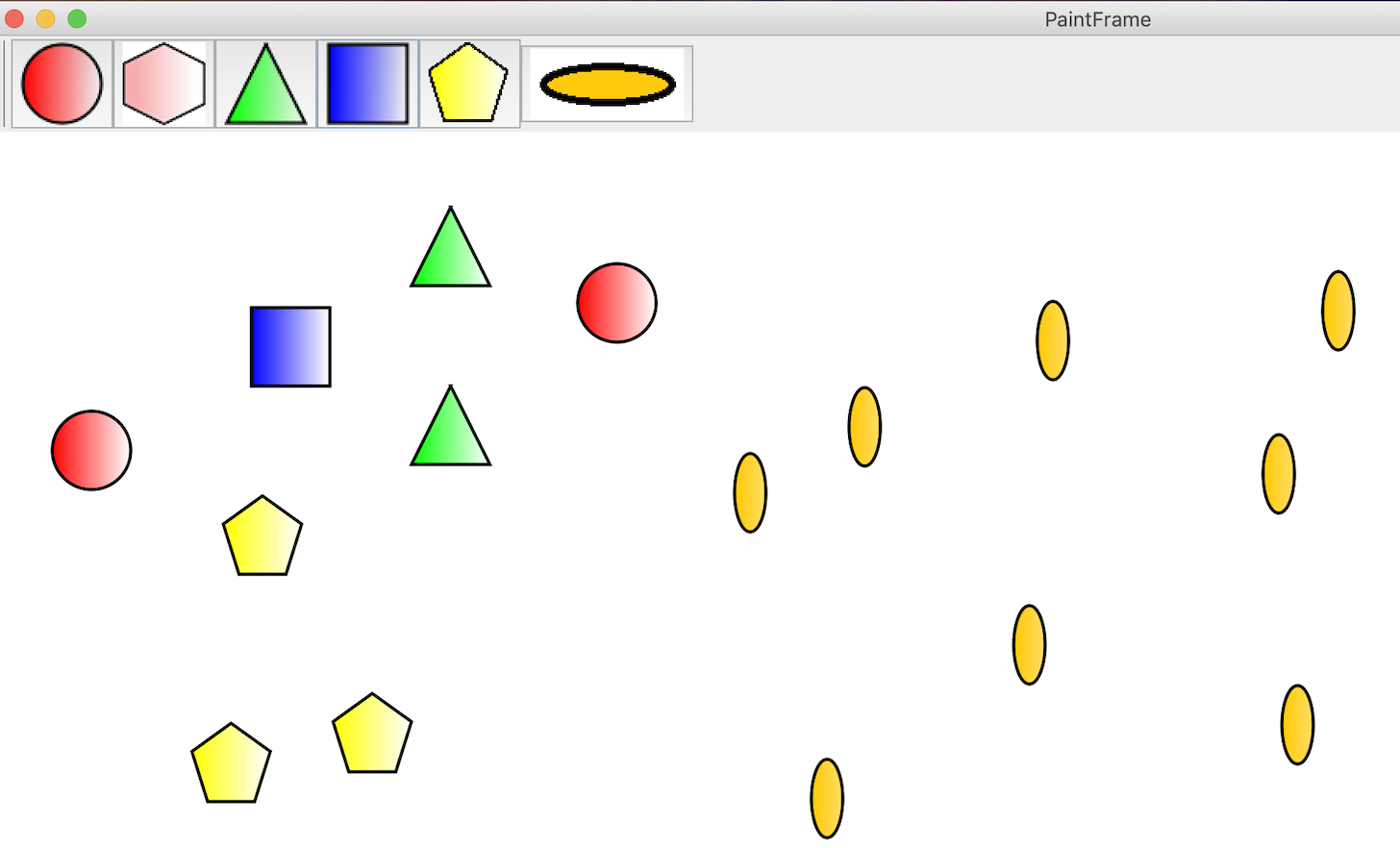
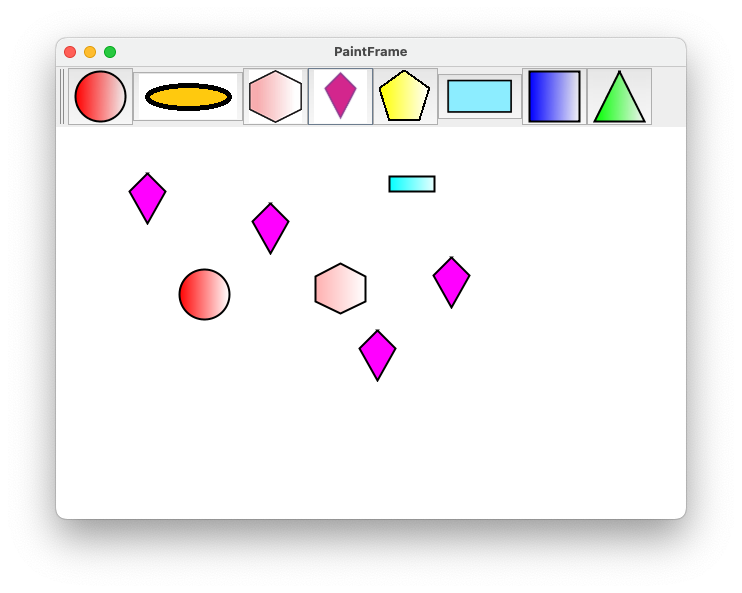
Successfully added a new shape to the PaintFrame: Hexagon.
Kindly review:
https://bitbucket.org/skulka2710/shamika-osgi-in-action/branch/IGBF-2125#diff
| Attachment | PaintFrame.JPG [ 14583 ] |
| Attachment | PaintFrame.JPG [ 14583 ] |
| Attachment | PaintFrame.JPG [ 14584 ] |
| Status | In Progress [ 3 ] | Needs 1st Level Review [ 10005 ] |
| Assignee | Shamika Gajanan Kulkarni [ shamika ] |
| Status | Needs 1st Level Review [ 10005 ] | First Level Review in Progress [ 10301 ] |
| Status | First Level Review in Progress [ 10301 ] | Ready for Pull Request [ 10304 ] |
| Assignee | Shamika Gajanan Kulkarni [ shamika ] |
| Status | Ready for Pull Request [ 10304 ] | Pull Request Submitted [ 10101 ] |
| Assignee | Shamika Gajanan Kulkarni [ shamika ] |
| Status | Pull Request Submitted [ 10101 ] | Reviewing Pull Request [ 10303 ] |
| Status | Reviewing Pull Request [ 10303 ] | Merged Needs Testing [ 10002 ] |
| Status | Merged Needs Testing [ 10002 ] | Post-merge Testing In Progress [ 10003 ] |
| Assignee | Pooja Nikhare [ pooja.nikhare ] |
| Sprint | Fall 7 : 11 Nov to 22 Nov, Fall 8 : 25 Nov to 6 Dec, Fall 9 : 9 Dec to 20 Dec, Spring 2 : 20 Jan to 31 Jan [ 78, 79, 80, 85 ] | Fall 7 : 11 Nov to 22 Nov, Fall 8 : 25 Nov to 6 Dec, Fall 9 : 9 Dec to 20 Dec, Spring 2 : 20 Jan to 31 Jan, Spring 3 : 3 Feb to 14 Feb [ 78, 79, 80, 85, 86 ] |
| Rank | Ranked higher |
| Resolution | Done [ 10000 ] | |
| Status | Post-merge Testing In Progress [ 10003 ] | Closed [ 6 ] |
| Labels | Intermediate | |
| Assignee | Pooja Nikhare [ pooja.nikhare ] |
| Resolution | Done [ 10000 ] | |
| Status | Closed [ 6 ] | To-Do [ 10305 ] |
| Assignee | Sai Supreeth Segu [ ssegu ] |
| Sprint | Fall 7 : 11 Nov to 22 Nov, Fall 8 : 25 Nov to 6 Dec, Fall 9 : 9 Dec to 20 Dec, Spring 2 : 20 Jan to 31 Jan, Spring 3 : 3 Feb to 14 Feb [ 78, 79, 80, 85, 86 ] | Fall 7 : 11 Nov to 22 Nov, Fall 8 : 25 Nov to 6 Dec, Fall 9 : 9 Dec to 20 Dec, Spring 2 : 20 Jan to 31 Jan, Spring 3 : 3 Feb to 14 Feb, Summer 6: 17 Aug - 28 Aug [ 78, 79, 80, 85, 86, 101 ] |
| Status | To-Do [ 10305 ] | In Progress [ 3 ] |
| Status | In Progress [ 3 ] | To-Do [ 10305 ] |
| Status | To-Do [ 10305 ] | In Progress [ 3 ] |
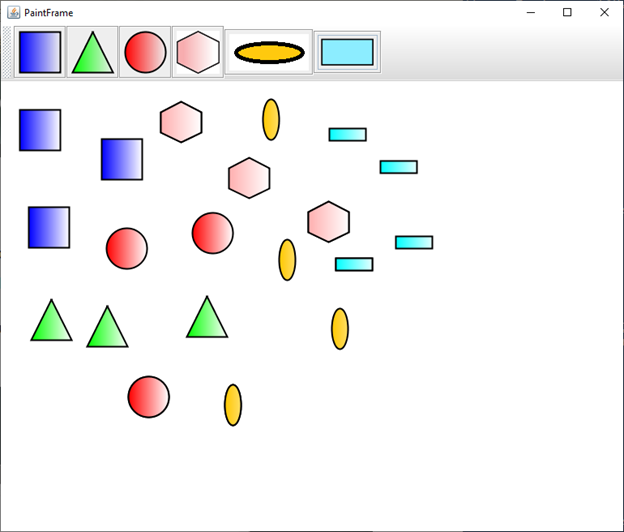
Successfully added Ellipse shape to PaintFrame.
My fork link for osgi-in-action:
https://bitbucket.org/supreeth27/supreeth-osgi-in-action/src/IGBF-2125/
| Attachment | PaintFrame2.png [ 14847 ] |
| Status | In Progress [ 3 ] | Needs 1st Level Review [ 10005 ] |
| Assignee | Sai Supreeth Segu [ ssegu ] |
| Sprint | Fall 7 : 11 Nov to 22 Nov, Fall 8 : 25 Nov to 6 Dec, Fall 9 : 9 Dec to 20 Dec, Spring 2 : 20 Jan to 31 Jan, Spring 3 : 3 Feb to 14 Feb, Summer 6: 17 Aug - 28 Aug [ 78, 79, 80, 85, 86, 101 ] | Fall 7 : 11 Nov to 22 Nov, Fall 8 : 25 Nov to 6 Dec, Fall 9 : 9 Dec to 20 Dec, Spring 2 : 20 Jan to 31 Jan, Spring 3 : 3 Feb to 14 Feb, Summer 6: 17 Aug - 28 Aug, Summer 7: 31 Aug - 11 Sep [ 78, 79, 80, 85, 86, 101, 102 ] |
| Rank | Ranked higher |
| Status | Needs 1st Level Review [ 10005 ] | First Level Review in Progress [ 10301 ] |
| Status | First Level Review in Progress [ 10301 ] | Ready for Pull Request [ 10304 ] |
| Assignee | Sai Supreeth Segu [ ssegu ] |
| Status | Ready for Pull Request [ 10304 ] | Pull Request Submitted [ 10101 ] |
Please review my pull request submitted.
https://bitbucket.org/lorainelab/osgi-in-action/pull-requests/3/igbf-2125-add-ellipse-shape-to-paintframe
| Assignee | Sai Supreeth Segu [ ssegu ] |
| Sprint | Fall 7 : 11 Nov to 22 Nov, Fall 8 : 25 Nov to 6 Dec, Fall 9 : 9 Dec to 20 Dec, Spring 2 : 20 Jan to 31 Jan, Spring 3 : 3 Feb to 14 Feb, Summer 6: 17 Aug - 28 Aug, Summer 7: 31 Aug - 11 Sep [ 78, 79, 80, 85, 86, 101, 102 ] | Fall 7 : 11 Nov to 22 Nov, Fall 8 : 25 Nov to 6 Dec, Fall 9 : 9 Dec to 20 Dec, Spring 2 : 20 Jan to 31 Jan, Spring 3 : 3 Feb to 14 Feb, Summer 6: 17 Aug - 28 Aug, Summer 7: 31 Aug - 11 Sep, Fall 1: 14 Sep - 25 Sep [ 78, 79, 80, 85, 86, 101, 102, 103 ] |
| Rank | Ranked higher |
| Assignee | Sai Supreeth Segu [ ssegu ] |
| Status | Pull Request Submitted [ 10101 ] | Reviewing Pull Request [ 10303 ] |
| Status | Reviewing Pull Request [ 10303 ] | Merged Needs Testing [ 10002 ] |
| Status | Merged Needs Testing [ 10002 ] | Post-merge Testing In Progress [ 10003 ] |
| Resolution | Done [ 10000 ] | |
| Status | Post-merge Testing In Progress [ 10003 ] | Closed [ 6 ] |
Merged.
| Assignee | Sai Supreeth Segu [ ssegu ] | Irvin Naylor [ inaylor ] |
| Resolution | Done [ 10000 ] | |
| Status | Closed [ 6 ] | To-Do [ 10305 ] |
| Status | To-Do [ 10305 ] | In Progress [ 3 ] |
| Sprint | Fall 7 : 11 Nov to 22 Nov, Fall 8 : 25 Nov to 6 Dec, Fall 9 : 9 Dec to 20 Dec, Spring 2 : 20 Jan to 31 Jan, Spring 3 : 3 Feb to 14 Feb, Summer 6: 17 Aug - 28 Aug, Summer 7: 31 Aug - 11 Sep, Fall 1: 14 Sep - 25 Sep [ 78, 79, 80, 85, 86, 101, 102, 103 ] | Fall 7 : 11 Nov to 22 Nov, Fall 8 : 25 Nov to 6 Dec, Fall 9 : 9 Dec to 20 Dec, Spring 2 : 20 Jan to 31 Jan, Spring 3 : 3 Feb to 14 Feb, Summer 6: 17 Aug - 28 Aug, Summer 7: 31 Aug - 11 Sep, Fall 1: 14 Sep - 25 Sep, Winter 5 Feb 22 - Mar 5 [ 78, 79, 80, 85, 86, 101, 102, 103, 115 ] |
| Sprint | Fall 7 : 11 Nov to 22 Nov, Fall 8 : 25 Nov to 6 Dec, Fall 9 : 9 Dec to 20 Dec, Spring 2 : 20 Jan to 31 Jan, Spring 3 : 3 Feb to 14 Feb, Summer 6: 17 Aug - 28 Aug, Summer 7: 31 Aug - 11 Sep, Fall 1: 14 Sep - 25 Sep, Winter 5 Feb 22 - Mar 5 [ 78, 79, 80, 85, 86, 101, 102, 103, 115 ] | Fall 7 : 11 Nov to 22 Nov, Fall 8 : 25 Nov to 6 Dec, Fall 9 : 9 Dec to 20 Dec, Spring 2 : 20 Jan to 31 Jan, Spring 3 : 3 Feb to 14 Feb, Summer 6: 17 Aug - 28 Aug, Summer 7: 31 Aug - 11 Sep, Fall 1: 14 Sep - 25 Sep, Winter 5 Feb 22 - Mar 5, Winter 6 Mar 8 - Mar 19 [ 78, 79, 80, 85, 86, 101, 102, 103, 115, 116 ] |
| Rank | Ranked higher |
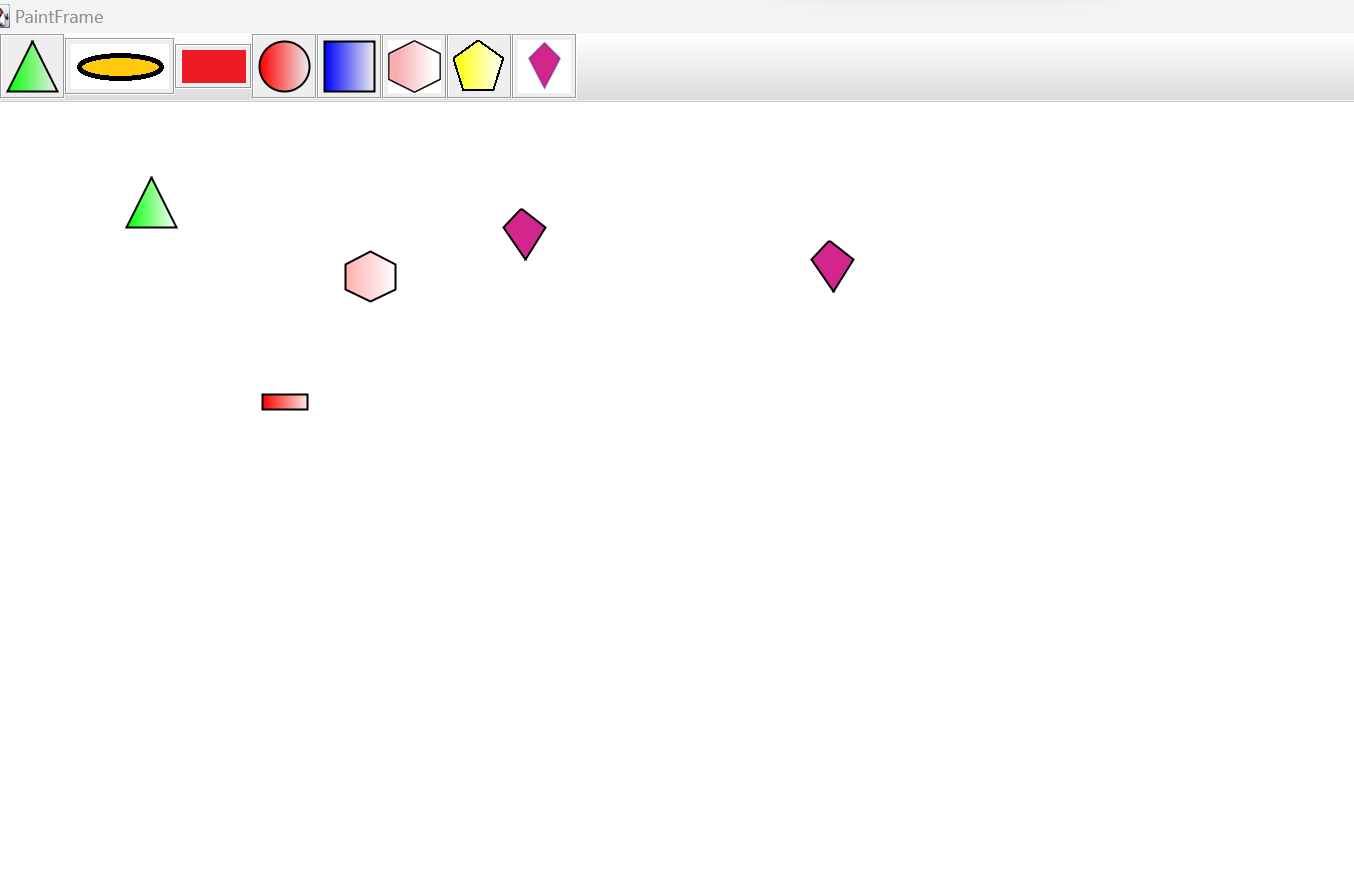
Added a rectangle shape to the PaintFrame.
Fork link: https://bitbucket.org/Inaylor01/osgi-in-action/src/IGBF-2125/
| Status | In Progress [ 3 ] | Needs 1st Level Review [ 10005 ] |
| Attachment | paintframe.png [ 15479 ] |
| Assignee | Irvin Naylor [ inaylor ] |
Logan Weidenhammer - kindly review code and functionality. Please see "steps to test" document attached previously by Pooja N.
| Assignee | Rachel Weidenhammer [ rweidenh ] |
| Status | Needs 1st Level Review [ 10005 ] | First Level Review in Progress [ 10301 ] |
Code looks appropriate and functionality works as expected.
I ran into several problems in setting up the environment to test the paint program.
Irvin helped walk me though the process and we wrote a new document for how to set up the environment and test.
I will include this as an attachment.
Recommending pull request.
| Status | First Level Review in Progress [ 10301 ] | Needs 1st Level Review [ 10005 ] |
| Status | Needs 1st Level Review [ 10005 ] | First Level Review in Progress [ 10301 ] |
| Status | First Level Review in Progress [ 10301 ] | Ready for Pull Request [ 10304 ] |
| Assignee | Rachel Weidenhammer [ rweidenh ] | Irvin Naylor [ inaylor ] |
| Attachment | How to set up environment and run the Paint Program in Karaf Console.pdf [ 15499 ] |
| Status | Ready for Pull Request [ 10304 ] | Pull Request Submitted [ 10101 ] |
| Assignee | Irvin Naylor [ inaylor ] |
| Attachment | How to set up environment and run the Paint Program in Karaf Console.docx [ 15503 ] |
| Status | Pull Request Submitted [ 10101 ] | Reviewing Pull Request [ 10303 ] |
| Status | Reviewing Pull Request [ 10303 ] | Merged Needs Testing [ 10002 ] |
| Status | Merged Needs Testing [ 10002 ] | Post-merge Testing In Progress [ 10003 ] |
| Resolution | Done [ 10000 ] | |
| Status | Post-merge Testing In Progress [ 10003 ] | Closed [ 6 ] |
| Assignee | Omkar Marne [ omarne ] |
| Resolution | Done [ 10000 ] | |
| Status | Closed [ 6 ] | To-Do [ 10305 ] |
| Status | To-Do [ 10305 ] | In Progress [ 3 ] |
| Sprint | Fall 7 : 11 Nov to 22 Nov, Fall 8 : 25 Nov to 6 Dec, Fall 9 : 9 Dec to 20 Dec, Spring 2 : 20 Jan to 31 Jan, Spring 3 : 3 Feb to 14 Feb, Summer 6: 17 Aug - 28 Aug, Summer 7: 31 Aug - 11 Sep, Fall 1: 14 Sep - 25 Sep, Winter 5 Feb 22 - Mar 5, Winter 6 Mar 8 - Mar 19 [ 78, 79, 80, 85, 86, 101, 102, 103, 115, 116 ] | Fall 7 : 11 Nov to 22 Nov, Fall 8 : 25 Nov to 6 Dec, Fall 9 : 9 Dec to 20 Dec, Spring 2 : 20 Jan to 31 Jan, Spring 3 : 3 Feb to 14 Feb, Summer 6: 17 Aug - 28 Aug, Summer 7: 31 Aug - 11 Sep, Fall 1: 14 Sep - 25 Sep, Winter 5 Feb 22 - Mar 5, Winter 6 Mar 8 - Mar 19, Spring 1 Mar 22 - Apr 2 [ 78, 79, 80, 85, 86, 101, 102, 103, 115, 116, 117 ] |
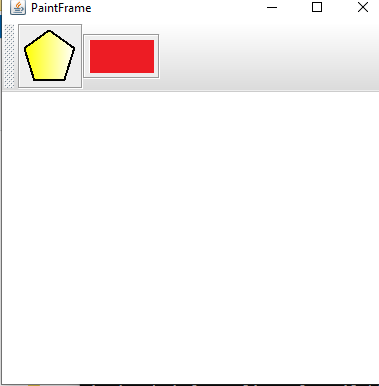
Added a rectangle shape to the Paint.
Link - https://bitbucket.org/omarne/osgi-in-action/branch/IGBF-2125
| Status | In Progress [ 3 ] | Needs 1st Level Review [ 10005 ] |
| Assignee | Omkar Marne [ omarne ] |
| Status | Needs 1st Level Review [ 10005 ] | First Level Review in Progress [ 10301 ] |
Rectangle looks good, It shows up in the paint frame, and appears in the space when clicked. Recommend Pull Request.
| Attachment | rectangle.PNG [ 15550 ] |
| Comment | [ Added rectangle in the paint frame. ] |
| Assignee | Omkar Marne [ omarne ] |
| Assignee | Omkar Marne [ omarne ] |
| Status | First Level Review in Progress [ 10301 ] | To-Do [ 10305 ] |
| Status | To-Do [ 10305 ] | In Progress [ 3 ] |
| Status | In Progress [ 3 ] | Needs 1st Level Review [ 10005 ] |
| Status | Needs 1st Level Review [ 10005 ] | First Level Review in Progress [ 10301 ] |
| Status | First Level Review in Progress [ 10301 ] | Ready for Pull Request [ 10304 ] |
| Assignee | Omkar Marne [ omarne ] |
The commit has changed a lot of files, and it's not clear if all of these changes are required.
Request for Omkar Marne: Please review and make the changes more lightweight.
Required changes have made and Included only the necessary files.
Pull request : https://bitbucket.org/lorainelab/osgi-in-action/pull-requests/6
| Assignee | Omkar Marne [ omarne ] | Irvin Naylor [ inaylor ] |
| Status | Ready for Pull Request [ 10304 ] | Pull Request Submitted [ 10101 ] |
| Status | Pull Request Submitted [ 10101 ] | Reviewing Pull Request [ 10303 ] |
I reviewed the pull request and everything looks good to me. The right files for Omkar's changes show up in the commits with no extra files.
I have approved it though I imagine Ann Loraine would want to have the final say regardless.
Merged and moved to Closed.
| Status | Reviewing Pull Request [ 10303 ] | Merged Needs Testing [ 10002 ] |
| Status | Merged Needs Testing [ 10002 ] | Post-merge Testing In Progress [ 10003 ] |
| Resolution | Done [ 10000 ] | |
| Status | Post-merge Testing In Progress [ 10003 ] | Closed [ 6 ] |
| Assignee | Irvin Naylor [ inaylor ] | Omkar Marne [ omarne ] |
| Assignee | Omkar Marne [ omarne ] |
| Resolution | Done [ 10000 ] | |
| Status | Closed [ 6 ] | To-Do [ 10305 ] |
| Sprint | Fall 7 : 11 Nov to 22 Nov, Fall 8 : 25 Nov to 6 Dec, Fall 9 : 9 Dec to 20 Dec, Spring 2 : 20 Jan to 31 Jan, Spring 3 : 3 Feb to 14 Feb, Summer 6: 17 Aug - 28 Aug, Summer 7: 31 Aug - 11 Sep, Fall 1: 14 Sep - 25 Sep, Winter 5 Feb 22 - Mar 5, Winter 6 Mar 8 - Mar 19, Spring 1 2021 Mar 22 - Apr 2 [ 78, 79, 80, 85, 86, 101, 102, 103, 115, 116, 117 ] | Fall 7 : 11 Nov to 22 Nov, Fall 8 : 25 Nov to 6 Dec, Fall 9 : 9 Dec to 20 Dec, Spring 2 : 20 Jan to 31 Jan, Spring 3 : 3 Feb to 14 Feb, Summer 6: 17 Aug - 28 Aug, Summer 7: 31 Aug - 11 Sep, Fall 1: 14 Sep - 25 Sep, Winter 5 Feb 22 - Mar 5, Winter 6 Mar 8 - Mar 19, Spring 1 2021 Mar 22 - Apr 2, Spring 5 2021 May 17 - May 28 [ 78, 79, 80, 85, 86, 101, 102, 103, 115, 116, 117, 121 ] |
| Sprint | Fall 7 : 11 Nov to 22 Nov, Fall 8 : 25 Nov to 6 Dec, Fall 9 : 9 Dec to 20 Dec, Spring 2 : 20 Jan to 31 Jan, Spring 3 : 3 Feb to 14 Feb, Summer 6: 17 Aug - 28 Aug, Summer 7: 31 Aug - 11 Sep, Fall 1: 14 Sep - 25 Sep, Winter 5 Feb 22 - Mar 5, Winter 6 Mar 8 - Mar 19, Spring 1 2021 Mar 22 - Apr 2, Spring 5 2021 May 17 - May 28 [ 78, 79, 80, 85, 86, 101, 102, 103, 115, 116, 117, 121 ] | Fall 7 : 11 Nov to 22 Nov, Fall 8 : 25 Nov to 6 Dec, Fall 9 : 9 Dec to 20 Dec, Spring 2 : 20 Jan to 31 Jan, Spring 3 : 3 Feb to 14 Feb, Summer 6: 17 Aug - 28 Aug, Summer 7: 31 Aug - 11 Sep, Fall 1: 14 Sep - 25 Sep, Winter 5 Feb 22 - Mar 5, Winter 6 Mar 8 - Mar 19, Spring 1 2021 Mar 22 - Apr 2 [ 78, 79, 80, 85, 86, 101, 102, 103, 115, 116, 117 ] |
| Assignee | Kaushik Gopu [ kgopu ] |
| Sprint | Fall 7 : 11 Nov to 22 Nov, Fall 8 : 25 Nov to 6 Dec, Fall 9 : 9 Dec to 20 Dec, Spring 2 : 20 Jan to 31 Jan, Spring 3 : 3 Feb to 14 Feb, Summer 6: 17 Aug - 28 Aug, Summer 7: 31 Aug - 11 Sep, Fall 1: 14 Sep - 25 Sep, Winter 5 Feb 22 - Mar 5, Winter 6 Mar 8 - Mar 19, Spring 1 2021 Mar 22 - Apr 2 [ 78, 79, 80, 85, 86, 101, 102, 103, 115, 116, 117 ] | Fall 7 : 11 Nov to 22 Nov, Fall 8 : 25 Nov to 6 Dec, Fall 9 : 9 Dec to 20 Dec, Spring 2 : 20 Jan to 31 Jan, Spring 3 : 3 Feb to 14 Feb, Summer 6: 17 Aug - 28 Aug, Summer 7: 31 Aug - 11 Sep, Fall 1: 14 Sep - 25 Sep, Winter 5 Feb 22 - Mar 5, Winter 6 Mar 8 - Mar 19, Spring 1 2021 Mar 22 - Apr 2, Summer 2 2023 May 29 [ 78, 79, 80, 85, 86, 101, 102, 103, 115, 116, 117, 171 ] |
| Status | To-Do [ 10305 ] | In Progress [ 3 ] |
Added a kite shape to paint frame.
https://bitbucket.org/kaushik-gopu/osgi-in-action/branch/IGBF-2125
I have attached sample image of paint frame in attachments.
| Status | In Progress [ 3 ] | Needs 1st Level Review [ 10005 ] |
| Attachment | kite_shape.png [ 17893 ] |
| Status | Needs 1st Level Review [ 10005 ] | First Level Review in Progress [ 10301 ] |
| Assignee | Kaushik Gopu [ kgopu ] | Ann Loraine [ aloraine ] |
| Description |
IGB runs with an OSGi framework, so it's important to understand OSGi and how it works.
To get familiar with OSGi, read "OSGi in Action" Chapters 1 to 3. Updated companion code for the text is here: https://bitbucket.org/lorainelab/osgi-in-action/src/master/ To solidify your understanding, do one of the hands-on tasks below. Or, if you like, come up with your own idea for a deliverable that helps you -- and others! -- understand how OSGi bundles can form a modular application in Java. One you have done that, you should continuing reading the remaining chapters on your own time. Aim to finish by the end of your first semester on the team, or by the end of the first semester break after you join the team. Your ultimate goal: Become an expert on OSGi so that you can develop new aspects of the IGB API and help others do the same. Task suggestions: * Create a new shape implementation for the drawing program described above. Use the shell program from Chapter 3 to dynamically load and unload it. Submit a pull request to the bitbucket repository (see below). * Investigate the karaf OSGi container. Run the program from Chapter 3 in the karaf shell instead of the shell from Chapter 3. Create instructions for how to do that. Here's a short tutorial to get you started: https://www.javaindeed.com/playing-with-apache-karaf-console/ * Look into how IGB application uses the felix OSGi framework. Create a flow diagram showing how launching IGB starts and manages the OSGi container. * Review the "core" modules in IGB and make a list of each package exported from same. |
IGB runs with an OSGi framework, so it's important to understand OSGi and how it works.
To get familiar with OSGi, read "OSGi in Action" Chapters 1 to 3. Updated companion code for the text is here: https://bitbucket.org/lorainelab/osgi-in-action/src/master/ To solidify your understanding, do one of the hands-on tasks below. Or, if you like, come up with your own idea for a deliverable that helps you -- and others! -- understand how OSGi bundles can form a modular application in Java. One you have done that, you should continuing reading the remaining chapters on your own time. Aim to finish by the end of your first semester on the team, or by the end of the first semester break after you join the team. Your ultimate goal: Become an expert on OSGi so that you can develop new aspects of the IGB API and help others do the same. Task suggestions: * Create a new shape implementation for the drawing program described above. Use the shell program from Chapter 3 to dynamically load and unload it. Submit a pull request to the bitbucket repository (see below). * Investigate the karaf OSGi container. Run the program from Chapter 3 in the karaf shell instead of the shell from Chapter 3. Create instructions for how to do that. Here's a short tutorial to get you started: https://www.javaindeed.com/playing-with-apache-karaf-console/ * Look into how IGB application uses the felix OSGi framework. Create a flow diagram showing how launching IGB starts and manages the OSGi container. * Review the "core" modules in IGB and make a list of each package exported from same. |
| Attachment | How to set up environment and run the Paint Program in Karaf Console.pdf [ 15499 ] |
| Sprint | Fall 7 : 11 Nov to 22 Nov, Fall 8 : 25 Nov to 6 Dec, Fall 9 : 9 Dec to 20 Dec, Spring 2 : 20 Jan to 31 Jan, Spring 3 : 3 Feb to 14 Feb, Summer 6: 17 Aug - 28 Aug, Summer 7: 31 Aug - 11 Sep, Fall 1: 14 Sep - 25 Sep, Winter 5 Feb 22 - Mar 5, Winter 6 Mar 8 - Mar 19, Spring 1 2021 Mar 22 - Apr 2, Summer 2 2023 May 29 [ 78, 79, 80, 85, 86, 101, 102, 103, 115, 116, 117, 171 ] | Fall 7 : 11 Nov to 22 Nov, Fall 8 : 25 Nov to 6 Dec, Fall 9 : 9 Dec to 20 Dec, Spring 2 : 20 Jan to 31 Jan, Spring 3 : 3 Feb to 14 Feb, Summer 6: 17 Aug - 28 Aug, Summer 7: 31 Aug - 11 Sep, Fall 1: 14 Sep - 25 Sep, Winter 5 Feb 22 - Mar 5, Winter 6 Mar 8 - Mar 19, Spring 1 2021 Mar 22 - Apr 2, Summer 2 2023 May 29, Summer 3 2023 June 12 [ 78, 79, 80, 85, 86, 101, 102, 103, 115, 116, 117, 171, 172 ] |
| Rank | Ranked higher |
| Status | First Level Review in Progress [ 10301 ] | Needs 1st Level Review [ 10005 ] |
| Assignee | Ann Loraine [ aloraine ] |
| Status | Needs 1st Level Review [ 10005 ] | First Level Review in Progress [ 10301 ] |
| Status | First Level Review in Progress [ 10301 ] | Ready for Pull Request [ 10304 ] |
| Status | Ready for Pull Request [ 10304 ] | Pull Request Submitted [ 10101 ] |
| Status | Pull Request Submitted [ 10101 ] | Reviewing Pull Request [ 10303 ] |
| Status | Reviewing Pull Request [ 10303 ] | Merged Needs Testing [ 10002 ] |
| Status | Merged Needs Testing [ 10002 ] | Post-merge Testing In Progress [ 10003 ] |
| Resolution | Done [ 10000 ] | |
| Status | Post-merge Testing In Progress [ 10003 ] | Closed [ 6 ] |
| Resolution | Done [ 10000 ] | |
| Status | Closed [ 6 ] | To-Do [ 10305 ] |
| Status | To-Do [ 10305 ] | In Progress [ 3 ] |
| Assignee | Jaya Sravani Sirigineedi [ jsirigin ] |
| Sprint | Fall 7 : 11 Nov to 22 Nov, Fall 8 : 25 Nov to 6 Dec, Fall 9 : 9 Dec to 20 Dec, Spring 2 : 20 Jan to 31 Jan, Spring 3 : 3 Feb to 14 Feb, Summer 6: 17 Aug - 28 Aug, Summer 7: 31 Aug - 11 Sep, Fall 1: 14 Sep - 25 Sep, Winter 5 Feb 22 - Mar 5, Winter 6 Mar 8 - Mar 19, Spring 1 2021 Mar 22 - Apr 2, Summer 2 2023 May 29, Summer 3 2023 June 12 [ 78, 79, 80, 85, 86, 101, 102, 103, 115, 116, 117, 171, 172 ] | Fall 7 : 11 Nov to 22 Nov, Fall 8 : 25 Nov to 6 Dec, Fall 9 : 9 Dec to 20 Dec, Spring 2 : 20 Jan to 31 Jan, Spring 3 : 3 Feb to 14 Feb, Summer 6: 17 Aug - 28 Aug, Summer 7: 31 Aug - 11 Sep, Fall 1: 14 Sep - 25 Sep, Winter 5 Feb 22 - Mar 5, Winter 6 Mar 8 - Mar 19, Spring 1 2021 Mar 22 - Apr 2, Summer 2 2023 May 29, Summer 3 2023 June 12, Fall 4 2023 Oct 16 [ 78, 79, 80, 85, 86, 101, 102, 103, 115, 116, 117, 171, 172, 180 ] |
| Description |
IGB runs with an OSGi framework, so it's important to understand OSGi and how it works.
To get familiar with OSGi, read "OSGi in Action" Chapters 1 to 3. Updated companion code for the text is here: https://bitbucket.org/lorainelab/osgi-in-action/src/master/ To solidify your understanding, do one of the hands-on tasks below. Or, if you like, come up with your own idea for a deliverable that helps you -- and others! -- understand how OSGi bundles can form a modular application in Java. One you have done that, you should continuing reading the remaining chapters on your own time. Aim to finish by the end of your first semester on the team, or by the end of the first semester break after you join the team. Your ultimate goal: Become an expert on OSGi so that you can develop new aspects of the IGB API and help others do the same. Task suggestions: * Create a new shape implementation for the drawing program described above. Use the shell program from Chapter 3 to dynamically load and unload it. Submit a pull request to the bitbucket repository (see below). * Investigate the karaf OSGi container. Run the program from Chapter 3 in the karaf shell instead of the shell from Chapter 3. Create instructions for how to do that. Here's a short tutorial to get you started: https://www.javaindeed.com/playing-with-apache-karaf-console/ * Look into how IGB application uses the felix OSGi framework. Create a flow diagram showing how launching IGB starts and manages the OSGi container. * Review the "core" modules in IGB and make a list of each package exported from same. |
IGB runs with an OSGi framework, so it's important to understand OSGi and how it works.
To get familiar with OSGi, read "OSGi in Action" Chapters 1 to 3. Updated companion code for the text is here: https://bitbucket.org/lorainelab/osgi-in-action/src/master/ To solidify your understanding, do one of the hands-on tasks below. Or, if you like, come up with your own idea for a deliverable that helps you -- and others! -- understand how OSGi bundles can form a modular application in Java. One you have done that, you should continuing reading the remaining chapters on your own time. Aim to finish by the end of your first semester on the team, or by the end of the first semester break after you join the team. Your ultimate goal: Become an expert on OSGi so that you can develop new aspects of the IGB API and help others do the same. Task suggestions: * Create a new shape implementation for the drawing program described above. Use the shell program from Chapter 3 to dynamically load and unload it. Submit a pull request to the bitbucket repository (see below). * Investigate the karaf OSGi container. Run the program from Chapter 3 in the karaf shell instead of the shell from Chapter 3. Create instructions for how to do that. Here's a short tutorial to get you started: https://www.javaindeed.com/playing-with-apache-karaf-console/ * Look into how IGB application uses the felix OSGi framework. Create a flow diagram showing how launching IGB starts and manages the OSGi container. * Review the "core" modules in IGB and make a list of each package exported from same. See |
| Attachment | Screenshot 2023-10-26 at 1.59.31 PM.png [ 18077 ] |
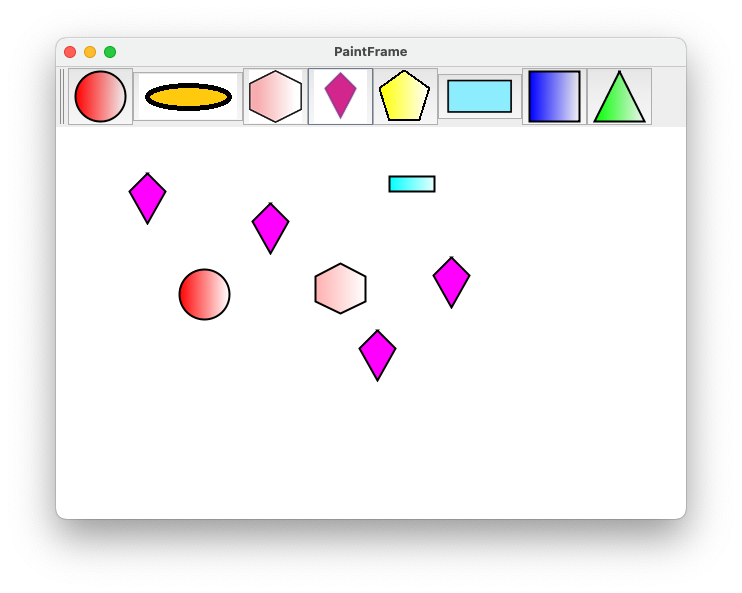
Added a Kite shape to the paint frame. Below is the pull request for the same.
https://bitbucket.org/lorainelab/osgi-in-action/pull-requests/7
I have attached the screenshot of the paint frame with the kite image below.
| Status | In Progress [ 3 ] | Needs 1st Level Review [ 10005 ] |
| Assignee | Jaya Sravani Sirigineedi [ jsirigin ] |
| Sprint | Fall 7 : 11 Nov to 22 Nov, Fall 8 : 25 Nov to 6 Dec, Fall 9 : 9 Dec to 20 Dec, Spring 2 : 20 Jan to 31 Jan, Spring 3 : 3 Feb to 14 Feb, Summer 6: 17 Aug - 28 Aug, Summer 7: 31 Aug - 11 Sep, Fall 1: 14 Sep - 25 Sep, Winter 5 Feb 22 - Mar 5, Winter 6 Mar 8 - Mar 19, Spring 1 2021 Mar 22 - Apr 2, Summer 2 2023 May 29, Summer 3 2023 June 12, Fall 4 2023 Oct 16 [ 78, 79, 80, 85, 86, 101, 102, 103, 115, 116, 117, 171, 172, 180 ] | Fall 7 : 11 Nov to 22 Nov, Fall 8 : 25 Nov to 6 Dec, Fall 9 : 9 Dec to 20 Dec, Spring 2 : 20 Jan to 31 Jan, Spring 3 : 3 Feb to 14 Feb, Summer 6: 17 Aug - 28 Aug, Summer 7: 31 Aug - 11 Sep, Fall 1: 14 Sep - 25 Sep, Winter 5 Feb 22 - Mar 5, Winter 6 Mar 8 - Mar 19, Spring 1 2021 Mar 22 - Apr 2, Summer 2 2023 May 29, Summer 3 2023 June 12, Fall 4 2023 Oct 16, Fall 5 [ 78, 79, 80, 85, 86, 101, 102, 103, 115, 116, 117, 171, 172, 180, 181 ] |
| Rank | Ranked higher |
| Status | Needs 1st Level Review [ 10005 ] | First Level Review in Progress [ 10301 ] |
| Assignee | Nowlan Freese [ nfreese ] |
| Assignee | Nowlan Freese [ nfreese ] |
| Status | First Level Review in Progress [ 10301 ] | Needs 1st Level Review [ 10005 ] |
| Status | Needs 1st Level Review [ 10005 ] | First Level Review in Progress [ 10301 ] |
| Status | First Level Review in Progress [ 10301 ] | Ready for Pull Request [ 10304 ] |
| Assignee | Jaya Sravani Sirigineedi [ jsirigin ] |
| Status | Ready for Pull Request [ 10304 ] | Pull Request Submitted [ 10101 ] |
| Assignee | Jaya Sravani Sirigineedi [ jsirigin ] |
| Status | Pull Request Submitted [ 10101 ] | Reviewing Pull Request [ 10303 ] |
| Status | Reviewing Pull Request [ 10303 ] | Merged Needs Testing [ 10002 ] |
Request for Kaushik Gopu: Since you were the last person (before Jaya Sravani Sirigineedi) to do On-boarding Step 5, could you review this ticket for her?
Many thanks!!
- Code looks appropriate and functionality works as expected. I can see the image appearing in the applet frame.
| Assignee | Kaushik Gopu [ kgopu ] |
| Status | Merged Needs Testing [ 10002 ] | Post-merge Testing In Progress [ 10003 ] |
| Sprint | Fall 7 : 11 Nov to 22 Nov, Fall 8 : 25 Nov to 6 Dec, Fall 9 : 9 Dec to 20 Dec, Spring 2 : 20 Jan to 31 Jan, Spring 3 : 3 Feb to 14 Feb, Summer 6: 17 Aug - 28 Aug, Summer 7: 31 Aug - 11 Sep, Fall 1: 14 Sep - 25 Sep, Winter 5 Feb 22 - Mar 5, Winter 6 Mar 8 - Mar 19, Spring 1 2021 Mar 22 - Apr 2, Summer 2 2023 May 29, Summer 3 2023 June 12, Fall 4 2023 Oct 16, Fall 5 [ 78, 79, 80, 85, 86, 101, 102, 103, 115, 116, 117, 171, 172, 180, 181 ] | Fall 7 : 11 Nov to 22 Nov, Fall 8 : 25 Nov to 6 Dec, Fall 9 : 9 Dec to 20 Dec, Spring 2 : 20 Jan to 31 Jan, Spring 3 : 3 Feb to 14 Feb, Summer 6: 17 Aug - 28 Aug, Summer 7: 31 Aug - 11 Sep, Fall 1: 14 Sep - 25 Sep, Winter 5 Feb 22 - Mar 5, Winter 6 Mar 8 - Mar 19, Spring 1 2021 Mar 22 - Apr 2, Summer 2 2023 May 29, Summer 3 2023 June 12, Fall 4 2023 Oct 16, Fall 5, Fall 6 [ 78, 79, 80, 85, 86, 101, 102, 103, 115, 116, 117, 171, 172, 180, 181, 182 ] |
| Rank | Ranked higher |
| Resolution | Done [ 10000 ] | |
| Status | Post-merge Testing In Progress [ 10003 ] | Closed [ 6 ] |
| Assignee | Kaushik Gopu [ kgopu ] | Jaya Sravani Sirigineedi [ jsirigin ] |
| Sprint | Fall 7 : 11 Nov to 22 Nov, Fall 8 : 25 Nov to 6 Dec, Fall 9 : 9 Dec to 20 Dec, Spring 2 : 20 Jan to 31 Jan, Spring 3 : 3 Feb to 14 Feb, Summer 6: 17 Aug - 28 Aug, Summer 7: 31 Aug - 11 Sep, Fall 1: 14 Sep - 25 Sep, Winter 5 Feb 22 - Mar 5, Winter 6 Mar 8 - Mar 19, Spring 1 2021 Mar 22 - Apr 2, Summer 2 2023 May 29, Summer 3 2023 June 12, Fall 4 2023 Oct 16, Fall 5, Fall 6 [ 78, 79, 80, 85, 86, 101, 102, 103, 115, 116, 117, 171, 172, 180, 181, 182 ] | Fall 7 : 11 Nov to 22 Nov, Fall 8 : 25 Nov to 6 Dec, Fall 9 : 9 Dec to 20 Dec, Spring 2 : 20 Jan to 31 Jan, Spring 3 : 3 Feb to 14 Feb, Summer 6: 17 Aug - 28 Aug, Summer 7: 31 Aug - 11 Sep, Fall 1: 14 Sep - 25 Sep, Winter 5 Feb 22 - Mar 5, Winter 6 Mar 8 - Mar 19, Spring 1 2021 Mar 22 - Apr 2, Summer 2 2023 May 29, Summer 3 2023 June 12, Fall 4 2023 Oct 16, Fall 5, Fall 6, Spring 5 [ 78, 79, 80, 85, 86, 101, 102, 103, 115, 116, 117, 171, 172, 180, 181, 182, 189 ] |
| Assignee | Jaya Sravani Sirigineedi [ jsirigin ] | Dylan Marrotte [ dmarrott ] |
| Resolution | Done [ 10000 ] | |
| Status | Closed [ 6 ] | To-Do [ 10305 ] |
Since Dylan Marrotte is going to be doing data analysis rather than IGB software development, I think it would be better for you to do tasks from the "learn the basics - data analysis" epic.
Un-assigning and moving back to "DONE"
Sorry for the confusion!
| Assignee | Dylan Marrotte [ dmarrott ] |
| Status | To-Do [ 10305 ] | In Progress [ 3 ] |
| Status | In Progress [ 3 ] | Needs 1st Level Review [ 10005 ] |
| Status | Needs 1st Level Review [ 10005 ] | First Level Review in Progress [ 10301 ] |
| Status | First Level Review in Progress [ 10301 ] | Ready for Pull Request [ 10304 ] |
| Status | Ready for Pull Request [ 10304 ] | Pull Request Submitted [ 10101 ] |
| Status | Pull Request Submitted [ 10101 ] | Reviewing Pull Request [ 10303 ] |
| Status | Reviewing Pull Request [ 10303 ] | Merged Needs Testing [ 10002 ] |
| Status | Merged Needs Testing [ 10002 ] | Post-merge Testing In Progress [ 10003 ] |
| Resolution | Done [ 10000 ] | |
| Status | Post-merge Testing In Progress [ 10003 ] | Closed [ 6 ] |
| Assignee | Udaya Chinta [ uchinta ] |
| Sprint | Fall 7 : 11 Nov to 22 Nov, Fall 8 : 25 Nov to 6 Dec, Fall 9 : 9 Dec to 20 Dec, Spring 2 : 20 Jan to 31 Jan, Spring 3 : 3 Feb to 14 Feb, Summer 6: 17 Aug - 28 Aug, Summer 7: 31 Aug - 11 Sep, Fall 1: 14 Sep - 25 Sep, Winter 5 Feb 22 - Mar 5, Winter 6 Mar 8 - Mar 19, Spring 1 2021 Mar 22 - Apr 2, Summer 2 2023 May 29, Summer 3 2023 June 12, Fall 4 2023 Oct 16, Fall 5, Fall 6, Spring 5 [ 78, 79, 80, 85, 86, 101, 102, 103, 115, 116, 117, 171, 172, 180, 181, 182, 189 ] | Fall 7 : 11 Nov to 22 Nov, Fall 8 : 25 Nov to 6 Dec, Fall 9 : 9 Dec to 20 Dec, Spring 2 : 20 Jan to 31 Jan, Spring 3 : 3 Feb to 14 Feb, Summer 6: 17 Aug - 28 Aug, Summer 7: 31 Aug - 11 Sep, Fall 1: 14 Sep - 25 Sep, Winter 5 Feb 22 - Mar 5, Winter 6 Mar 8 - Mar 19, Spring 1 2021 Mar 22 - Apr 2, Summer 2 2023 May 29, Summer 3 2023 June 12, Fall 4 2023 Oct 16, Fall 5, Fall 6, Spring 5, Fall 5 [ 78, 79, 80, 85, 86, 101, 102, 103, 115, 116, 117, 171, 172, 180, 181, 182, 189, 206 ] |
| Resolution | Done [ 10000 ] | |
| Status | Closed [ 6 ] | To-Do [ 10305 ] |
| Status | To-Do [ 10305 ] | In Progress [ 3 ] |
| Attachment | screenshot-1.png [ 18550 ] |
| Attachment | screenshot-2.png [ 18551 ] |
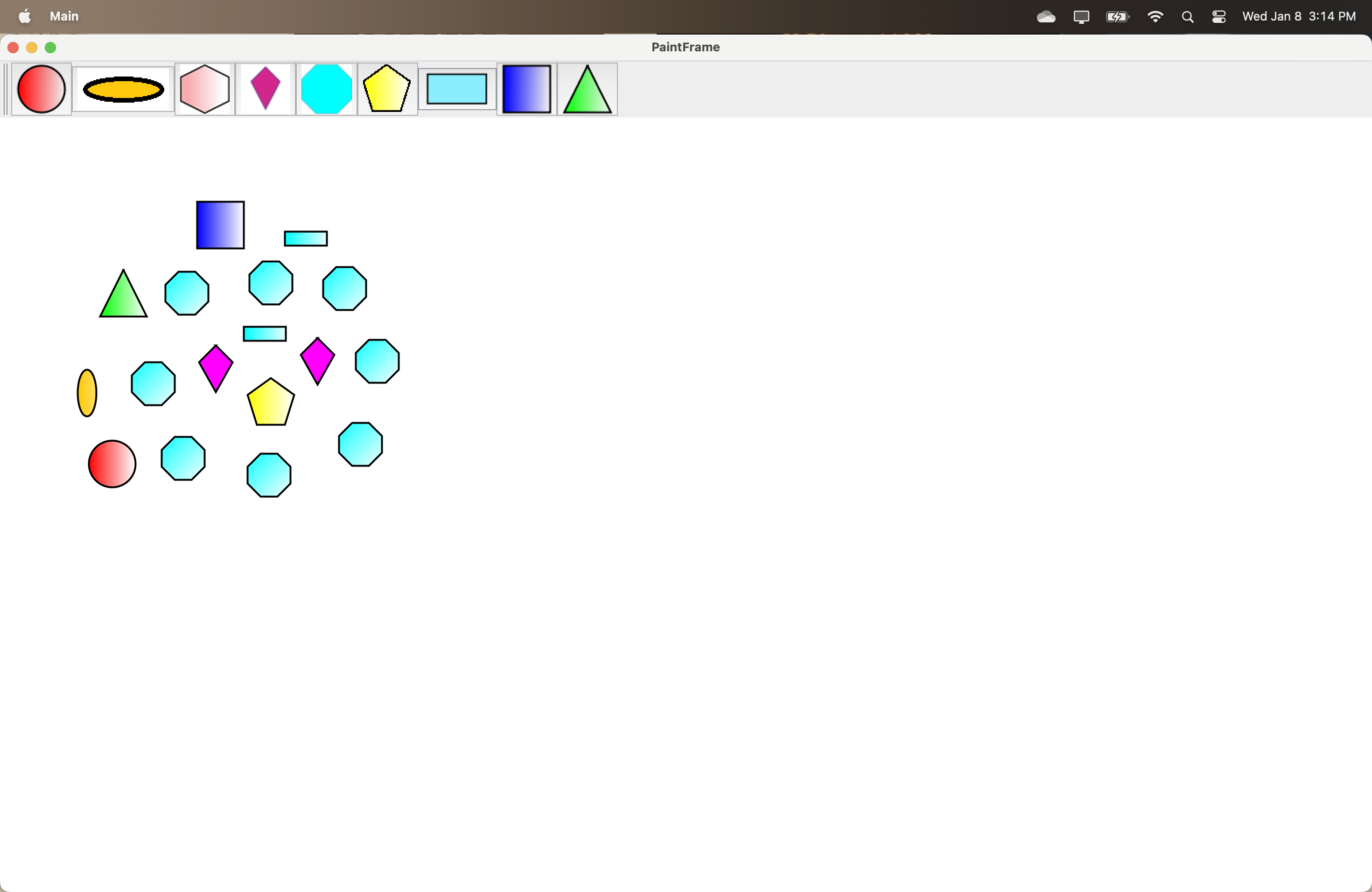
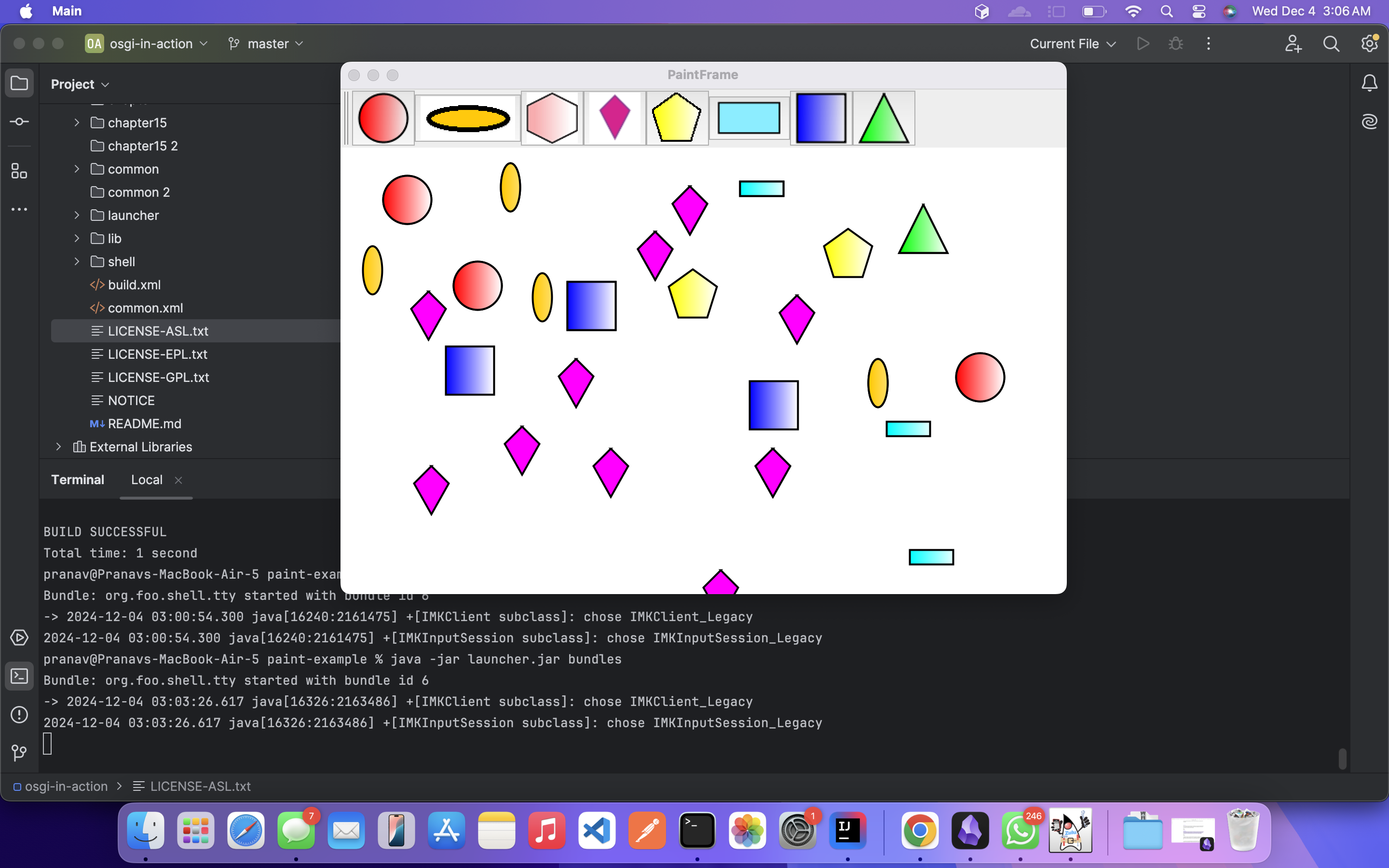
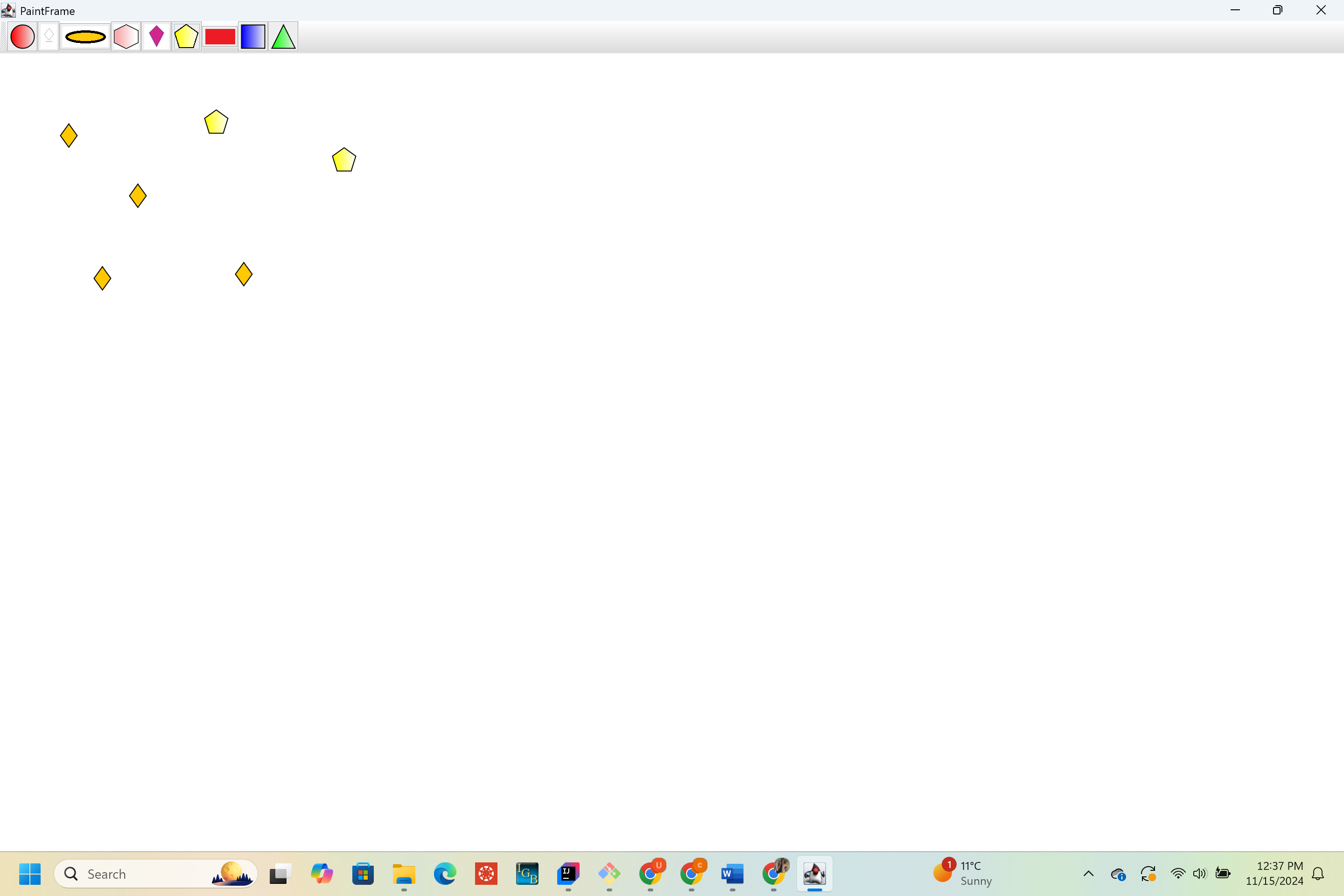
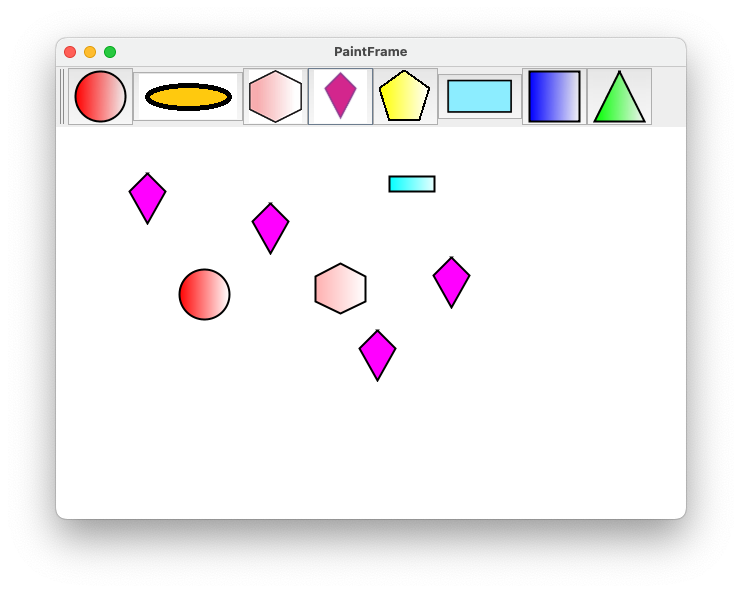
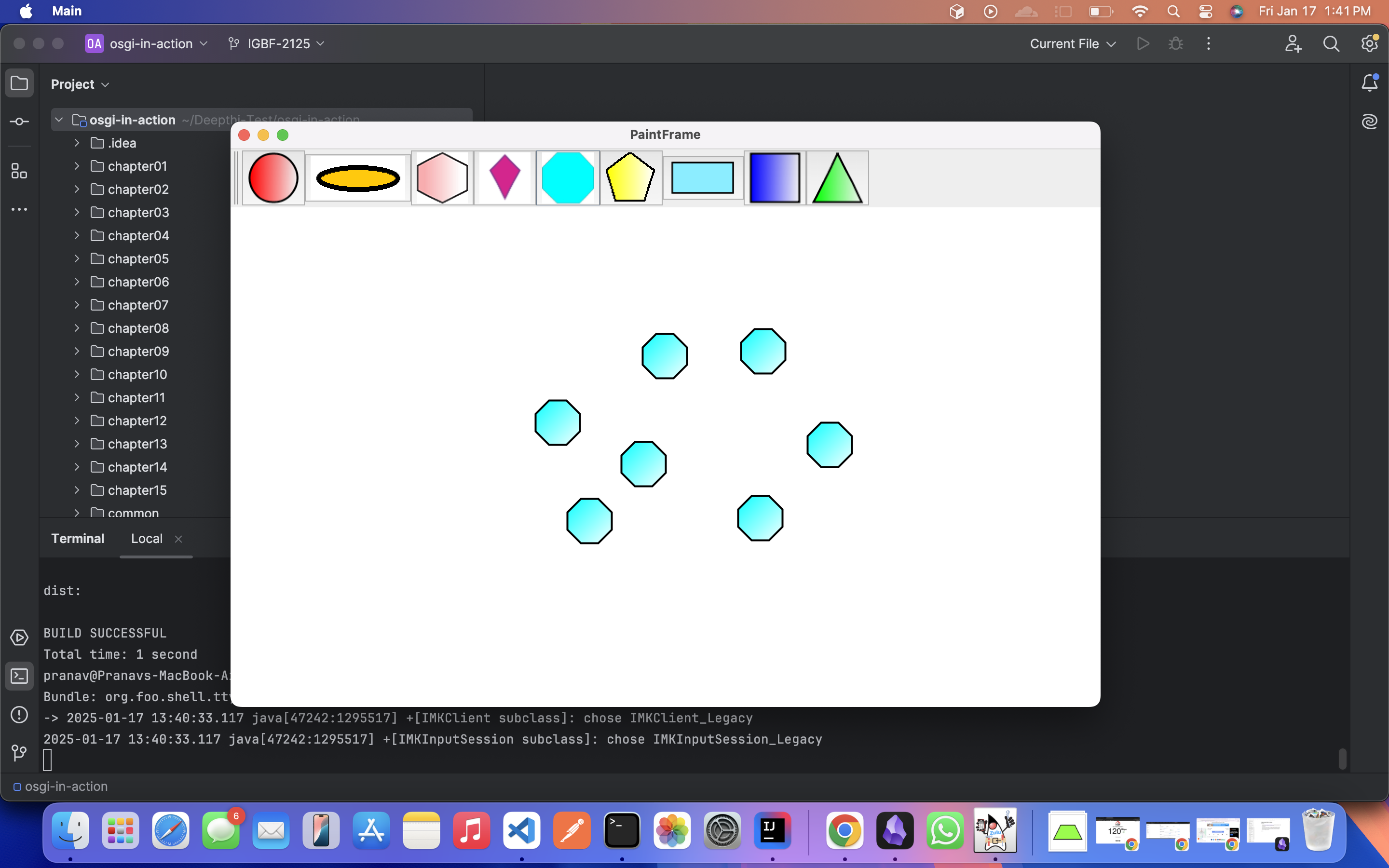
I created a new shape diamond for drawing the pattern in paint frame.
- Initially, I encountered a Java issue. The code was using Java 1.5, but some parts of it had dependencies on Java 8. To resolve this, I updated the version to Java 8, which fixed the issue.
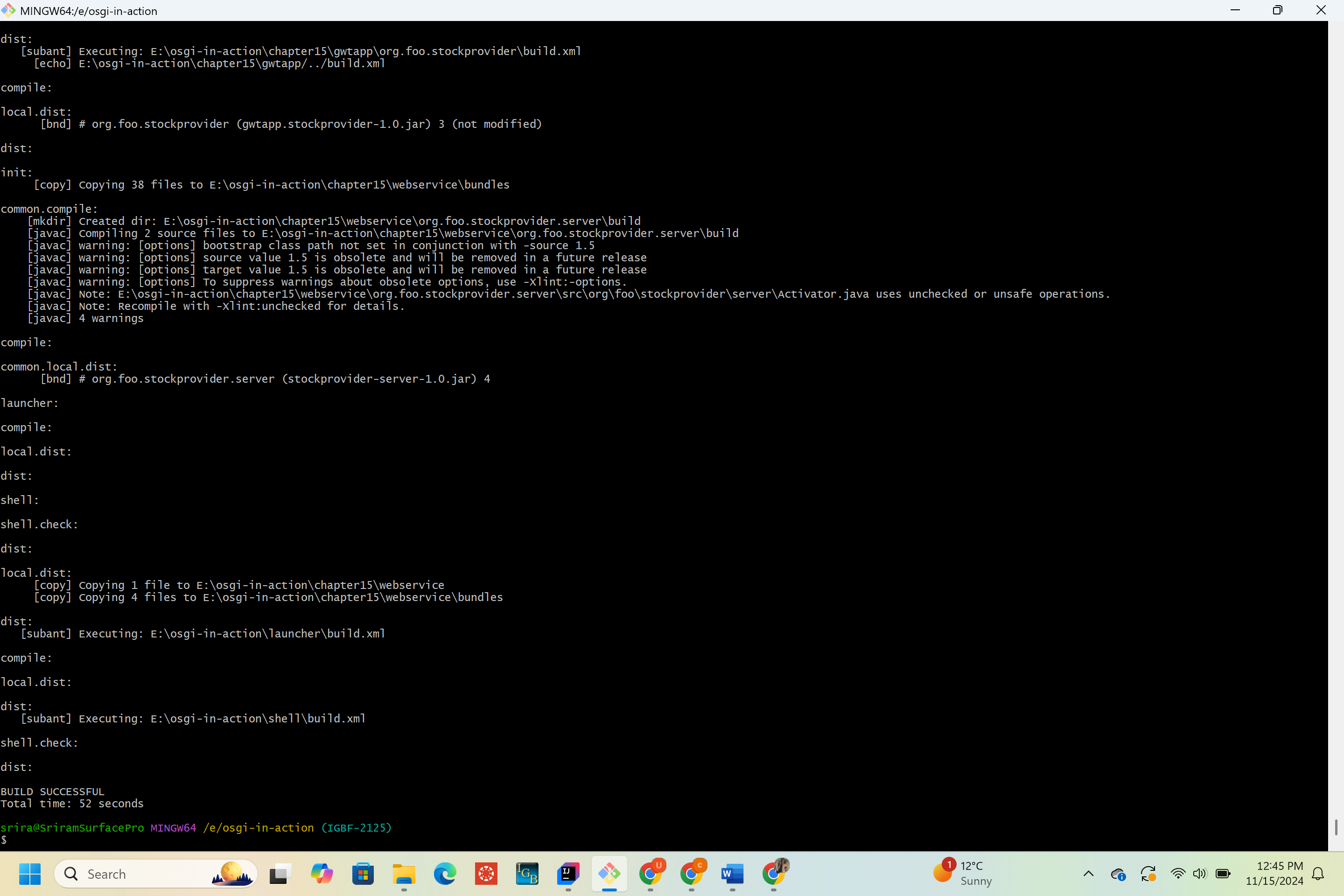
To ensure there were no further issues after changing the Java version, I performed an Ant build for the entire osgi-in-action project. The build was successful. A screenshot is attached for reference:
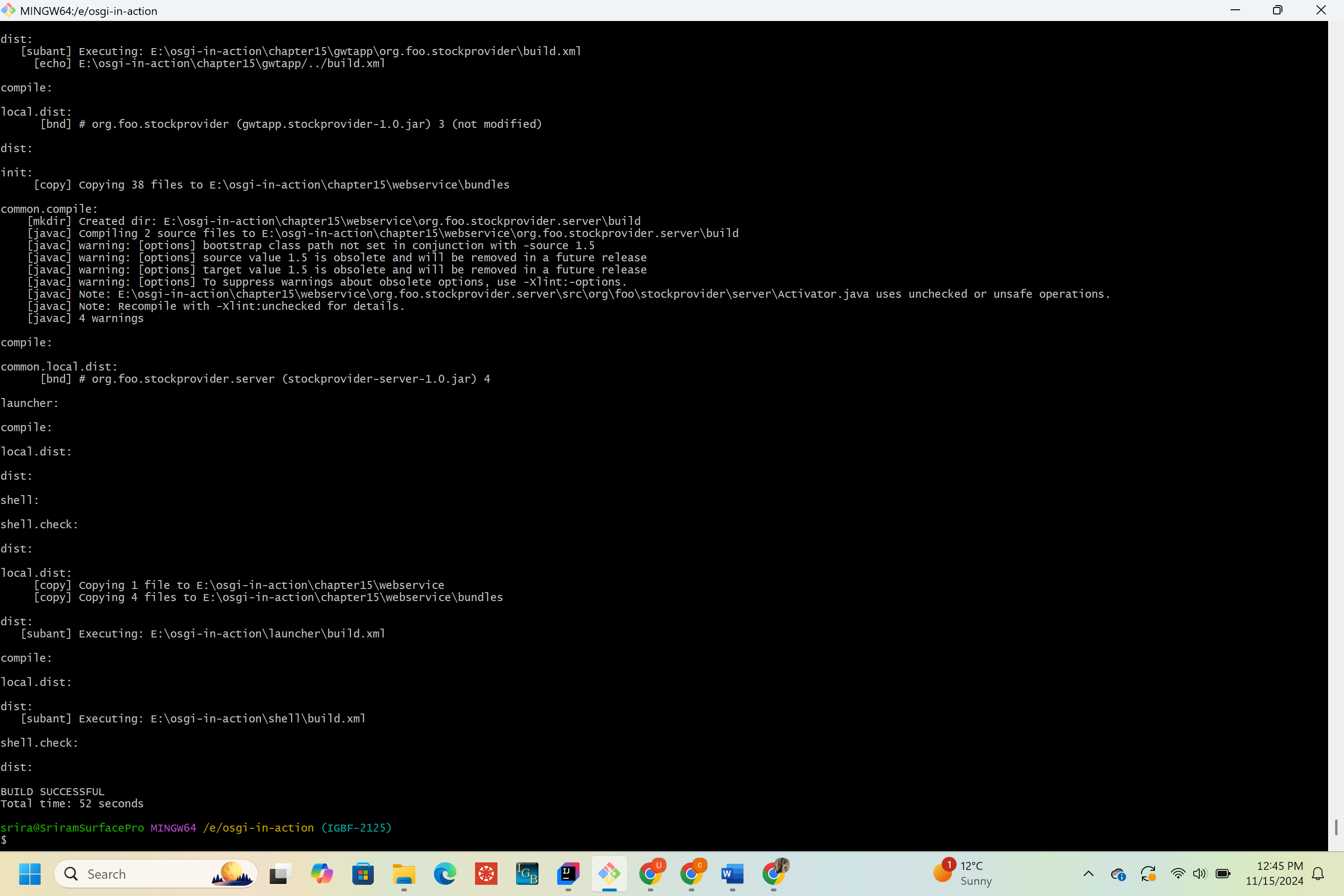
- While testing the code, I encountered the following error:
org.osgi.framework.BundleException: Bundle symbolic name and version are not unique: - This error occurred because multiple copies of the same bundles were being run. I resolved it by clearing the cache.
Now, the bundles are running successfully without any issues. A screenshot is attached for reference:
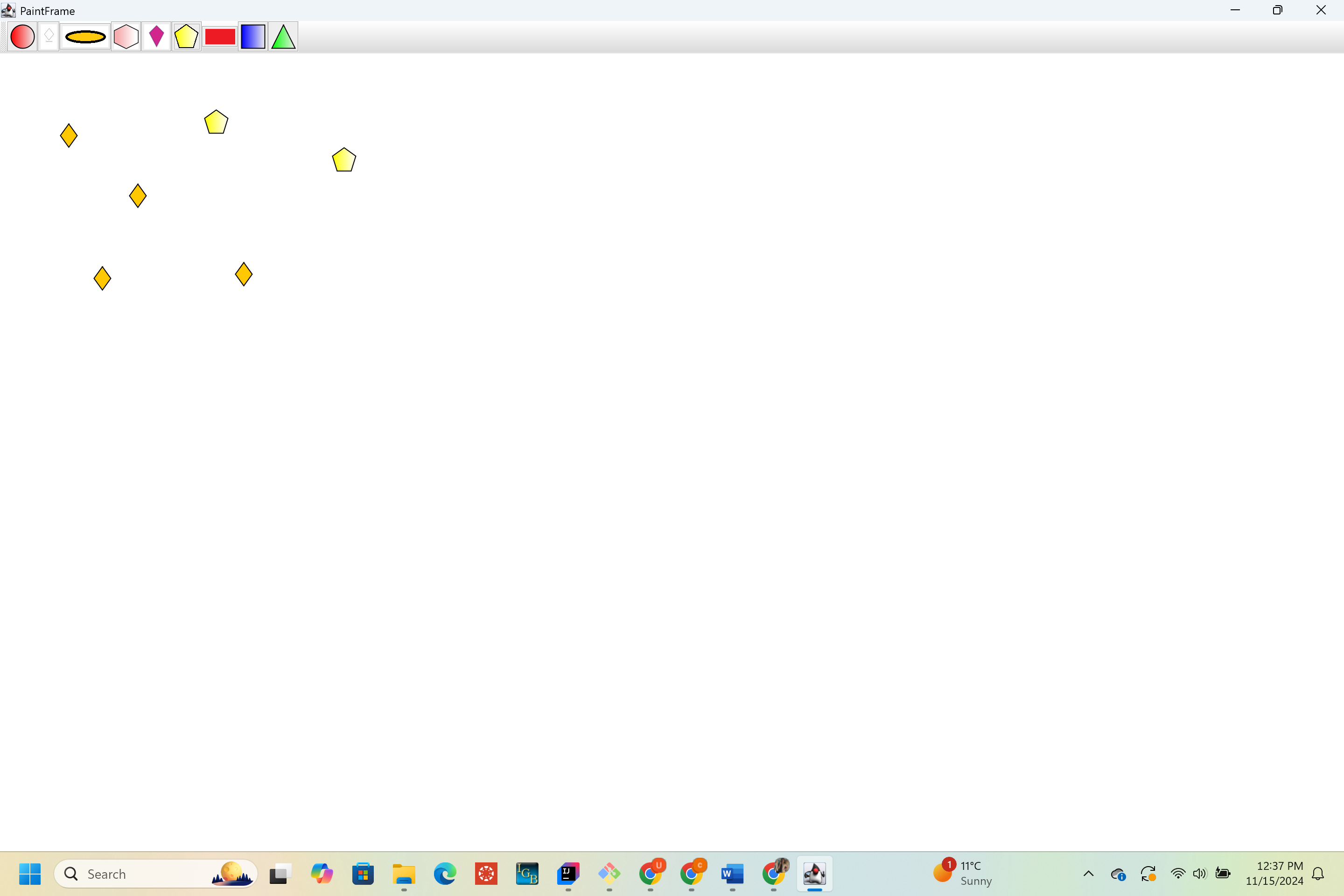
To simplify navigation between jdks I used sdkman as suggested by Professor Loraine.
Branch : https://bitbucket.org/lorainelab_udaya/osgi-in-action/branch/IGBF-2125
Raised PR for code changes :
https://bitbucket.org/lorainelab/osgi-in-action/pull-requests/8
[~ann.loraine] please verify the ticket.
| Status | In Progress [ 3 ] | Needs 1st Level Review [ 10005 ] |
| Assignee | Udaya Chinta [ uchinta ] |
| Sprint | Fall 7 : 11 Nov to 22 Nov, Fall 8 : 25 Nov to 6 Dec, Fall 9 : 9 Dec to 20 Dec, Spring 2 : 20 Jan to 31 Jan, Spring 3 : 3 Feb to 14 Feb, Summer 6: 17 Aug - 28 Aug, Summer 7: 31 Aug - 11 Sep, Fall 1: 14 Sep - 25 Sep, Winter 5 Feb 22 - Mar 5, Winter 6 Mar 8 - Mar 19, Spring 1 2021 Mar 22 - Apr 2, Summer 2 2023 May 29, Summer 3 2023 June 12, Fall 4 2023 Oct 16, Fall 5, Fall 6, Spring 5, Fall 5 [ 78, 79, 80, 85, 86, 101, 102, 103, 115, 116, 117, 171, 172, 180, 181, 182, 189, 206 ] | Fall 7 : 11 Nov to 22 Nov, Fall 8 : 25 Nov to 6 Dec, Fall 9 : 9 Dec to 20 Dec, Spring 2 : 20 Jan to 31 Jan, Spring 3 : 3 Feb to 14 Feb, Summer 6: 17 Aug - 28 Aug, Summer 7: 31 Aug - 11 Sep, Fall 1: 14 Sep - 25 Sep, Winter 5 Feb 22 - Mar 5, Winter 6 Mar 8 - Mar 19, Spring 1 2021 Mar 22 - Apr 2, Summer 2 2023 May 29, Summer 3 2023 June 12, Fall 4 2023 Oct 16, Fall 5, Fall 6, Spring 5, Fall 5, Fall 6 [ 78, 79, 80, 85, 86, 101, 102, 103, 115, 116, 117, 171, 172, 180, 181, 182, 189, 206, 207 ] |
| Rank | Ranked higher |
| Assignee | Karthik Raveendran [ karthik ] |
Steps to test:
- Install ant (https://ant.apache.org/bindownload.cgi) and jdk 8 (use sdkman to switch between jdks easily). Add them to the global variables.
- Install git bash.
- Open git bash and use command "cd E:\osgi-in-action\chapter03\paint-example"
- Use command "ant" to build the code , then a launcher.jar file will be generated.
- Run the command "java -jar launcher.jar bundles", a paint frame will be opened.
- Test the changes in paint frame.
Karthik Raveendran please follow the above steps for testing.
| Status | Needs 1st Level Review [ 10005 ] | First Level Review in Progress [ 10301 ] |
Apart from a change in Java version from 1.5 to 1.8, the rest of changes in code are similar to the changes made by Jaya Sravani Sirigineedi in her commit. I was able to run the paint application and test the diamond shape. Recommending PR
| Status | First Level Review in Progress [ 10301 ] | Ready for Pull Request [ 10304 ] |
| Assignee | Karthik Raveendran [ karthik ] |
Thank you for reviewing the ticket.
The code might appear similar because I chose to draw a diamond shape, which is similar to the pattern drawn by Sravani. However, I made specific changes to ensure that my shape is drawn correctly without any issues.
PR submitted
https://bitbucket.org/lorainelab/osgi-in-action/pull-requests/8
| Assignee | Udaya Chinta [ uchinta ] |
| Status | Ready for Pull Request [ 10304 ] | Pull Request Submitted [ 10101 ] |
| Assignee | Udaya Chinta [ uchinta ] |
| Status | Pull Request Submitted [ 10101 ] | Reviewing Pull Request [ 10303 ] |
| Assignee | Ann Loraine [ aloraine ] |
A comment:
There is just one commit, and the commit combines two different changes. One change is that the java version got increased to 1.8, up from 1.5. The other change adds the new shape.
It would have been better to change the version in one commit, and then create a new commit that adds the new shape.
in general, each individual commit should have one goal and one goal only. A commit can include edits to multiple files, but all those edits should have one common purpose.
As an exercise to help Udaya Chinta get more familiar with git, I recommend re-doing the work so that the java version change happens in one commit and the other change happens in a second commit.
| Status | Reviewing Pull Request [ 10303 ] | To-Do [ 10305 ] |
| Assignee | Ann Loraine [ aloraine ] | Udaya Chinta [ uchinta ] |
| Status | To-Do [ 10305 ] | In Progress [ 3 ] |
I have merged the PR. However, I noticed after the fact that the new commit messages look like IGBF 2125 instead of IGBF-2125. Don't forget the hyphen character next time please 
Thanks Udaya Chinta!
Ready for final testing.
| Status | In Progress [ 3 ] | Needs 1st Level Review [ 10005 ] |
| Status | Needs 1st Level Review [ 10005 ] | First Level Review in Progress [ 10301 ] |
| Status | First Level Review in Progress [ 10301 ] | Ready for Pull Request [ 10304 ] |
| Status | Ready for Pull Request [ 10304 ] | Pull Request Submitted [ 10101 ] |
| Status | Pull Request Submitted [ 10101 ] | Reviewing Pull Request [ 10303 ] |
| Status | Reviewing Pull Request [ 10303 ] | Merged Needs Testing [ 10002 ] |
| Assignee | Udaya Chinta [ uchinta ] |
Apologies for the mistake! I'll make sure to include the hyphen in the commit messages moving forward.
| Assignee | Pranav Bhatia [ pbhatia1 ] |
| Status | Merged Needs Testing [ 10002 ] | Post-merge Testing In Progress [ 10003 ] |
| Resolution | Done [ 10000 ] | |
| Status | Post-merge Testing In Progress [ 10003 ] | Closed [ 6 ] |
| Attachment | Screenshot.png [ 18576 ] |
I have successfully tested Udaya's code.
I am able to run the application and draw diamond shape.
Please find the attached screenshot for validation.
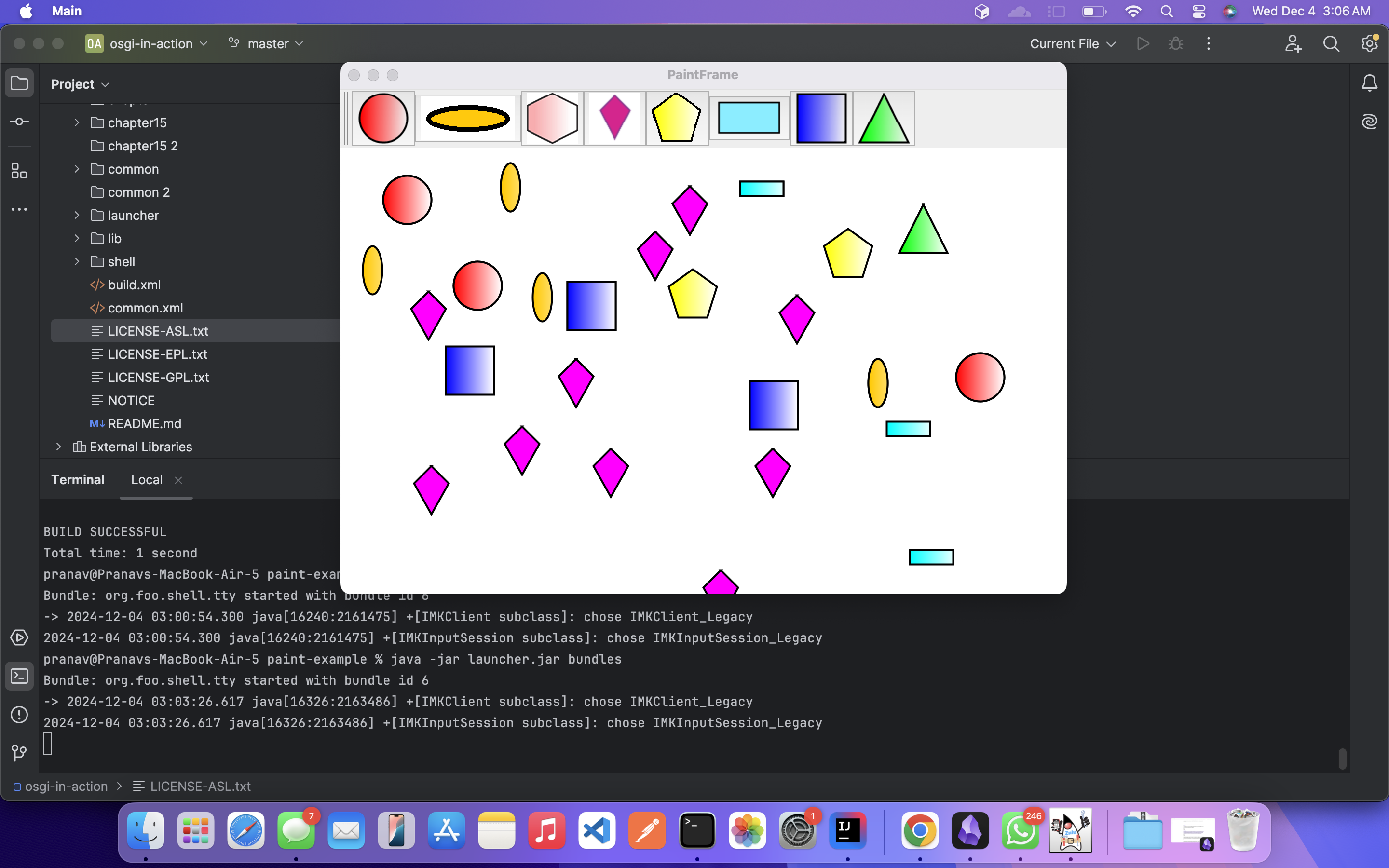
| Assignee | Pranav Bhatia [ pbhatia1 ] | Udaya Chinta [ uchinta ] |
| Assignee | Udaya Chinta [ uchinta ] |
| Resolution | Done [ 10000 ] | |
| Status | Closed [ 6 ] | To-Do [ 10305 ] |
| Sprint | Fall 7 : 11 Nov to 22 Nov, Fall 8 : 25 Nov to 6 Dec, Fall 9 : 9 Dec to 20 Dec, Spring 2 : 20 Jan to 31 Jan, Spring 3 : 3 Feb to 14 Feb, Summer 6: 17 Aug - 28 Aug, Summer 7: 31 Aug - 11 Sep, Fall 1: 14 Sep - 25 Sep, Winter 5 Feb 22 - Mar 5, Winter 6 Mar 8 - Mar 19, Spring 1 2021 Mar 22 - Apr 2, Summer 2 2023 May 29, Summer 3 2023 June 12, Fall 4 2023 Oct 16, Fall 5, Fall 6, Spring 5, Fall 5, Fall 6 [ 78, 79, 80, 85, 86, 101, 102, 103, 115, 116, 117, 171, 172, 180, 181, 182, 189, 206, 207 ] | Fall 7 : 11 Nov to 22 Nov, Fall 8 : 25 Nov to 6 Dec, Fall 9 : 9 Dec to 20 Dec, Spring 2 : 20 Jan to 31 Jan, Spring 3 : 3 Feb to 14 Feb, Summer 6: 17 Aug - 28 Aug, Summer 7: 31 Aug - 11 Sep, Fall 1: 14 Sep - 25 Sep, Winter 5 Feb 22 - Mar 5, Winter 6 Mar 8 - Mar 19, Spring 1 2021 Mar 22 - Apr 2, Summer 2 2023 May 29, Summer 3 2023 June 12, Fall 4 2023 Oct 16, Fall 5, Fall 6, Spring 5, Fall 5, Fall 6, Fall 7 [ 78, 79, 80, 85, 86, 101, 102, 103, 115, 116, 117, 171, 172, 180, 181, 182, 189, 206, 207, 208 ] |
| Rank | Ranked lower |
| Assignee | saideepthi jagarapu [ sjagarap ] |
| Status | To-Do [ 10305 ] | In Progress [ 3 ] |
| Status | In Progress [ 3 ] | To-Do [ 10305 ] |
| Sprint | Fall 7 : 11 Nov to 22 Nov, Fall 8 : 25 Nov to 6 Dec, Fall 9 : 9 Dec to 20 Dec, Spring 2 : 20 Jan to 31 Jan, Spring 3 : 3 Feb to 14 Feb, Summer 6: 17 Aug - 28 Aug, Summer 7: 31 Aug - 11 Sep, Fall 1: 14 Sep - 25 Sep, Winter 5 Feb 22 - Mar 5, Winter 6 Mar 8 - Mar 19, Spring 1 2021 Mar 22 - Apr 2, Summer 2 2023 May 29, Summer 3 2023 June 12, Fall 4 2023 Oct 16, Fall 5, Fall 6, Spring 5, Fall 5, Fall 6, Fall 7 [ 78, 79, 80, 85, 86, 101, 102, 103, 115, 116, 117, 171, 172, 180, 181, 182, 189, 206, 207, 208 ] | Fall 7 : 11 Nov to 22 Nov, Fall 8 : 25 Nov to 6 Dec, Fall 9 : 9 Dec to 20 Dec, Spring 2 : 20 Jan to 31 Jan, Spring 3 : 3 Feb to 14 Feb, Summer 6: 17 Aug - 28 Aug, Summer 7: 31 Aug - 11 Sep, Fall 1: 14 Sep - 25 Sep, Winter 5 Feb 22 - Mar 5, Winter 6 Mar 8 - Mar 19, Spring 1 2021 Mar 22 - Apr 2, Summer 2 2023 May 29, Summer 3 2023 June 12, Fall 4 2023 Oct 16, Fall 5, Fall 6, Spring 5, Fall 5, Fall 6, Fall 7, Fall 8 [ 78, 79, 80, 85, 86, 101, 102, 103, 115, 116, 117, 171, 172, 180, 181, 182, 189, 206, 207, 208, 209 ] |
| Rank | Ranked higher |
| Status | To-Do [ 10305 ] | In Progress [ 3 ] |
| Attachment | octagon_paintframe.png [ 18608 ] |
1. I have gone through chapters of osgi-in-action.
2. Setup the necessary libraries sdkman, java 8, ant, karaf to run this repo.
3. Implemented new Octagon shape in Paint frame, ant build is successful, auto deployed the bundles using Karaf shell.
Worked Branch - https://bitbucket.org/lorainelab-deepthi/osgi-in-action/src/IGBF-2125/
Attached screenshot of octagon shape implementation.
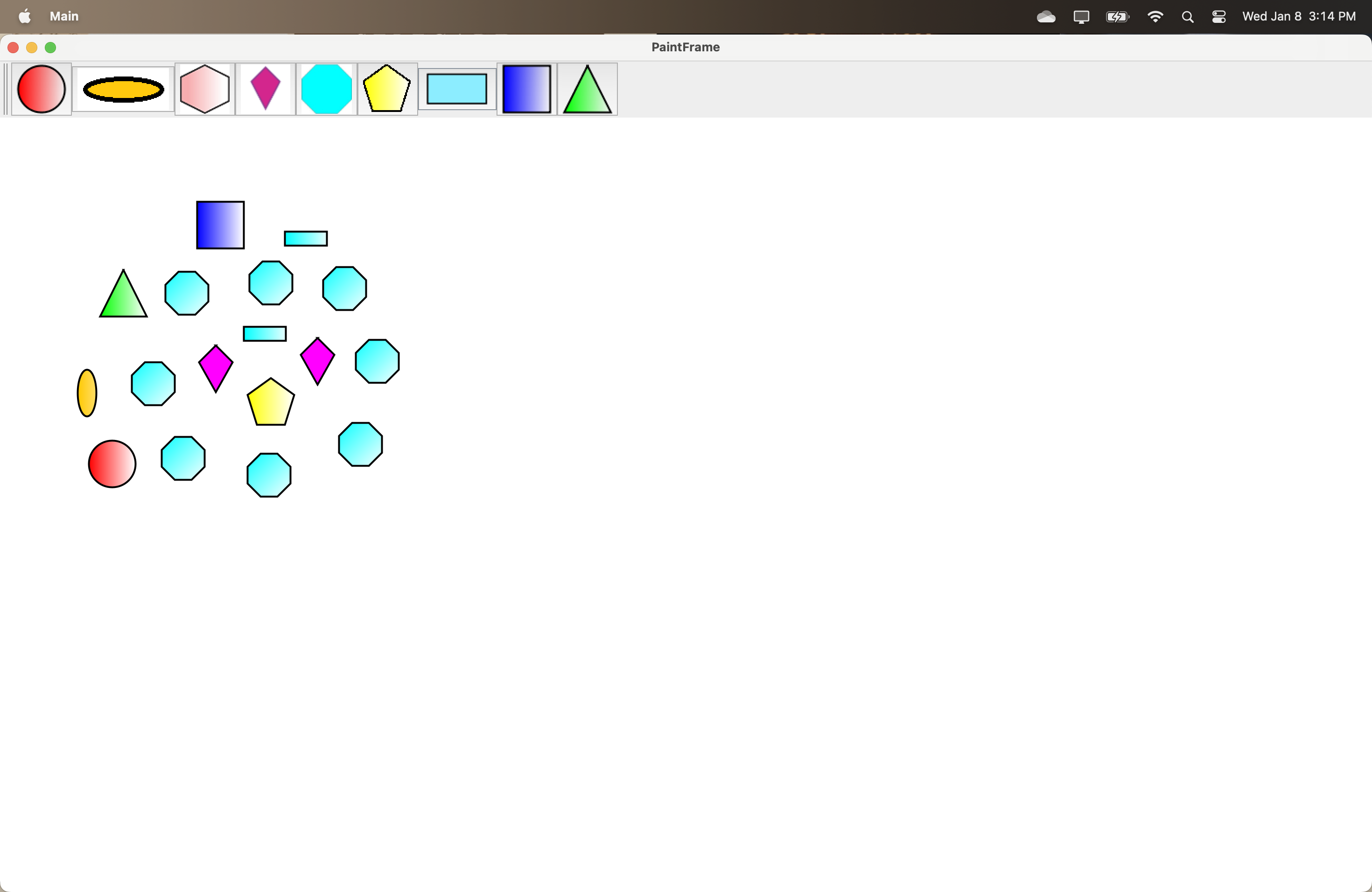
Testing instructions can be found in the comments of this same ticket
| Assignee | saideepthi jagarapu [ sjagarap ] |
| Status | In Progress [ 3 ] | Needs 1st Level Review [ 10005 ] |
| Assignee | Pranav Bhatia [ pbhatia1 ] |
| Status | Needs 1st Level Review [ 10005 ] | First Level Review in Progress [ 10301 ] |
| Attachment | screenshot-3.png [ 18613 ] |
Successfully tested Deepthi's code.
I am able to run the application and draw Octagon shape.
Please find the attached screenshot for validation.
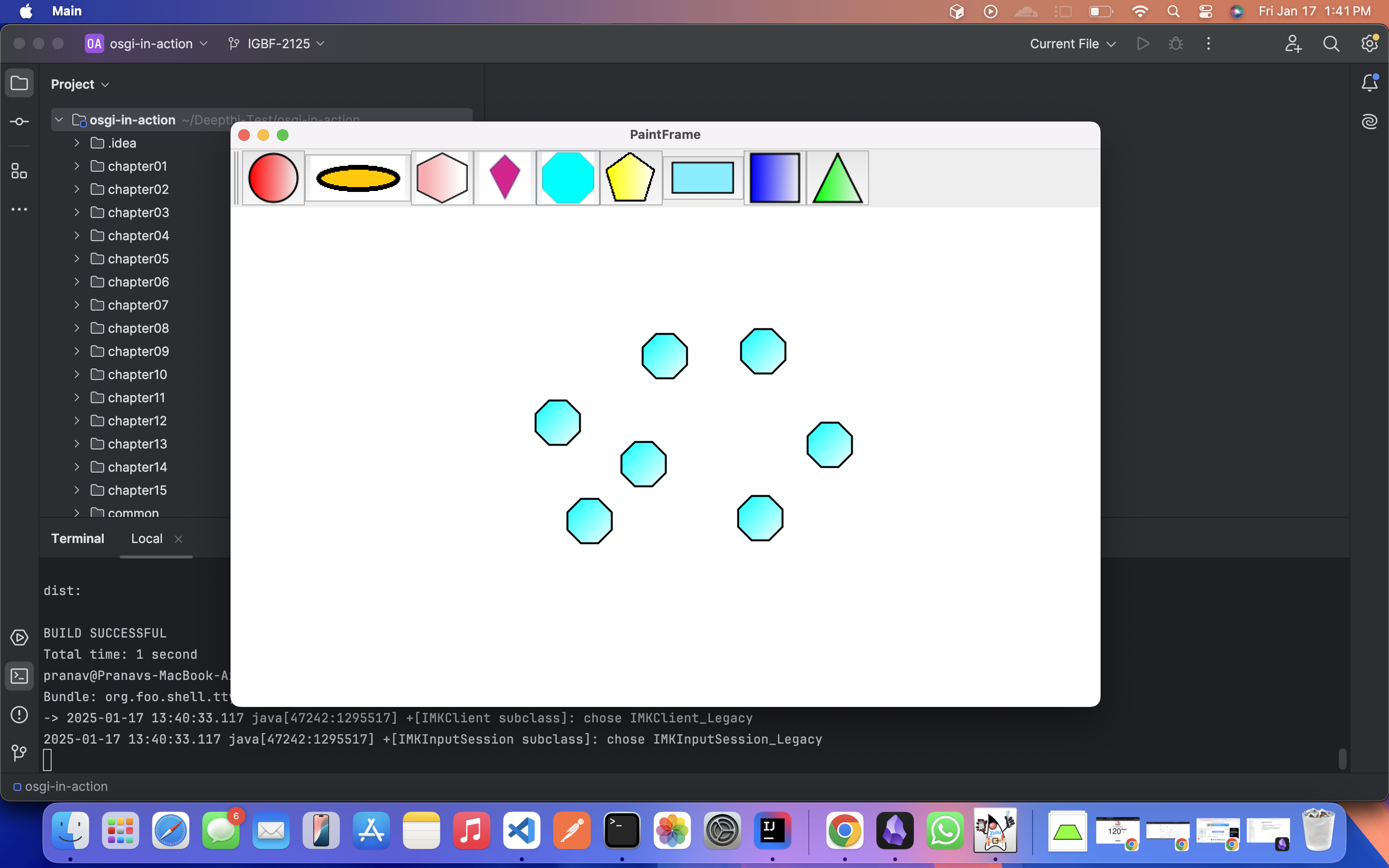
| Status | First Level Review in Progress [ 10301 ] | Ready for Pull Request [ 10304 ] |
| Assignee | Pranav Bhatia [ pbhatia1 ] | saideepthi jagarapu [ sjagarap ] |
| Status | Ready for Pull Request [ 10304 ] | Pull Request Submitted [ 10101 ] |
| Assignee | saideepthi jagarapu [ sjagarap ] |
| Sprint | Fall 7 : 11 Nov to 22 Nov, Fall 8 : 25 Nov to 6 Dec, Fall 9 : 9 Dec to 20 Dec, Spring 2 : 20 Jan to 31 Jan, Spring 3 : 3 Feb to 14 Feb, Summer 6: 17 Aug - 28 Aug, Summer 7: 31 Aug - 11 Sep, Fall 1: 14 Sep - 25 Sep, Winter 5 Feb 22 - Mar 5, Winter 6 Mar 8 - Mar 19, Spring 1 2021 Mar 22 - Apr 2, Summer 2 2023 May 29, Summer 3 2023 June 12, Fall 4 2023 Oct 16, Fall 5, Fall 6, Spring 5, Fall 5, Fall 6, Fall 7, Winter 1 [ 78, 79, 80, 85, 86, 101, 102, 103, 115, 116, 117, 171, 172, 180, 181, 182, 189, 206, 207, 208, 209 ] | Fall 7 : 11 Nov to 22 Nov, Fall 8 : 25 Nov to 6 Dec, Fall 9 : 9 Dec to 20 Dec, Spring 2 : 20 Jan to 31 Jan, Spring 3 : 3 Feb to 14 Feb, Summer 6: 17 Aug - 28 Aug, Summer 7: 31 Aug - 11 Sep, Fall 1: 14 Sep - 25 Sep, Winter 5 Feb 22 - Mar 5, Winter 6 Mar 8 - Mar 19, Spring 1 2021 Mar 22 - Apr 2, Summer 2 2023 May 29, Summer 3 2023 June 12, Fall 4 2023 Oct 16, Fall 5, Fall 6, Spring 5, Fall 5, Fall 6, Fall 7, Winter 1, Spring 1 [ 78, 79, 80, 85, 86, 101, 102, 103, 115, 116, 117, 171, 172, 180, 181, 182, 189, 206, 207, 208, 209, 210 ] |
| Rank | Ranked higher |
| Status | Pull Request Submitted [ 10101 ] | Reviewing Pull Request [ 10303 ] |
| Status | Reviewing Pull Request [ 10303 ] | Merged Needs Testing [ 10002 ] |
PR is merged. Ready for testing.
| Assignee | Pranav Bhatia [ pbhatia1 ] |
Tested the changes after merging and successfully drew developed and other shapes in the paint frame.
Marking this as done.
| Status | Merged Needs Testing [ 10002 ] | Post-merge Testing In Progress [ 10003 ] |
| Resolution | Done [ 10000 ] | |
| Status | Post-merge Testing In Progress [ 10003 ] | Closed [ 6 ] |
Completed Task 1 , Task 2.
1. Implemented a new Pentagon shape in Paint frame and used remote shell given in Chapter 3.
2. Used Karaf shell to deploy Bundles , went through the life cycle followed by bundles in Karaf shell.
Used auto deployment feature in Karaf shell to deploy the bundles easily.
Attached screenshots for reference.
Submitted a Pull request : https://bitbucket.org/lorainelab/osgi-in-action/pull-requests/1/igbf-2125/diff