Uploaded image for project: 'IGB'
  1. IGB
  2. IGBF-3603

Implement logic to load data for Wiggle file type

    Details

    • Type: Task
    • Status: Closed (View Workflow)
    • Priority: Major
    • Resolution: Done
    • Affects Version/s: None
    • Fix Version/s: 10.1.0
    • Labels:
      None

      Description

      Develop code to connect to this https://api.genome.ucsc.edu//getData/track?genome=hg38&track=ReMapDensity&chrom=chr1&start=1&end=248956 API and load Data for the Wiggle file type.

        Attachments
          Issue Links

            Activity

            Hide
            nfreese Nowlan Freese added a comment -

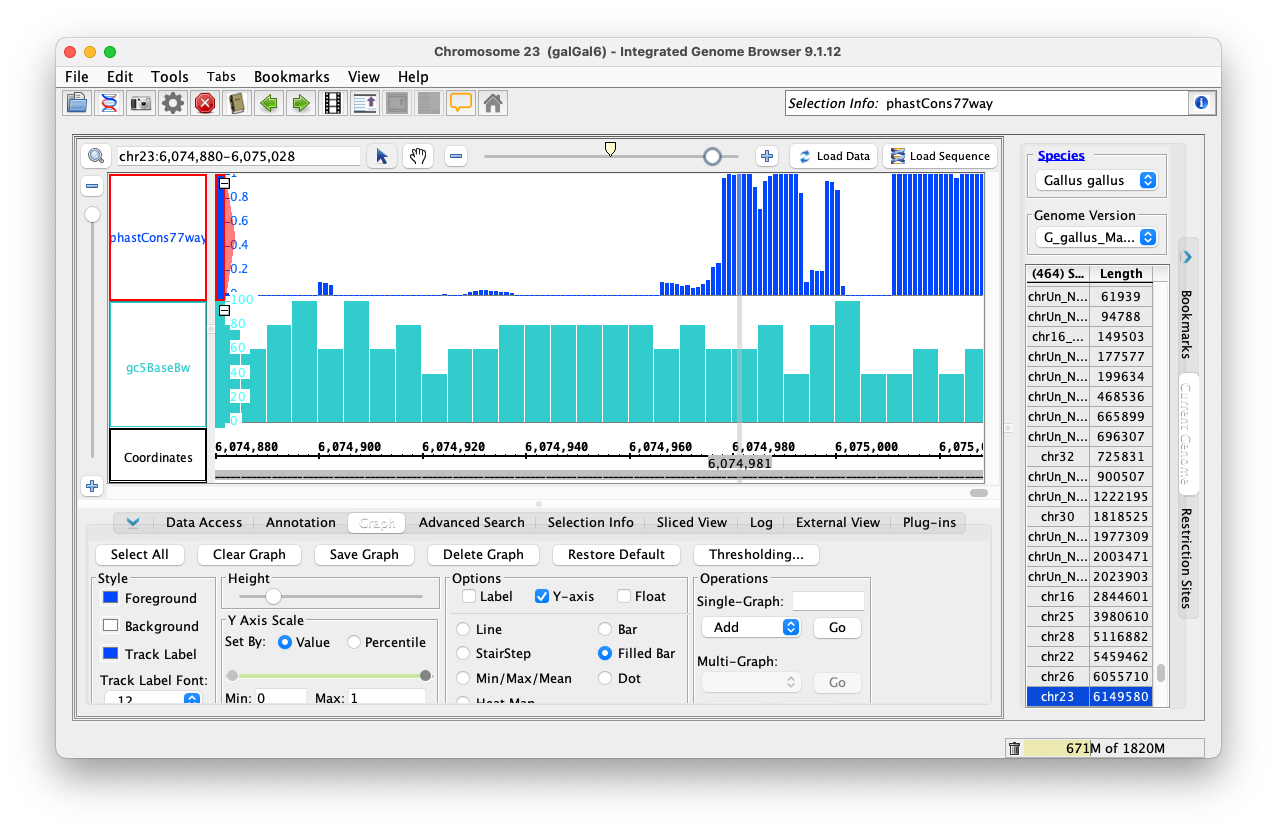
            phastCons77way appearing correctly in IGB.

            Closing ticket.

            Show
            nfreese Nowlan Freese added a comment - phastCons77way appearing correctly in IGB. Closing ticket.
            Hide
            jsirigin Jaya Sravani Sirigineedi (Inactive) added a comment -

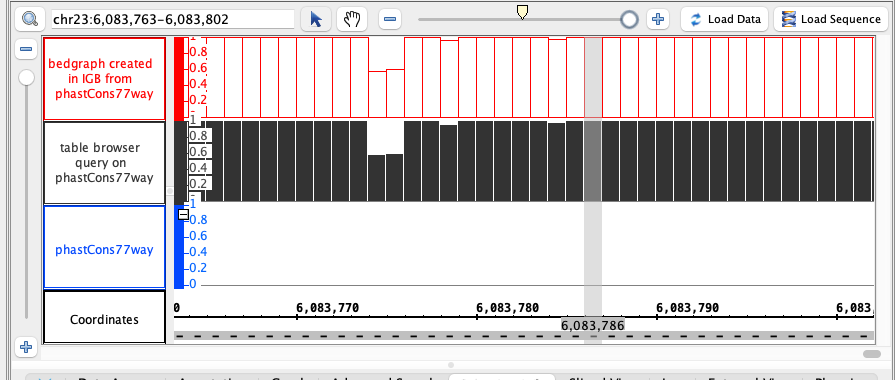
            Fixed the issue graph disappearing issue for the wig format file by adding sort on X values, the same way it's been done while manually loading a wig file. Tested the code, working as expected. Attached the screenshots below. Code is available at the branch https://bitbucket.org/jaya-sravani/integrated-genome-browser/branch/IGBF-3501


            Show
            jsirigin Jaya Sravani Sirigineedi (Inactive) added a comment - Fixed the issue graph disappearing issue for the wig format file by adding sort on X values, the same way it's been done while manually loading a wig file. Tested the code, working as expected. Attached the screenshots below. Code is available at the branch https://bitbucket.org/jaya-sravani/integrated-genome-browser/branch/IGBF-3501
            Hide
            nfreese Nowlan Freese added a comment - - edited

            Testing on Mac

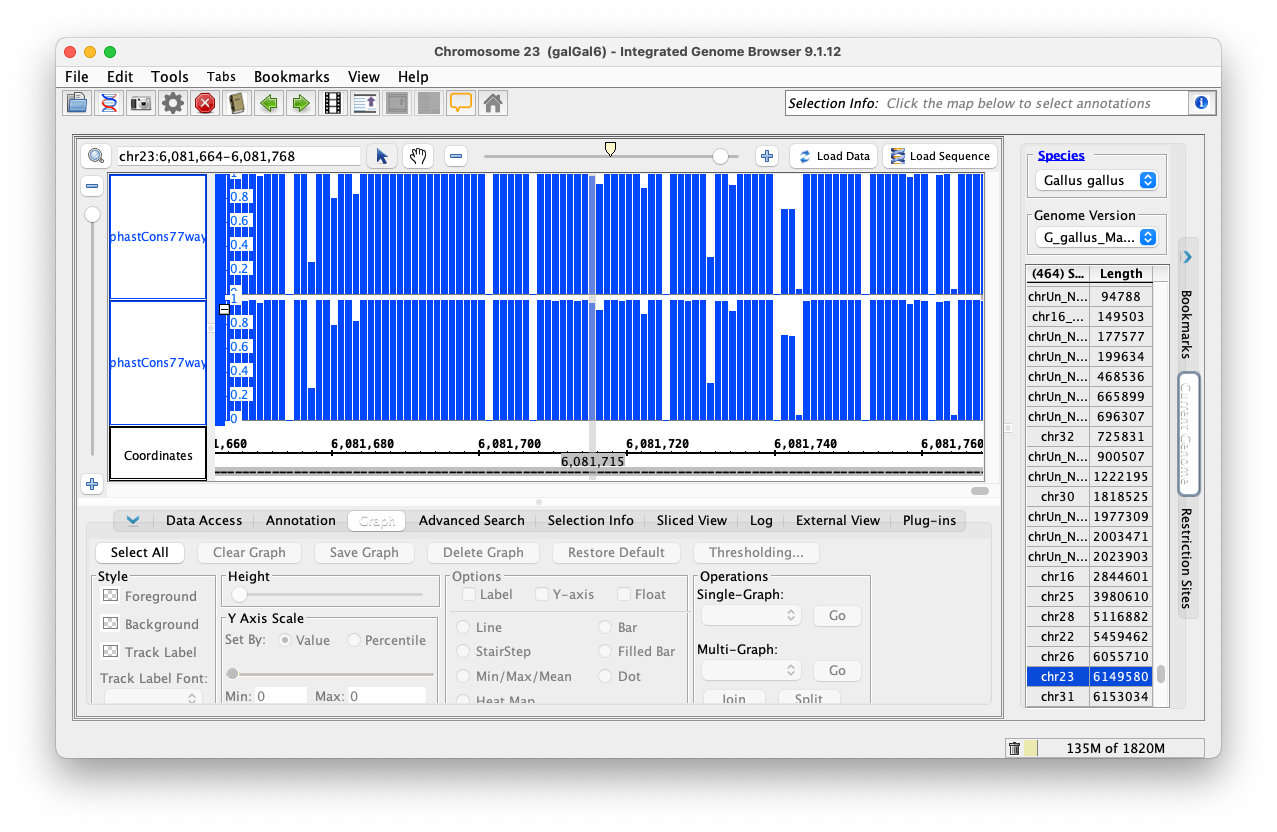
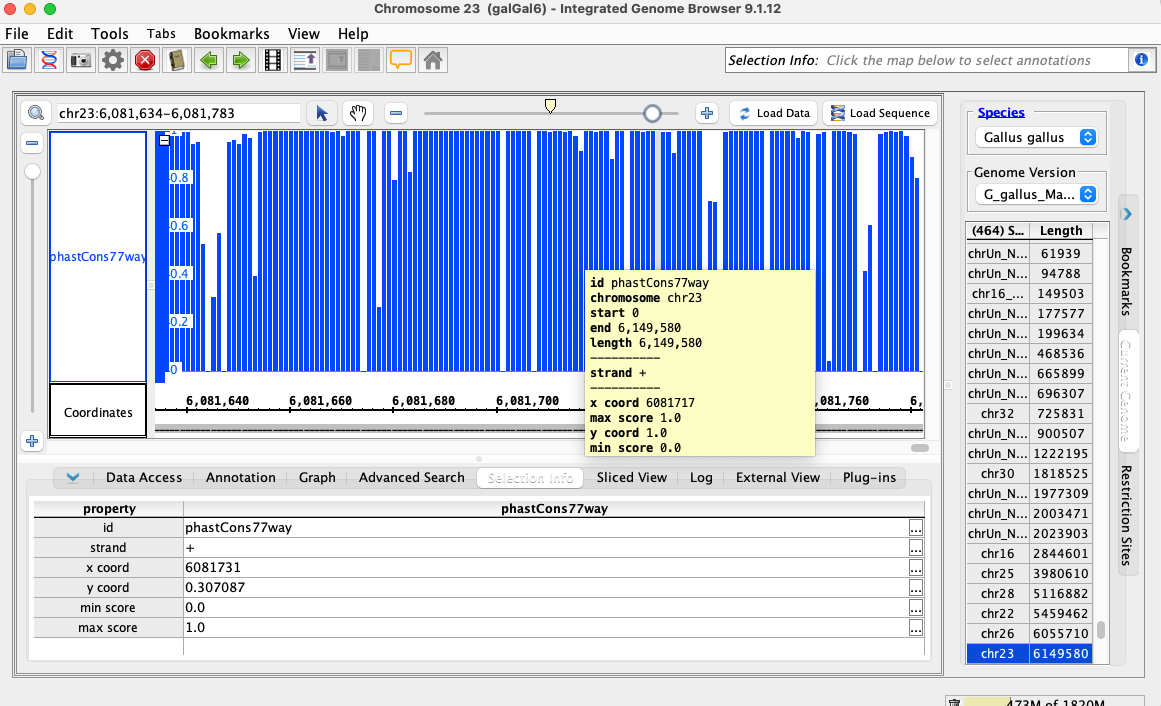
            Testing wig file format with this API call - I am able to select the phastCons77way track, go to chr23:6,048,722-6,118,695 in the galGal6 genome, and click Load Data. Data appear correctly, no issues in log. However, when I zoom in the data disappear. When using the Selection Info track, I see a y coord of "no point" or "0". If I go to the Graph tab and select Save Graph, the file contains the correct data, and when I load the new graph in IGB, the graph works correctly. So the data are present in IGB, but they are not displaying correctly for some reason.

            See dataDisappearing_WIG.png and example.wig files for comparison.

            Testing bigwig with this API call - I am able to add and load the data successfully, everything looks good.

            Show
            nfreese Nowlan Freese added a comment - - edited Testing on Mac Testing wig file format with this API call - I am able to select the phastCons77way track, go to chr23:6,048,722-6,118,695 in the galGal6 genome, and click Load Data. Data appear correctly, no issues in log. However, when I zoom in the data disappear. When using the Selection Info track, I see a y coord of "no point" or "0". If I go to the Graph tab and select Save Graph, the file contains the correct data, and when I load the new graph in IGB, the graph works correctly. So the data are present in IGB, but they are not displaying correctly for some reason. See dataDisappearing_WIG.png and example.wig files for comparison. Testing bigwig with this API call - I am able to add and load the data successfully, everything looks good.
            Hide
            jsirigin Jaya Sravani Sirigineedi (Inactive) added a comment -

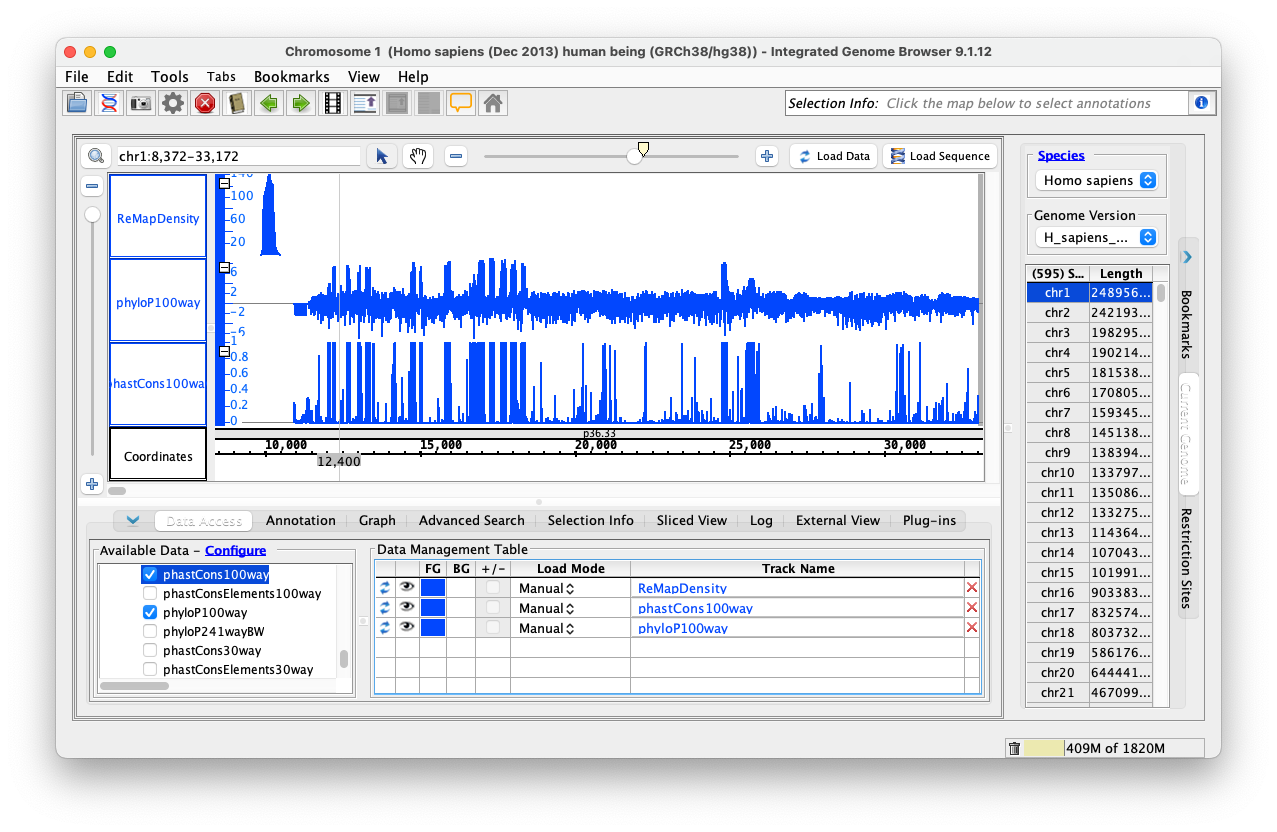
            Implemented the code to load the wiggle format files (both bigWig and wig formats), and used existing GraphIntervalSym to load the syms. Testing is also done, working as expected. Didn't add the wigMaf file format as it's a bit different from the wiggle file formats: https://api.genome.ucsc.edu/getData/track?genome=hg38&track=multiz100way&chrom=chr1&start=8372&end=33172, Nowlan Freese Could you please check this format once and let me know whether it's okay to treat it as a wig format.

            Code is available at branch: https://bitbucket.org/jaya-sravani/integrated-genome-browser/branch/IGBF-3501.
            To test:

            1. Download https://bitbucket.org/jaya-sravani/integrated-genome-browser/downloads/ installer or clone this branch to local https://bitbucket.org/jaya-sravani/integrated-genome-browser/branch/IGBF-3501 and start the application.
            2. Select a particular genome, preferably one that doesn't have data in IGB quick load.
            3. Select any bigWig or wig track (dataset) type.
            4. Click on the load data button either from the top right corner or in the data management table.
            Show
            jsirigin Jaya Sravani Sirigineedi (Inactive) added a comment - Implemented the code to load the wiggle format files (both bigWig and wig formats), and used existing GraphIntervalSym to load the syms. Testing is also done, working as expected. Didn't add the wigMaf file format as it's a bit different from the wiggle file formats: https://api.genome.ucsc.edu/getData/track?genome=hg38&track=multiz100way&chrom=chr1&start=8372&end=33172 , Nowlan Freese Could you please check this format once and let me know whether it's okay to treat it as a wig format. Code is available at branch: https://bitbucket.org/jaya-sravani/integrated-genome-browser/branch/IGBF-3501 . To test: Download https://bitbucket.org/jaya-sravani/integrated-genome-browser/downloads/ installer or clone this branch to local https://bitbucket.org/jaya-sravani/integrated-genome-browser/branch/IGBF-3501 and start the application. Select a particular genome, preferably one that doesn't have data in IGB quick load. Select any bigWig or wig track (dataset) type. Click on the load data button either from the top right corner or in the data management table.

              People

              • Assignee:
                jsirigin Jaya Sravani Sirigineedi (Inactive)
                Reporter:
                jsirigin Jaya Sravani Sirigineedi (Inactive)
              • Votes:
                0 Vote for this issue
                Watchers:
                2 Start watching this issue

                Dates

                • Created:
                  Updated:
                  Resolved: