Details
-
Type:
Bug
-
Status: Closed (View Workflow)
-
Priority:
 Major
Major
-
Resolution: Done
-
Affects Version/s: None
-
Fix Version/s: None
-
Labels:None
-
Story Points:2
-
Epic Link:
-
Sprint:Sprint 20
Description
*Noticed by Nowlan on Version 8.3.2:
It seems that there is a discrepancy with the way a certain fasta file is being displayed in IGB and this should be examined further.
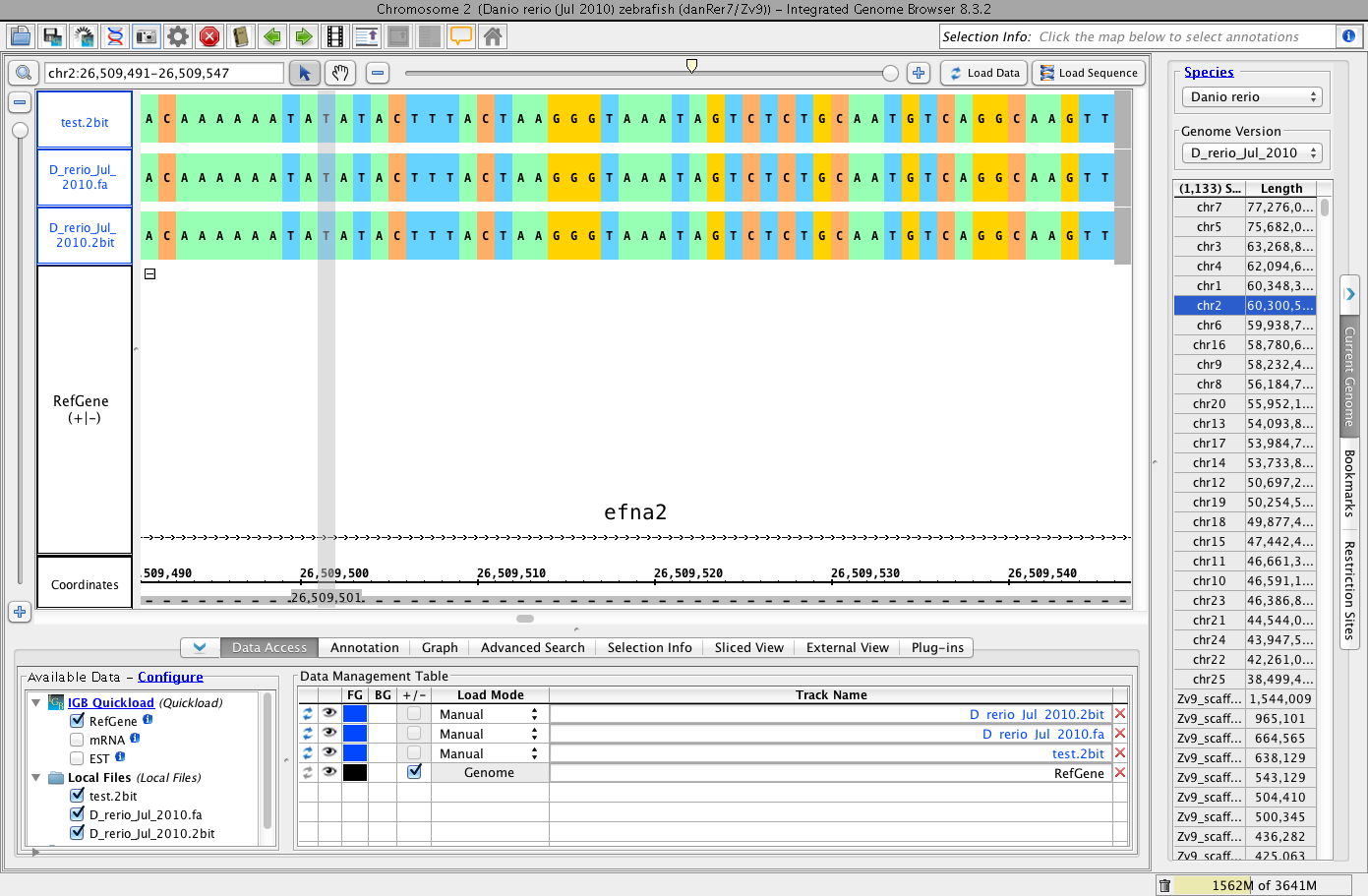
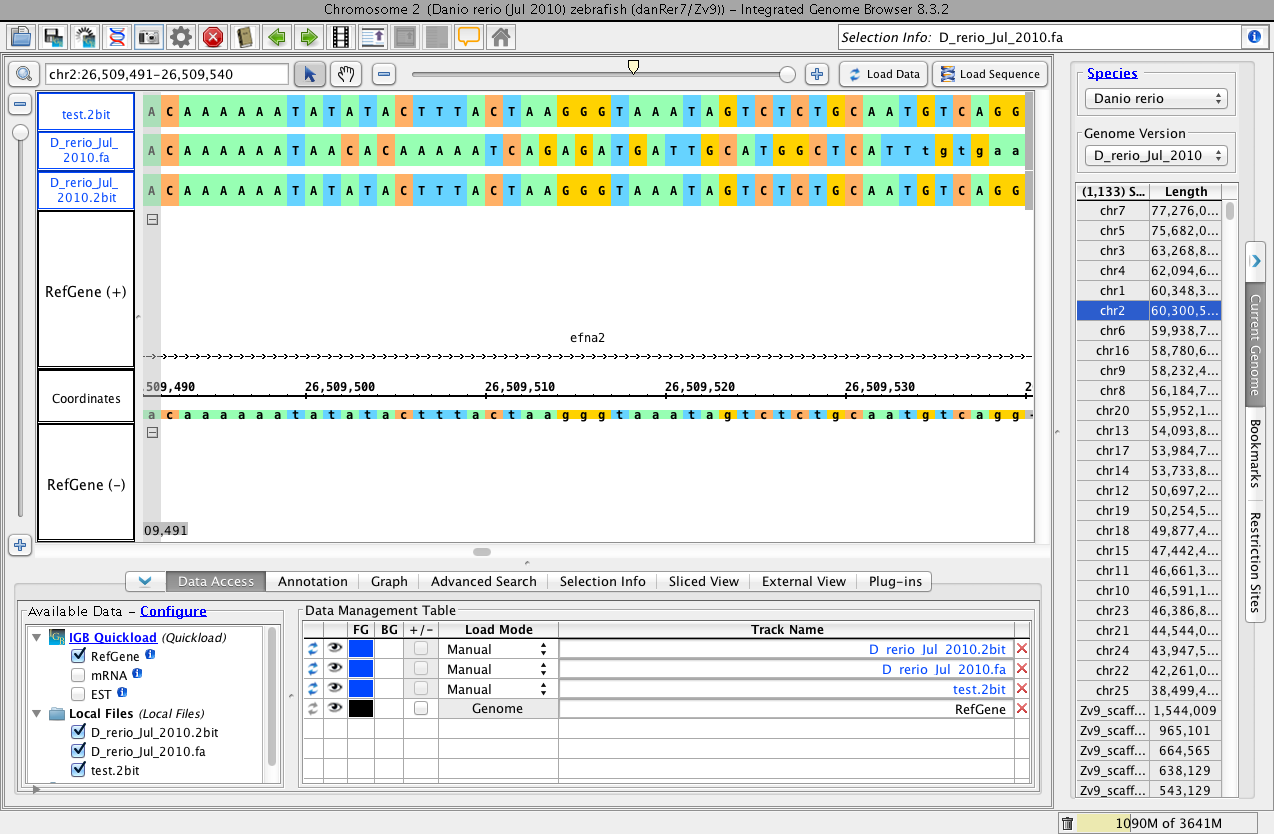
Look at the screenshots attached to this issue and notice how the loaded fasta file is the same as the 2bit files at certain areas and different at others.
Then notice how the other attached screenshot shows the same file and position in IGB but the sequence displayed by the Fasta file is now the same as the 2bit file (really strange bug).
From Nowlan:
"The files I loaded were from the Zebrafish genome. I took our 2bit file from the Quickload, and converted it into a fasta file. I then took that fasta file and converted it back into a 2bit file (labelled as test.2bit in the image). I loaded the fasta file into IGB, and noticed that the fasta file had a different sequence compared to the reference sequence, though they are technically the same file. When the .2bit and test.2bit files were loaded into IGB alongside the fasta file, the fasta file loaded the sequence correctly."
Attachments
Activity
Sure shot way to reproduce the bug:
Drag test.fa file in IGB and zoom in to any location.
Now click on load data and Load sequence.
if its not off then shift to right and click on Load Data again. (repeat this step again and again).
We are not able to reproduce this bug if we Load data for full track and then zoom in to the location.
My testing verifies that this problem is now resolved. Tarun did an amazing job in fixing this problem because he made the fasta parser much faster at the same time!!! Since this issue is resolved it will now be closed.