Uploaded image for project: 'IGB'
  1. IGB
  2. IGBF-2143

Fix exporting whole frame svg on windows

    Details

    • Type: Bug
    • Status: Closed (View Workflow)
    • Priority: Major
    • Resolution: Done
    • Affects Version/s: None
    • Fix Version/s: 10.2.0
    • Labels:
      None

      Description

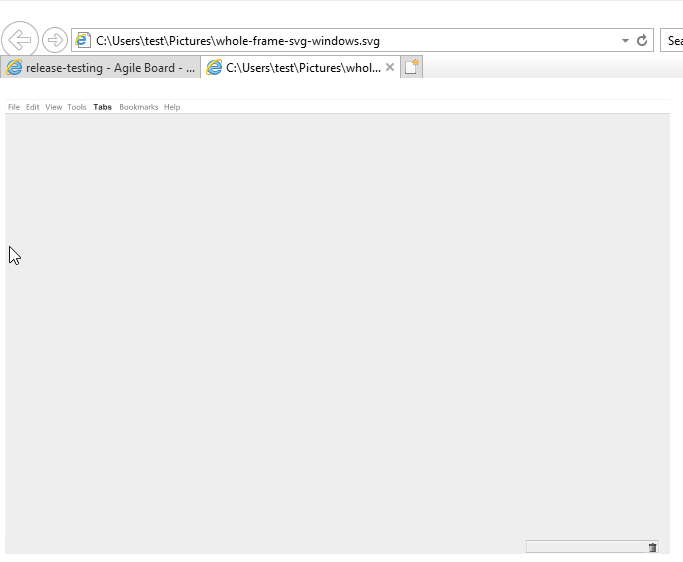
      When trying to export an image from IGB 9.1.0 on windows, specifying 'whole frame' and saving as svg, clicking save does not close the export window, and an image file is created, but it is missing all elements except the menu bar and part of the bottom bar. I have attached the svg and a screenshot of it for easy viewing.

      I tried reseting preferences and deleting the IGB folder, but the issue persists. I tested v9.0.2 on a naive system and still experience the issue.

        Attachments
          Issue Links

            Activity

            Hide
            nfreese Nowlan Freese added a comment -

            This is a long standing issue with exporting whole frame images as SVG. Previously we disabled whole frame SVG exporting, but enabled to allow users who can get it to work to continue using it.

            Show
            nfreese Nowlan Freese added a comment - This is a long standing issue with exporting whole frame images as SVG. Previously we disabled whole frame SVG exporting, but enabled to allow users who can get it to work to continue using it.
            Hide
            nfreese Nowlan Freese added a comment - - edited

            UPDATE

            I am curious whether the change in svg library implemented in IGBF-4081 would fix the issue with whole frame export of svg images on Windows. Note that you will need to re-enable save as svg on whole frame for Windows in order to test (see IGBF-2315).

            Paige has also identified the following tickets for svg on Windows. DB-91 would be interesting to test as well.

            • HELP-273 - Trouble opening saved SVG files on Windows
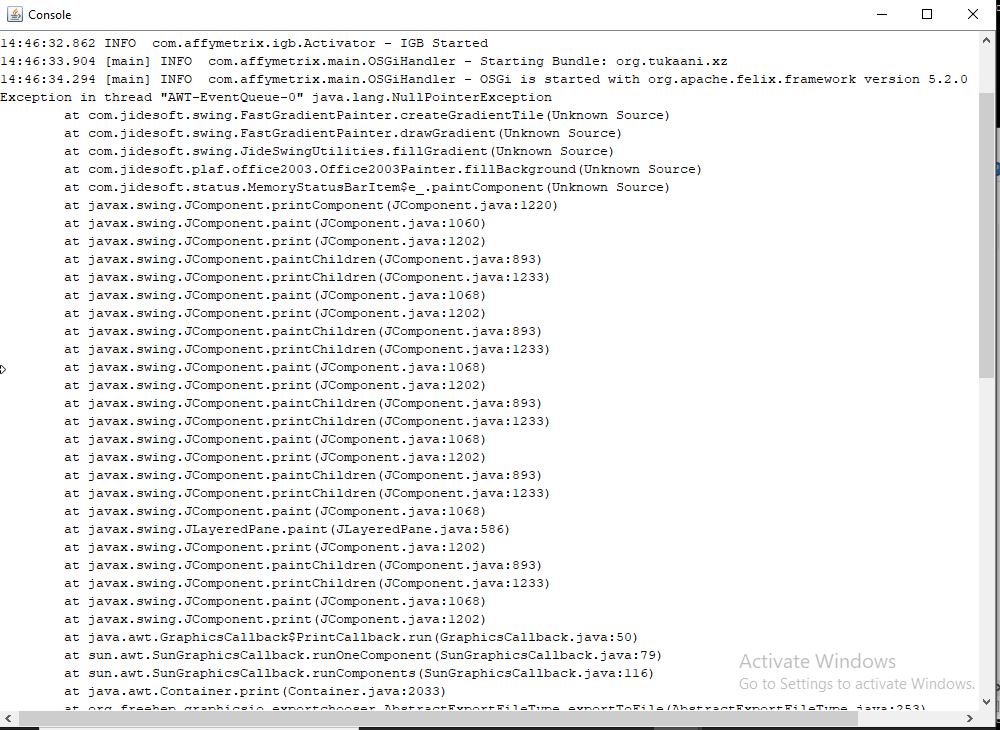
            • DB-24 - NullPointerException when exporting Whole Frame SVG on Windows
            • DB-91 - snapshot command line not working for SVG files on Windows

            UPDATE
            The above issues appear to be resolved.

            Show
            nfreese Nowlan Freese added a comment - - edited UPDATE I am curious whether the change in svg library implemented in IGBF-4081 would fix the issue with whole frame export of svg images on Windows. Note that you will need to re-enable save as svg on whole frame for Windows in order to test (see IGBF-2315 ). Paige has also identified the following tickets for svg on Windows. DB-91 would be interesting to test as well. HELP-273 - Trouble opening saved SVG files on Windows DB-24 - NullPointerException when exporting Whole Frame SVG on Windows DB-91 - snapshot command line not working for SVG files on Windows UPDATE The above issues appear to be resolved.
            Hide
            ann.loraine Ann Loraine added a comment - - edited

            Task:

            • Enable (on a branch) SVG whole frame export on windows and create an installer for this branch. (See comment above for the relevant commit where the export function was de-activated for windows only)
            • Attempt to export whole frame image on Windows, observe whether the svg image is now produced without an error (e.g., NullPointerException) being generated (see logs)

            Be sure to test the three scenarios from the three tickets linked above.

            Show
            ann.loraine Ann Loraine added a comment - - edited Task: Enable (on a branch) SVG whole frame export on windows and create an installer for this branch. (See comment above for the relevant commit where the export function was de-activated for windows only) Attempt to export whole frame image on Windows, observe whether the svg image is now produced without an error (e.g., NullPointerException) being generated (see logs) Be sure to test the three scenarios from the three tickets linked above.
            Hide
            pbhatia1 Pranav Bhatia (Inactive) added a comment - - edited

            To test the exporting whole frame svg issue on Windows, we have created two branches.

            IGBF-2143 - Enabled selecting 'Whole frame' with the new SVG export library. Download For Windows

            release-10.1.0-2143 - Enabled selecting 'Whole frame' in the older IGB version. (Old SVG export library). Download For Windows

            Show
            pbhatia1 Pranav Bhatia (Inactive) added a comment - - edited To test the exporting whole frame svg issue on Windows, we have created two branches. IGBF-2143 - Enabled selecting 'Whole frame' with the new SVG export library. Download For Windows release-10.1.0-2143 - Enabled selecting 'Whole frame' in the older IGB version. (Old SVG export library). Download For Windows
            Hide
            pbhatia1 Pranav Bhatia (Inactive) added a comment -

            Reverted De-activate save as svg on whole frame for Windows platform

            Link to Downloads folder - https://bitbucket.org/pranavbhatia1999/integrated-genome-browser/downloads/

            Windows file name - IGB-windows-amd64-IGBF-2143-2.exe
            MacOS file name - IGB-macos-universal-IGBF-2143-2.dmg

            Show
            pbhatia1 Pranav Bhatia (Inactive) added a comment - Reverted De-activate save as svg on whole frame for Windows platform Link to Downloads folder - https://bitbucket.org/pranavbhatia1999/integrated-genome-browser/downloads/ Windows file name - IGB-windows-amd64- IGBF-2143 -2.exe MacOS file name - IGB-macos-universal- IGBF-2143 -2.dmg
            Hide
            nfreese Nowlan Freese added a comment -

            Tested on Windows using Pranav's IGBF-2143-2 branch and comparing the results to his release-10.1.0-2143 (release-10.1.0-2143 has whole frame export for svg enabled on Windows, but is otherwise just IGB 10.1.0 release).

            Was able to export whole frame svg on Windows. The svg file opened successfully in Inkscape and was able to be modified.

            Ready for pull request.

            Show
            nfreese Nowlan Freese added a comment - Tested on Windows using Pranav's IGBF-2143 -2 branch and comparing the results to his release-10.1.0-2143 (release-10.1.0-2143 has whole frame export for svg enabled on Windows, but is otherwise just IGB 10.1.0 release). Was able to export whole frame svg on Windows. The svg file opened successfully in Inkscape and was able to be modified. Ready for pull request.
            Hide
            pbhatia1 Pranav Bhatia (Inactive) added a comment -

            Pull request submitted.

            Show
            pbhatia1 Pranav Bhatia (Inactive) added a comment - Pull request submitted.
            Hide
            ann.loraine Ann Loraine added a comment -

            PR is merged.

            Show
            ann.loraine Ann Loraine added a comment - PR is merged.
            Hide
            ann.loraine Ann Loraine added a comment -

            Update:

            • New installers are built and deployed to early access section of bioviz.org.
            • Ready for testing.

            Suggestion for how to advertise / write about the new feature.

            • Create 2 svg image(s) of the same exact scene using released IGB version 10.1.0 and the new version (tip of main branch). Open them in an SVG file editor, like Adobe Illustrator, and compare.
            • Suggestion for images to compare: (1) Default home screen, (2) default view of Dec 2013 human genome assembly. (When you click the Mona Lisa image in the home screen, this Dec 2013 human genome assembly will automatically load.)

            Other images could also be useful. I recommend trying to make images that let you observe the improvements that the new code introduces.

            Show
            ann.loraine Ann Loraine added a comment - Update: New installers are built and deployed to early access section of bioviz.org. Ready for testing. Suggestion for how to advertise / write about the new feature. Create 2 svg image(s) of the same exact scene using released IGB version 10.1.0 and the new version (tip of main branch). Open them in an SVG file editor, like Adobe Illustrator, and compare. Suggestion for images to compare: (1) Default home screen, (2) default view of Dec 2013 human genome assembly. (When you click the Mona Lisa image in the home screen, this Dec 2013 human genome assembly will automatically load.) Other images could also be useful. I recommend trying to make images that let you observe the improvements that the new code introduces.
            Hide
            nfreese Nowlan Freese added a comment -

            Tested main branch installer on Windows and Mac.

            Was able to export whole frame svg on Windows. The svg file opened successfully in Inkscape and was able to be modified. No errors in log. Just to double check, I also checked on Mac and everything is working correctly.

            Closing ticket.

            Show
            nfreese Nowlan Freese added a comment - Tested main branch installer on Windows and Mac. Was able to export whole frame svg on Windows. The svg file opened successfully in Inkscape and was able to be modified. No errors in log. Just to double check, I also checked on Mac and everything is working correctly. Closing ticket.

              People

              • Assignee:
                pbhatia1 Pranav Bhatia (Inactive)
                Reporter:
                pbadzuh Philip Badzuh (Inactive)
              • Votes:
                0 Vote for this issue
                Watchers:
                4 Start watching this issue

                Dates

                • Created:
                  Updated:
                  Resolved: